For readers comparing image to stl tools, this review explains how Tripo AI and SupaVoxel differ in credit use, model sharpness, and repair needs when converting a reference image into a printable mesh.
Independent review: both products were tested on my own accounts — free where offered and paid where not — with no vendor-provided access.
My verdict in 60 seconds — Tripo 65/100, SupaVoxel 88/100
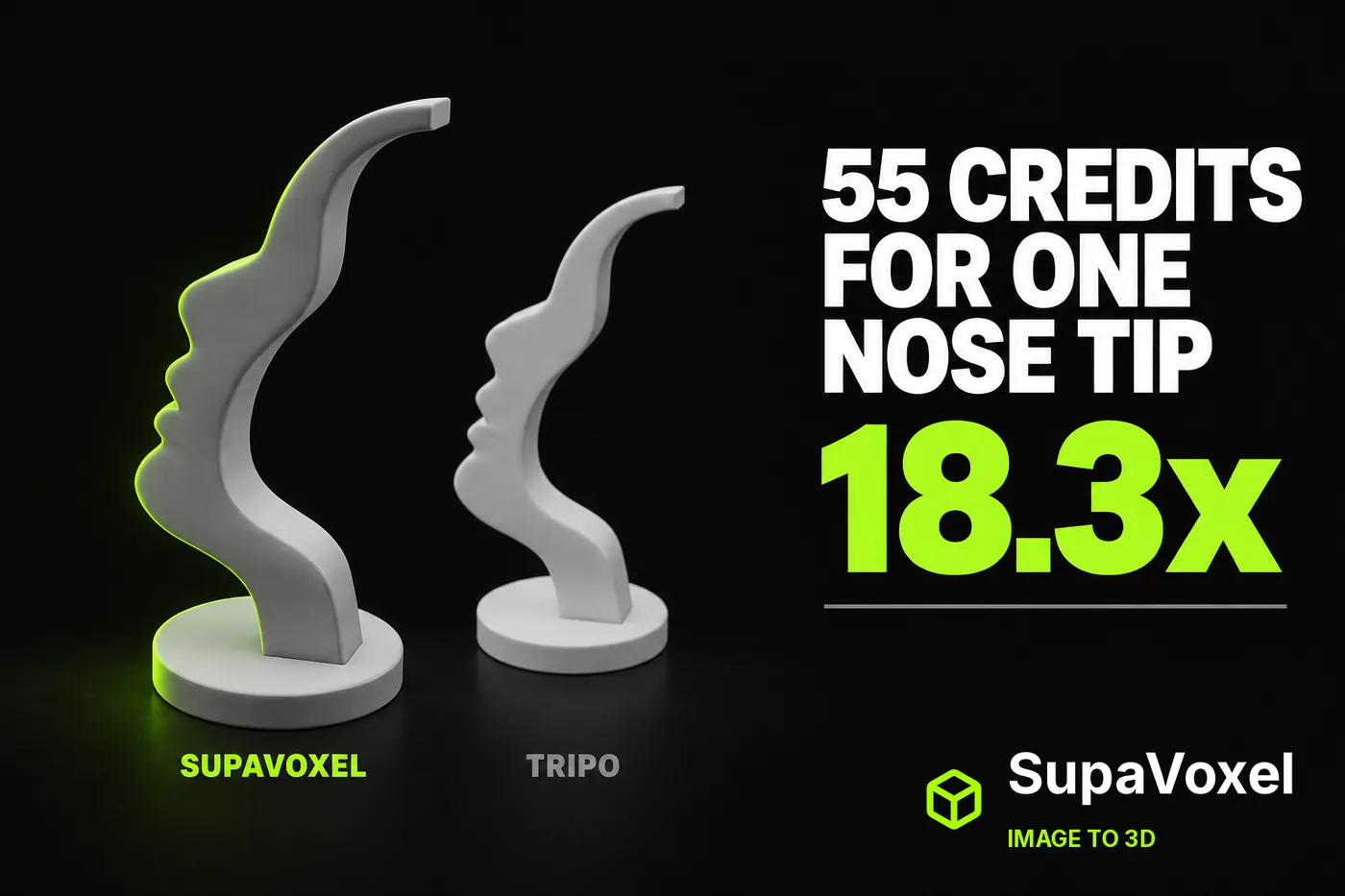
The honest headline first: on this subject Tripo produced the better model. I put one image of a sculptural face glasses stand — an S-swept plate with a human profile carved into its left edge, on a round base — into Tripo and into SupaVoxel. Tripo's nose tip comes to a point, its notch under the nose is a deeper narrower V, its lip step is a harder edge. SupaVoxel rounds all three. Every profile feature stays individually readable on the SupaVoxel mesh, but each is a grade softer, and you see it without measuring anything.
This article is about what that grade cost. Tripo charged 55 credits. SupaVoxel charged 3. 18.3×, for a marginally sharper nose on an object otherwise identical to within 1.12 cm³ — and for a Tripo mesh that still needs its winding flipped before slicing.
- Credits for this one model — Tripo 55 · SupaVoxel 3 · 18.3×
- What I could see being charged — Tripo's balance 605 → 550 · SupaVoxel's project card prints
3 creditsfor the run - When the price appears — Tripo after you upload · SupaVoxel on the button, before you click
- Trial-limited switches in the paid tier — Tripo 3 (Clean Topology ×2, Generate in Parts ×1, 8K Texture ×1) · SupaVoxel 0
- Credits for a batch of 100 — Tripo 5,500 · SupaVoxel 300 · 5,200 credits of difference
- Serial wall-clock for that batch — Tripo 3.8–5.2 h · SupaVoxel 2.8–24.1 h · the ranges overlap; nobody wins this row
- What 52 extra credits bought — a sharper nose tip; the repair pass survives on both sides
- What a crashed attempt cost — 0 credits: no project card, no charge on the balance
Four things that decide this case:
- Tripo's 55 credits buy the tier with every enhancement switched off. Clean Topology is labelled Trial ×2; Generate in Parts and 8K Texture sit inside a Members Only block, greyed and default-off.
- Clean Topology off is not cosmetic. The Tripo mesh is watertight with inconsistent winding — a sealed solid with faces pointing inward. Tripo handed me the topology bill after charging 55 credits.
- Tripo does not show a price until the image is uploaded. Its front-page button says Generate; after the upload, Generate 55. SupaVoxel says Generate (3 credits) on the first screen.
- My first SupaVoxel attempt failed outright: the browser reported Page crashed at both stages. No project card appeared, the credit balance did not move, the retry succeeded. Better you hear it here.
One model a week and you need the crispest edge? The Tripo bill is survivable and Tripo earns it. At any volume, 5,200 credits per hundred models is the whole argument.
The test, and what each side charges to run it
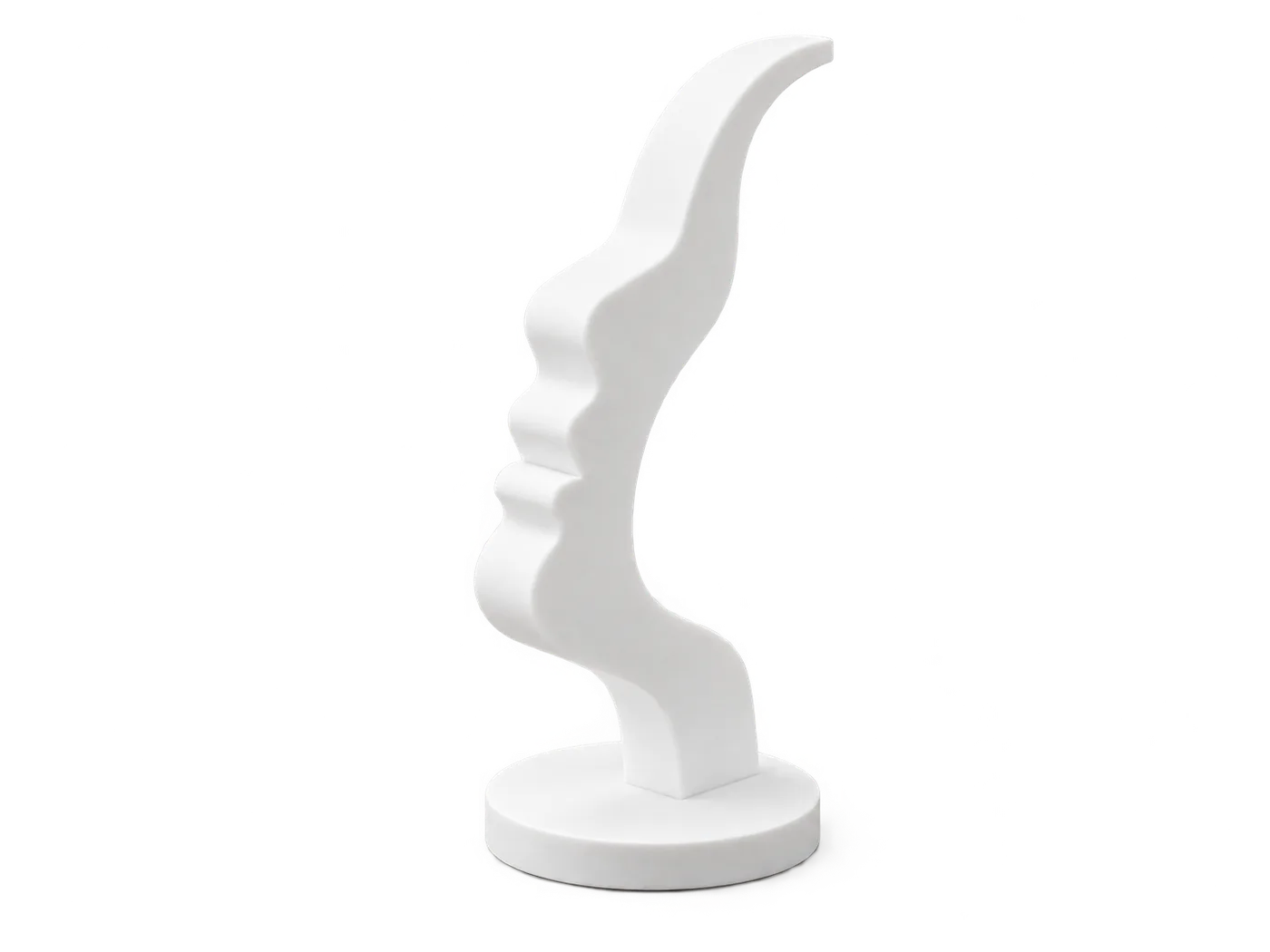
The single input both products received: a 359,638-byte PNG, sha256 0f736f93…. The plate is an intentional S-shaped sweep, not a flat slab. The reference shows the stand empty — on this design the carved nose is the crossbar the glasses hang on, so there is no separate bar in frame.
Same file, same factory defaults, one paid run each, on my own account at each product. Every cost below is read off the screen — Tripo's balance before and after, SupaVoxel's per-run credit line on the project card — not off a marketing page.
Tripo shows the price after the upload, not before

Tripo's landing studio. Upgrade, Lv.0 and a 99+ badge top right, a "Level up your personal brand" bubble on the navigation, a Gallery feed filling the lower half. The generate entry is the single middle card, and the only two controls are Best Quality and Clean Topology Trial ×2.
Tripo's button here says Generate. Not Generate 55. You learn the price one step later.

After the upload Tripo's button reads Generate 55, balance at 605. That is the first moment in Tripo's flow where a price exists.
- Price visible before upload — Tripo no · SupaVoxel yes
- Balance before → after — Tripo 605 → 550 · a 55-credit debit against a model that still needs a winding flip
- Deduction timing (on submit or on success) — not captured on either side; I only read the balance before and after the whole run
A gap in this test, flagged rather than filled. I can tell you 55 credits left the Tripo account. I cannot tell you whether a Tripo failure would have refunded them.
SupaVoxel prints its price on the button on the first screen
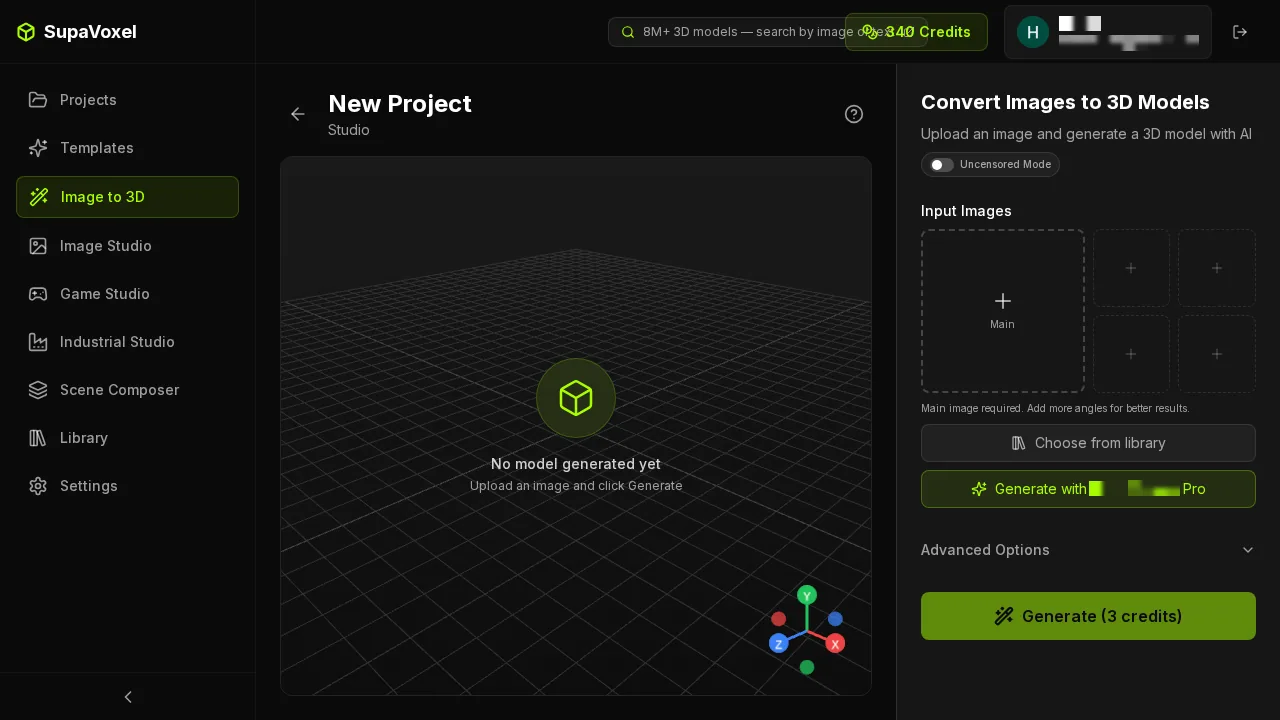
SupaVoxel's studio: navigation left, viewport centre, five input slots right (Main plus four supplementary angles), an Advanced Options bar, and one button reading Generate (3 credits).
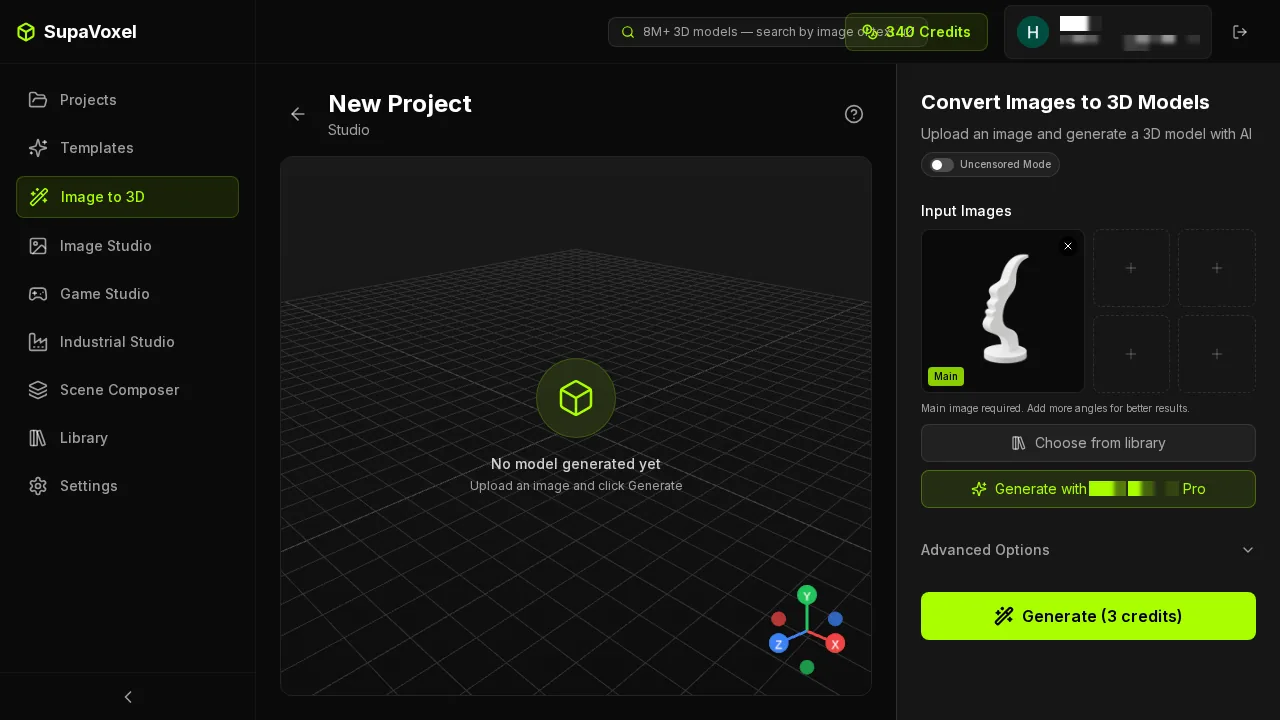
After the image lands in the Main slot the layout does not change. The button still reads Generate (3 credits), and there is no Trial ×N switch on the screen.
- Trial-limited switches — Tripo 3 · SupaVoxel 0
- Input slots used — 1 of the 5 SupaVoxel offers; Tripo's supplementary-image count not captured
- Settings used — factory defaults both sides: SupaVoxel steps 5 / guidance 5.5 / octree 256 / full / removeBackground, Advanced Options never expanded; Tripo Best Quality, all three enhancement switches default-off
The 55 credits buy the tier with everything switched off
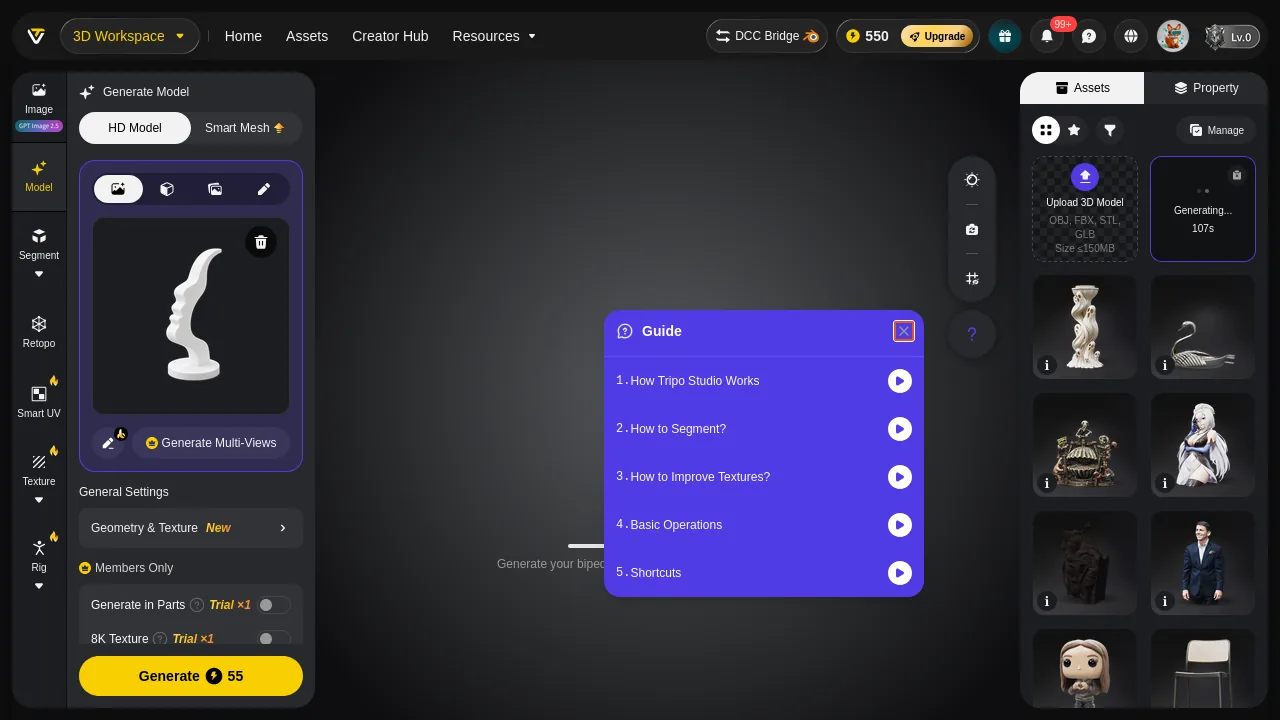
Tripo's left panel expanded. Under General Settings sits a Members Only block holding Generate in Parts (Trial ×1) and 8K Texture (Trial ×1), both greyed and off. Clean Topology, on the front screen, is Trial ×2.
This is the part of Tripo's pricing that appears on no button. 55 credits is a Best Quality run with Clean Topology off, Generate in Parts off, 8K Texture off. Tripo meters those enhancements — two uses, one, one — so even a paying account is rationed.
And the one metered at ×2 is the one this case needed. Clean Topology off is why the Tripo mesh, welded, is watertight with inconsistent winding: 1 component, 0 boundary edges, 0 non-manifold edges, faces pointing inward. 55 Tripo credits for a sealed solid you still have to flip.
- Enhancements included in Tripo's 55 credits — 0
- What "off" cost on this model — one normals-flip pass before slicing
- What SupaVoxel cost to reach its own repair bench — 3 credits, and 47 shells to merge
What the wait actually looks like on each side
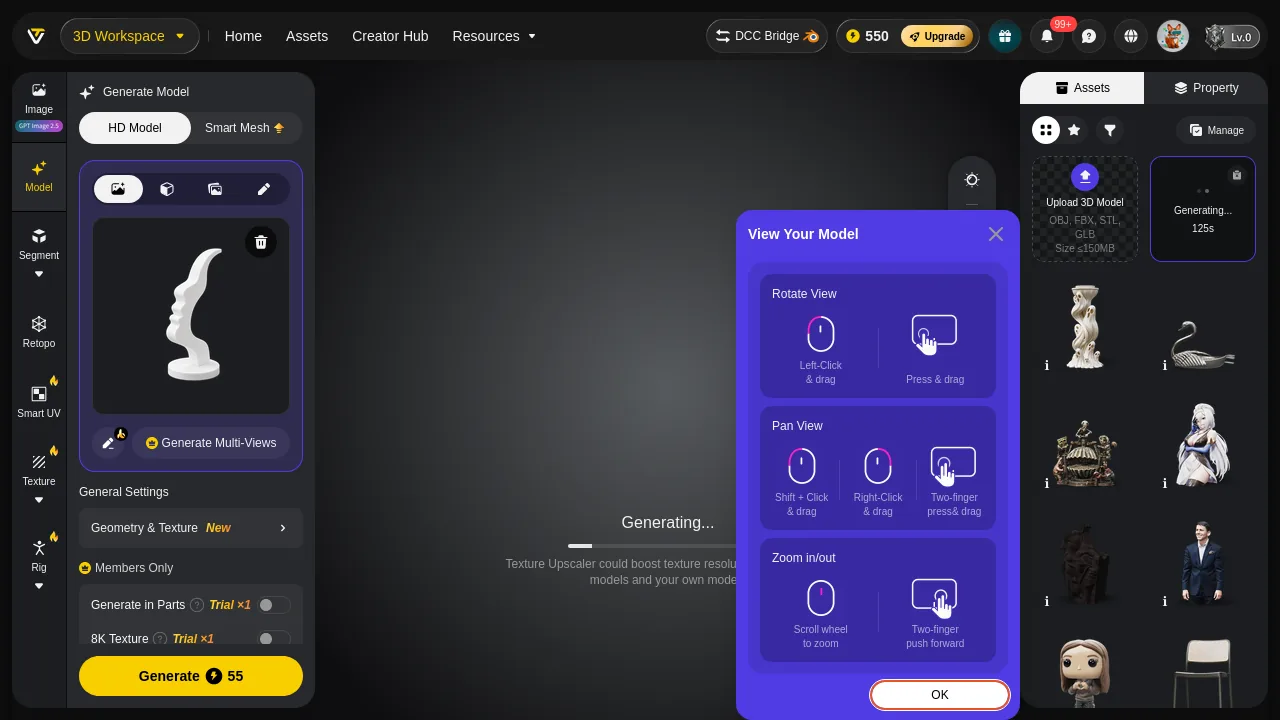
Tripo generating. The viewport is covered by a "View Your Model" tutorial modal with a Texture Upscaler promo strip under it. Tripo's asset card top right counts real seconds: 107s → 125s.
Credit where due: Tripo's live second counter is more useful than SupaVoxel's progress readout, and I would rather have it.
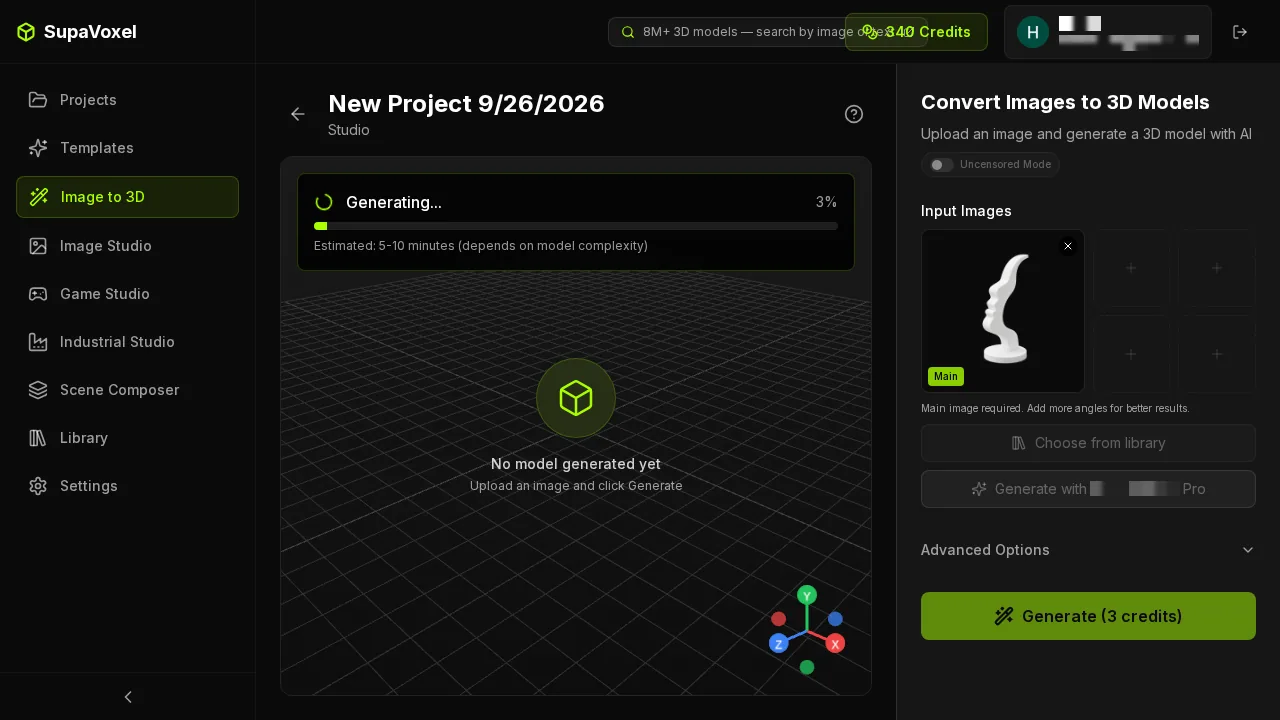
SupaVoxel generating: a percentage bar and "Estimated: 5–10 minutes." This run finished in 100.2 s. The estimate is far more conservative than reality and it does not tell you how much longer you have.
Now the timing, with the sample size stated, because this is the easiest place in the whole comparison to mislead you:
- This case, SupaVoxel — 100.2 s, the fastest SupaVoxel run of the ten subjects I tested
- This case, Tripo — 135 s, bracketed by polling every 30 s because Tripo exposes no completion timestamp: still Generating at 105 s, done at 135 s
- This pair, therefore — SupaVoxel by about 35 seconds. One subject, one run each.
- Across the ten subjects, SupaVoxel is usually quicker — median 133.6 s against Tripo's 163.5 s, and quicker on 7 of 10 subjects
- Across the same ten, Tripo is far steadier — 135–189 s, a spread of 54 s · SupaVoxel 100.2–867.4 s, a spread of 767 s
- Sample size — ten runs each. A sample, not a statistic, and it tells you nothing about the eleventh run.
Both of those rows are true and you need both. SupaVoxel wins the typical run, including this one. But its long tail is real — three of the ten subjects took 250 s, 258 s and 867 s — and Tripo never left a 54-second band. If you are generating one model you will usually wait less on SupaVoxel; if you are generating a queue, Tripo's predictability is the thing you are buying with those extra credits, and on some subjects it is the only thing.
The crash that cost nothing
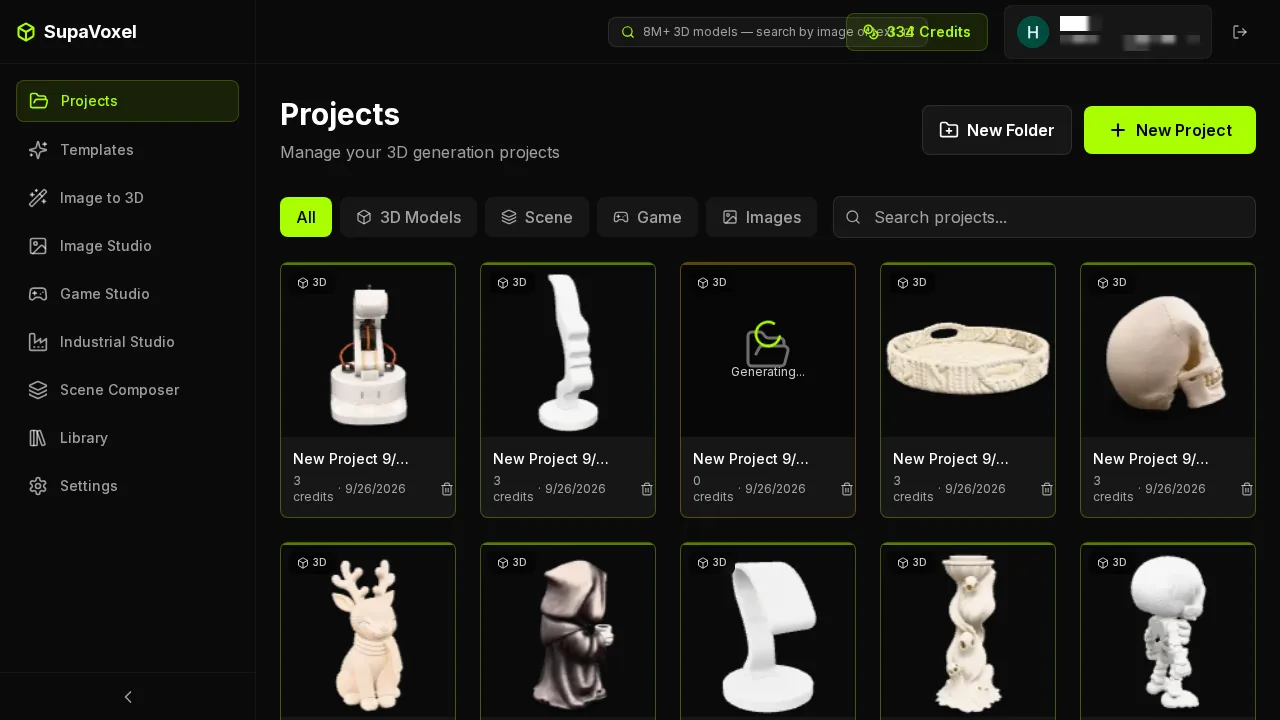
SupaVoxel's Projects grid, ten cases on one page. Each card prints what that run cost — 3 credits · 9/26/2026 — and a run still in flight prints 0 credits.
My first SupaVoxel attempt died: the browser reported Page crashed at both stages. No project card was created and the credit balance was unchanged afterwards, so nothing had been spent; the retry ran clean. The result in this article is that retry.
That failure belongs in the pricing article because the billing consequence is the point: the crash did not charge. One more small annoyance from the same session — the results grid opened the wrong project once, so I checked which card I was on before trusting a number off the screen.
- Credits lost to the crash — 0
- Per-run cost on SupaVoxel's side — on the card, in the list, without opening anything
- Per-run cost on Tripo's side — in the asset panel, one asset at a time
Batch of 100: the 5,200-credit line
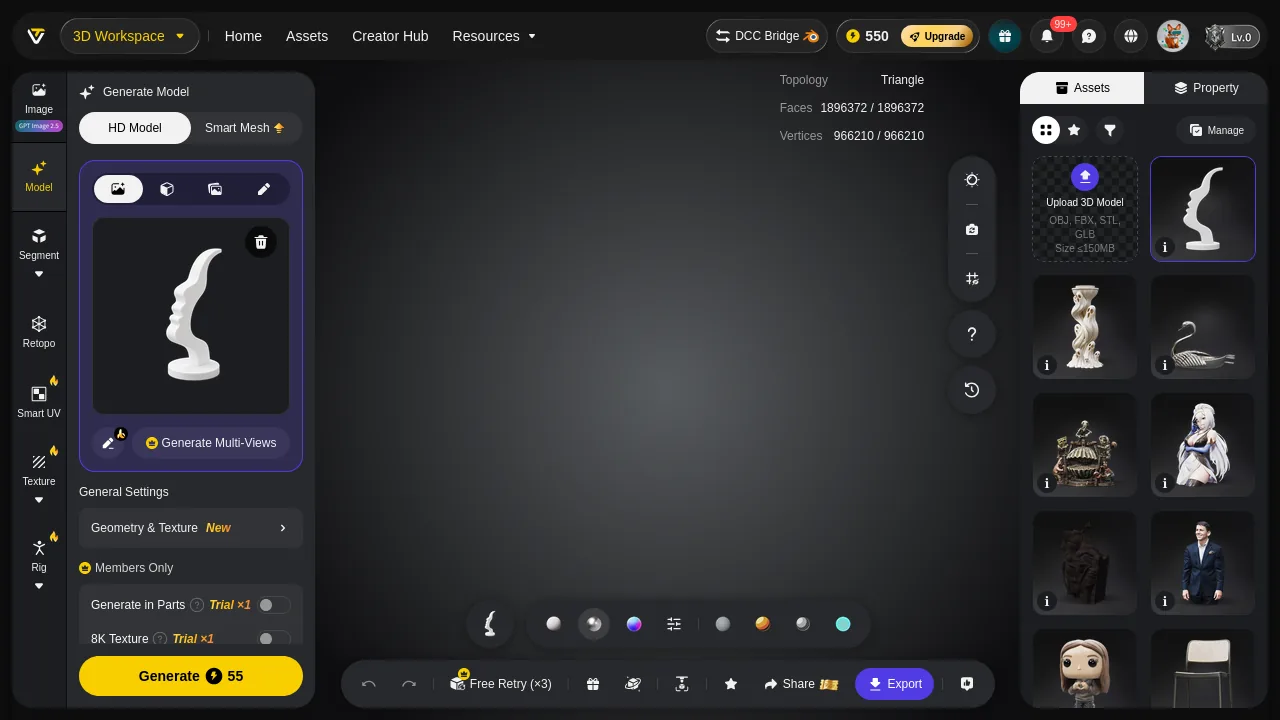
Tripo's completion screen reports Triangle / Faces 1896372 and Vertices 966210, matching the parsed GLB to the digit. The bottom bar carries Free Retry (×3), Share, Export and a row of material balls.
One model is a rounding error in anyone's budget. A hundred is a decision.
- Credits — Tripo 5,500 · SupaVoxel 300 · 5,200 apart
- Serial wall-clock, extrapolated from my ten observed runs — Tripo 3.8–5.2 h · SupaVoxel 2.8–24.1 h · by medians it is 3.7 h against 4.5 h, but a median hides the tail, so honestly this row is undecidable on my data
- Total download — Tripo 5.76 GB · SupaVoxel 0.47 GB
- Resin at $35/L — Tripo $153.00 · SupaVoxel $157.00 · four dollars apart across the whole batch
- Repair passes required — 100 on each side; this does not cancel out in anyone's favour
Material cost is effectively identical, which is the point: Tripo's 5,200-credit gap buys no stronger part, no more volume, no less resin. Across a hundred models it buys a hundred sharper nose tips and 5.29 GB of extra download.
What the credits did not buy: the back half
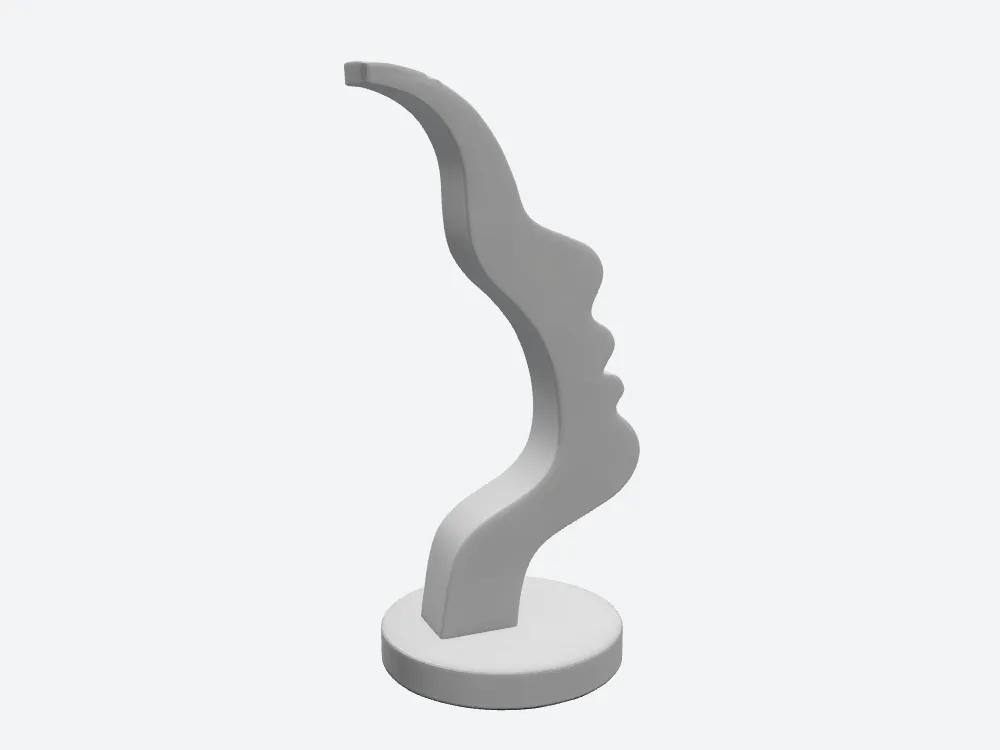
Tripo's rear view — the half the input never showed. No ears, no hair, no skull: Tripo swept the profile through the plate and closed it with a smooth arc.
55 Tripo credits did not purchase an invented back; SupaVoxel produced the same non-answer for 3. When the extra money buys nothing on the half of the object the camera never saw, that is worth stating plainly.
Where the money genuinely goes: textures you may or may not want
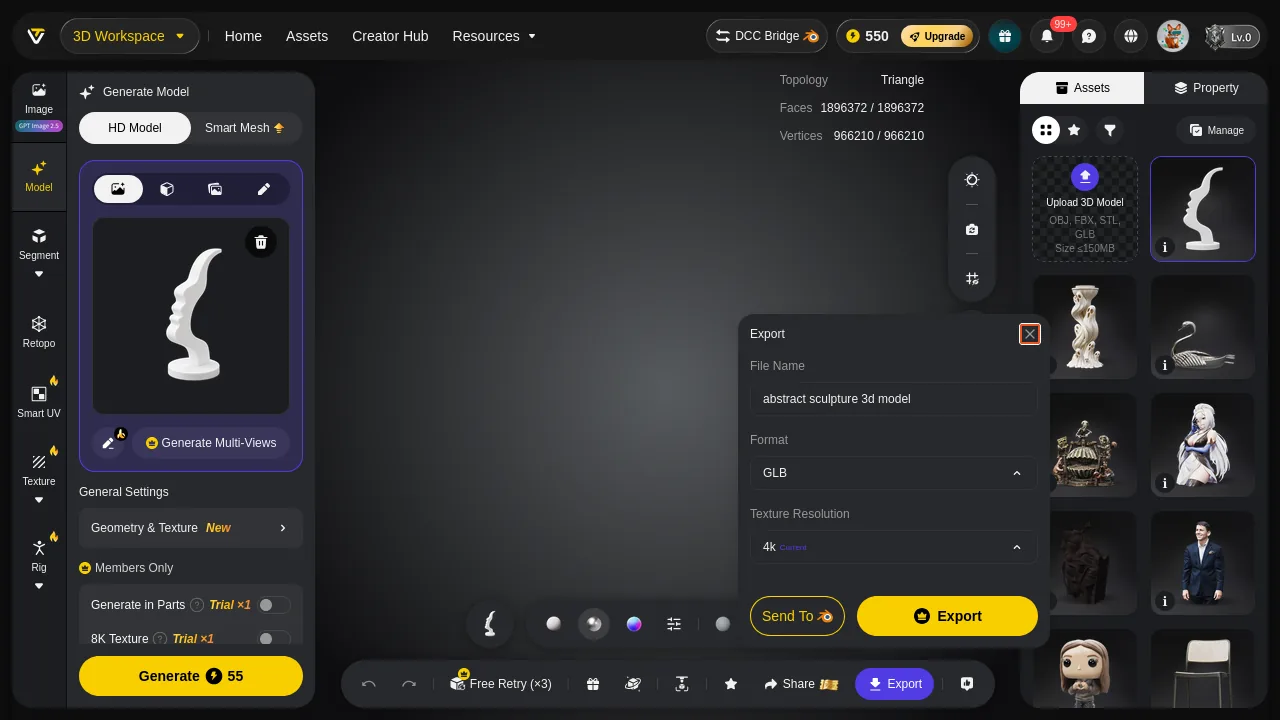
Tripo's export dialog: File Name, Format (GLB) and Texture Resolution, which defaults to 4k (Current), plus a Send To button.
One line item where Tripo's 55 credits demonstrably deliver more material:
- Texture set — Tripo 3 × 4096, 3,944,428 bytes · SupaVoxel 3 × 2048, 164,616 bytes
- baseColor specifically — Tripo 1,271,467 B · SupaVoxel 78,018 B · 16.3×
- Maps a white print never reads — Tripo 2,672,961 B of metallicRoughness and normal, 67.8% of its texture payload · SupaVoxel 86,598 B
If your output is a rendered product image or a coloured asset, Tripo's 4K basecolor is a real thing you paid for and it beats SupaVoxel's. If your output is a white printed part, you paid Tripo 55 credits and downloaded 2.67 MB of maps you will delete.
Final verdict: Tripo scores 65, and the price is the whole argument
Tripo won the profile on this subject. It also won the single watertight shell and the triangle hygiene, and its live second counter beats SupaVoxel's progress bar. Four wins, listed here rather than buried.
Then the invoice. 55 credits against 3 for one model, 5,500 against 300 for a hundred. The price shows up only after you upload. The three switches that would have improved the mesh are trial-metered and default-off, so 55 credits buys Tripo's stripped tier — and Clean Topology off is exactly why you inherit a flipped winding. Meanwhile the object matches SupaVoxel's to within 1.12 cm³ and four cents of resin, SupaVoxel's support area is 228.8 mm² smaller, and the attempt that crashed on me charged nothing.
Use Tripo when you need the sharpest edges and a 4K basecolor on a low-volume job and 55 credits a model fits your budget. A real use case, given its own row twice above.
Use SupaVoxel when the number of models is more than one.
Which one I would use for this job
On price, I would spend the 3 credits: the number is on the button before you click, there are no trial-metered switches, and the run that crashed on me cost nothing. I would still merge shells before slicing — that fault is real and it is above, not hidden. What I would not do at any volume is pay 55 credits to reach the same repair bench. supavoxel.com is where the cheaper half of this test ran.
Originally published on Medium: Tripo AI Credits Review 2026: 55 Credits for a Sharper Nose Tip.