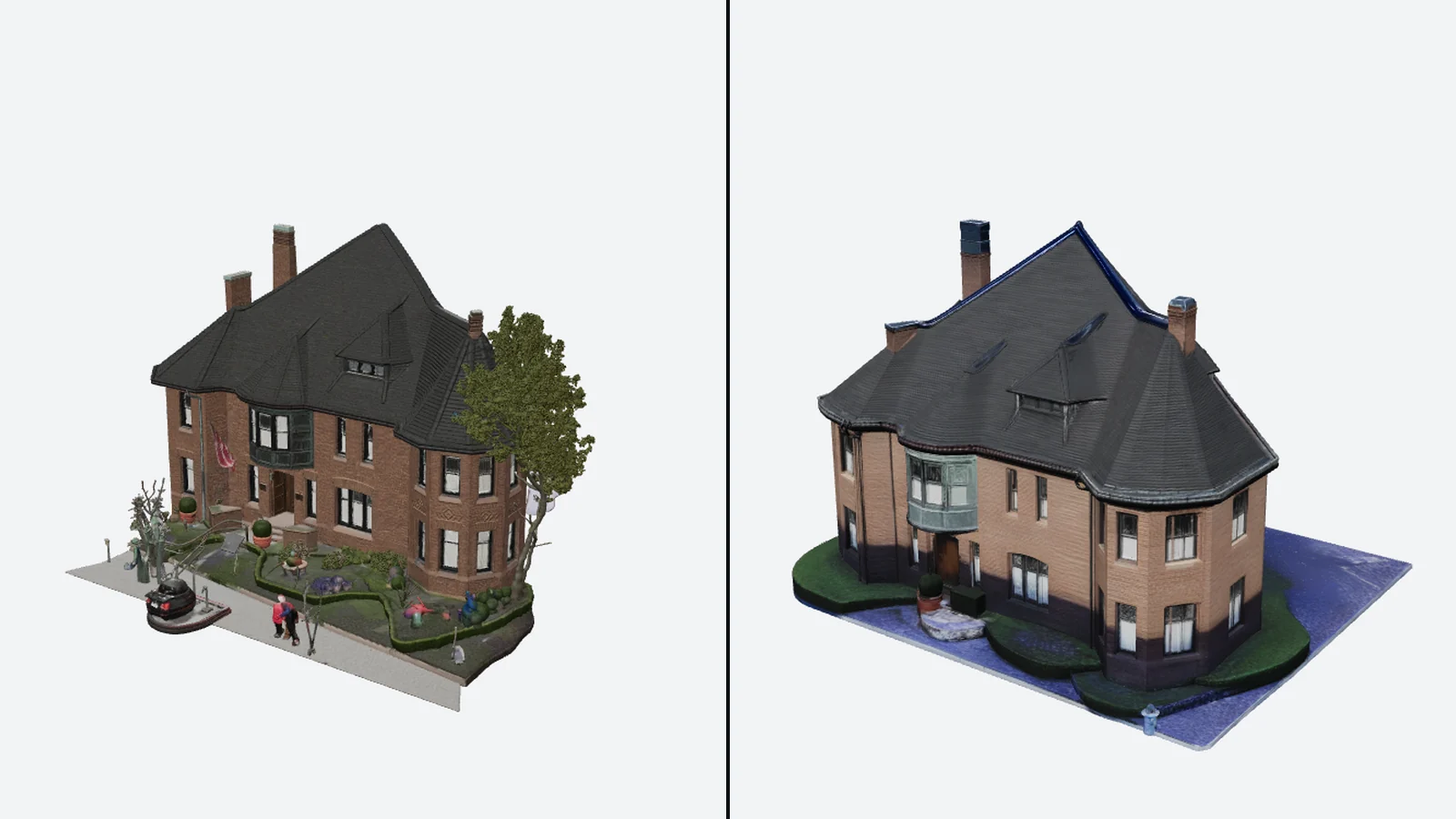
I fed one photo of a brick house to two image-to-3D tools on the same day and then ignored the pretty viewport renders. What I wanted to know was simpler and more boring: what does the file you download actually contain, how much does it weigh, and what does that weight cost you once the model leaves the generator? Meshy 7.1 Flagship handed me a 184.9 MB GLB. SupaVoxel handed me a 15.2 MB one. The rest of this post explains where that 12.2x gap comes from, what it does to a web page, and what it means if all you really want is an STL for your printer.
 The only input either tool got: one street-level photo, uploaded unchanged to both.
The scorecard up front
I score each tool out of 100 overall, and break that down into eight things that matter when a 3D file has to go somewhere after it is generated. Meshy lands at 60/100. SupaVoxel lands at 90/100.
| Dimension | Meshy | SupaVoxel | What decided it |
|---|---|---|---|
| File weight | 1/10 | 10/10 | 184.9 MB uncompressed vs 15.2 MB compressed |
| Bytes per triangle | 2/10 | 10/10 | 32.0 vs 10.6 |
| Mobile loading | 1/10 | 9/10 | 129.2 s vs 10.6 s at 12 Mbps |
| Hosting cost | 1/10 | 10/10 | $193.90 vs $15.90 a month at 10,000 loads |
| Ready to ship as-is | 2/10 | 9/10 | 185 MB vs 47 MB of geometry in VRAM |
| Credits per model | 3/10 | 10/10 | 35 vs 3 |
| Decode speed | 9/10 | 7/10 | Meshy reaches first frame 337 ms sooner |
| Export formats | 10/10 | 6/10 | Eight formats vs five |
Two rows go Meshy's way, and I'll give them their due further down. The other six are not close.
What I actually measured
Every figure below comes from the GLB files themselves, not from a product dashboard. I downloaded both models, opened them with a glTF parser, and pulled out triangle and vertex counts, materials, texture dimensions and the extensionsUsed list. Meshy's in-app triangle counter matched my parse to the unit, 6,056,056 both ways, which is worth saying because not every tool reports its own numbers honestly.
Load timing was done on one machine with one three.js version, reading from local disk so the network played no part, three runs per file, median reported. Download times and hosting costs are straightforward arithmetic on the measured byte counts. I state the assumptions each time so you can plug in your own connection speed or CDN price.
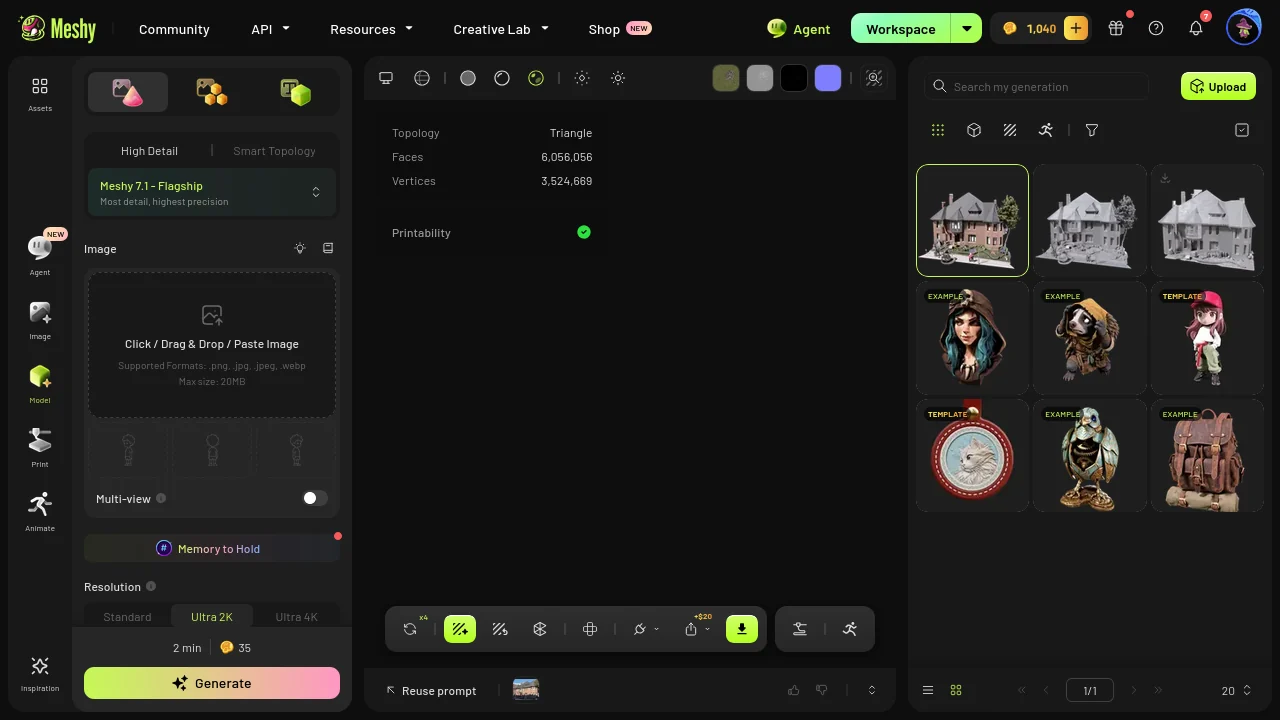 Meshy's own panel agrees with my parser on the triangle count. What it doesn't show is the file size that count turns into.
Two files, side by side
Here is the whole comparison in one table before I start picking it apart.
| Meshy 7.1 (textured) | SupaVoxel | |
|---|---|---|
| GLB size | 193,873,708 bytes (184.9 MB) | 15,900,916 bytes (15.2 MB) |
| Triangles | 6,056,056 | 1,499,830 |
| Vertices | 3,524,669 | 896,732 |
| Bytes per triangle | 32.0 | 10.6 |
| glTF extensions | none (extensionsUsed = []) | EXT_meshopt_compression, KHR_mesh_quantization, KHR_materials_specular |
| Textures | 3 x 2048 x 2048 JPEG (12.6 Mpx) | 3 x 4096 x 4096 WebP (50.3 Mpx) |
| Materials / meshes | 1 material, 1 mesh | 1 material |
| Scene contents | whole photo: tree, car, pedestrians | building isolated on a base plate |
| Export formats | GLB, FBX, OBJ, USDZ, STL, BLEND, 3MF, DXF | GLB, OBJ, STL, USDZ, 3MF |
| Credits charged | 35 (25 geometry + 10 texture) | 3 |
The row that explains most of the size gap is the extensions row. Meshy writes raw float positions, raw normals, raw UVs and 32-bit indices, with no compression extension of any kind. SupaVoxel quantizes the mesh and runs it through meshopt, both of which are open, standard glTF extensions that three.js and Babylon read without any extra setup.
Then look at the triangle row next to the texture row. Meshy carries four times as many triangles as SupaVoxel but a quarter of the texture pixels. It is heavy in exactly the place that costs bandwidth and light in the place that makes a model look good.
Switching texture on tripled the mesh
The detail that surprised me most: Meshy's geometry-only pass produced 2,046,180 triangles in a 49,104,092-byte file. Running the same photo with texturing enabled did not just paint that mesh. It returned a different, much denser one at 6,056,056 triangles. That is roughly three times the geometry, and nowhere in the flow is there a field to set a target polygon count.
What makes this frustrating is that Meshy already has a Remesh tool with presets from 3K to 100K. The capability is in the product. It just isn't part of the path that generates and bills the model.
 The geometry-only pass: about 2.05 million triangles for 25 credits.
 The same corner after the texture pass. Three times the triangles, with the extra density spread around rather than placed on features.
 SupaVoxel at 1,499,830 triangles. A quarter of Meshy's count, and the window openings still hold square corners.
If you want to see what those extra triangles do (and don't do) to the shape of the house, including the rear roof, I went through that in the back-of-the-building comparison. This post sticks to the bytes.
What 184.9 MB does to a web page
Say the model is going on a property listing or an architect's portfolio page. Divide the measured sizes by realistic throughput, not advertised peaks:
- 12 Mbps mobile: Meshy 129.2 s, SupaVoxel 10.6 s
- 100 Mbps home broadband: Meshy 15.5 s, SupaVoxel 1.3 s
Over two minutes on a phone is not a loading state; it is a bounce. Ten seconds is not instant either, but it is inside the range where a spinner can hold someone.
The hosting bill follows the same shape. At 10,000 page loads a month and $0.10 per GB of egress, a price that sits between Vercel's $0.15 and Cloudflare R2's $0.09, counted in decimal units the way CDNs invoice:
- Egress: Meshy 1.94 TB, SupaVoxel 0.159 TB
- Monthly bill: Meshy $193.90, SupaVoxel $15.90
That is about $178 a month separating two versions of the same feature, and it grows linearly: at 100,000 loads it becomes $1,939 against $159. For context, Meshy's 2026-09 plans are Free (100 credits a month), Pro at $20 for 1,000 credits, Premium at $40 for 3,000 and Ultra at $100 for 8,000, with about 20% off annual billing. The bandwidth for one Meshy building on one busy page costs more than the top subscription.
GPU memory, and the cleanup it forces
Once the file arrives, it has to sit in memory. Using a conservative 32 bytes per vertex (12 for position, 12 for normal, 8 for UV) plus 4 bytes per index, the geometry alone needs about 185 MB for Meshy and 47 MB for SupaVoxel, a 3.9x difference.
185 MB of vertex data for a single house is a real problem on a mid-range phone, so in practice the Meshy route to the web has an extra step: decimate before you publish. That step removes the window-head and sill relief the extra triangles were supposed to deliver. You pay for density and then pay again in time to take it away. SupaVoxel's file can go in as downloaded.
Where Meshy wins: nothing to unpack
Compression is not free on the receiving end, and I measured that too. From local disk, parse to first frame:
- Meshy: 1,166 ms (median of 1,166 / 1,153 / 1,236)
- SupaVoxel: 1,503 ms (median of 1,552 / 1,503 / 1,490)
SupaVoxel spends 337 ms on the CPU decoding meshopt data before the GPU gets anything. Meshy's raw buffers go almost straight across. So the honest trade is about a third of a second of decode against 169.7 MB of extra download. Over a network that is an easy call, but in a desktop tool reading files from a local drive, Meshy's format genuinely shows up first.
The street came along for the ride
Part of Meshy's payload isn't the house at all. Meshy reconstructed the whole photo: the car at the curb, people on the pavement, poles, signs and the tree, all welded into one mesh with one material. SupaVoxel returned the building on a tidy base plate with the lawn, driveway and sidewalk as clean strips.
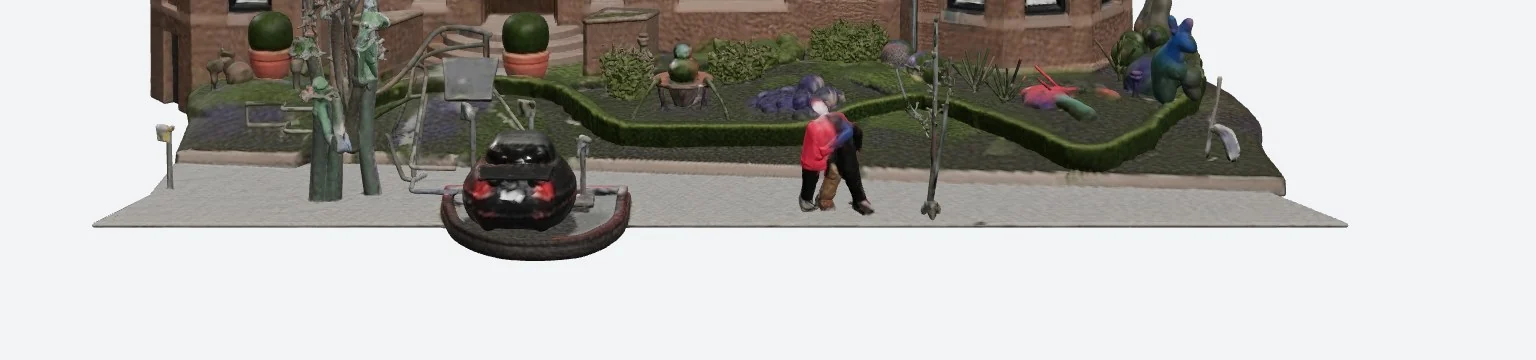 Meshy's ground: every object here is geometry and texture you download and host, and none of it can be selected on its own.
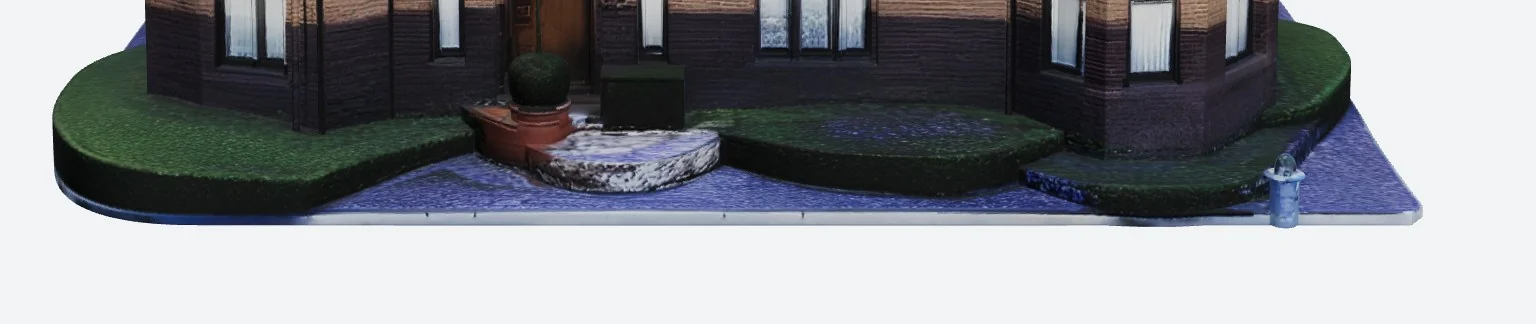 SupaVoxel's ground: three clean bands, a straight-edged plate and a single small fire hydrant.
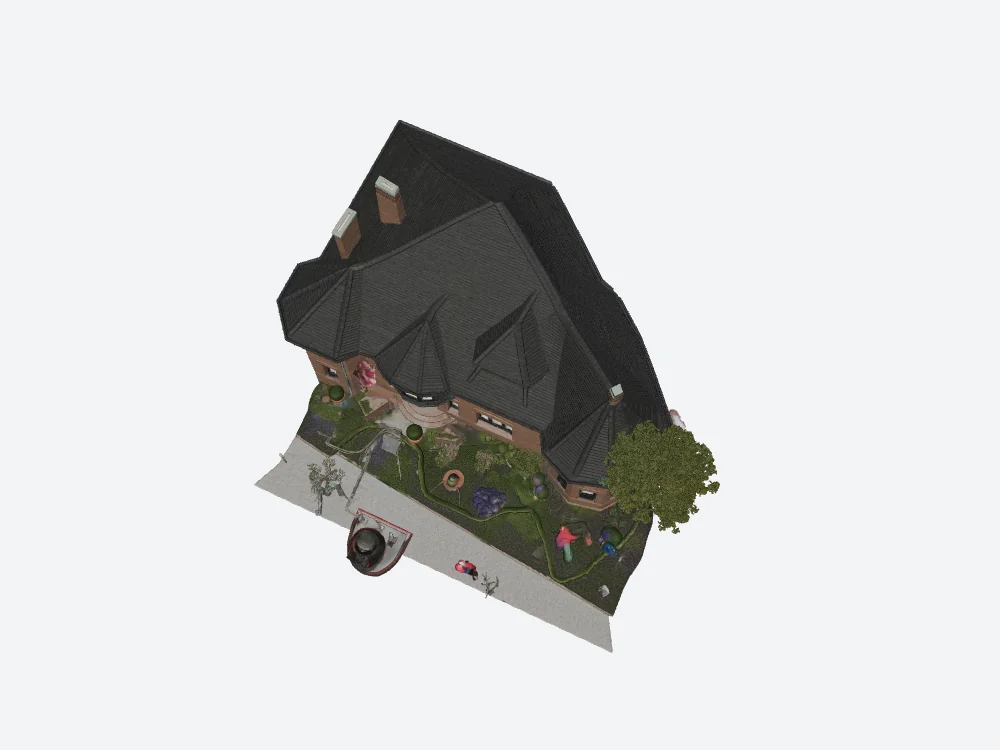 From above, Meshy's footprint includes the street furniture.
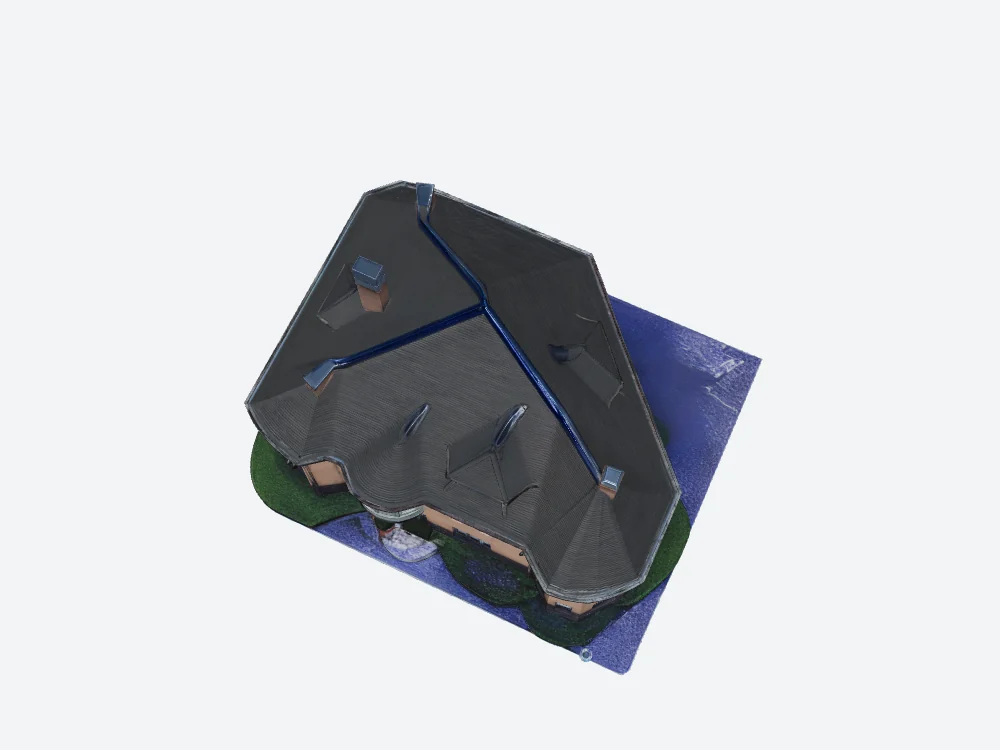 From above, SupaVoxel's footprint is the building and its plate.
Where the texture budget on that car went, and how far Meshy's wall colour drifted from the photo, is covered in the texture, credits and colour comparison.
If the end goal is an STL for your printer
Most people reading this site want something physical at the end, so it's worth re-reading the numbers above through a slicer's eyes. A lot of them stop mattering, and one starts mattering more.
Both tools export STL. Meshy offers STL and 3MF among its eight formats; SupaVoxel offers both among its five. Neither is locked out of printing.
Texture megabytes are irrelevant to a print. STL carries no colour or UVs. From my parse, Meshy's three JPEG textures total 8,409,332 bytes, about 8 MB of the 184.9 MB file. SupaVoxel's three WebP textures total 7,630,312 bytes. In both cases the textures are a small slice, so the GLB size is mostly geometry, and geometry is exactly what an STL keeps.
Compression doesn't survive the export. Binary STL is a flat list of triangles at 50 bytes each plus an 84-byte header, with no equivalent of meshopt or quantization. So SupaVoxel's compression advantage disappears on export, and what remains is triangle count. By that format arithmetic (an estimate from the spec, not a file I measured), Meshy's textured mesh would come out near 303 million bytes as binary STL and SupaVoxel's near 75 million. Your slicer has to load, slice and preview all of that.
For a print, Meshy's texture pass is wasted. Since the texture is thrown away and the texture pass is what triples the triangles, the geometry-only run (2,046,180 triangles, 25 credits) is the more sensible Meshy starting point for printing. It still carries about 1.4 times SupaVoxel's triangle count.
Scene scope is the bigger print problem. A car and pedestrians fused into the same shell as the house means cutting them away in a mesh editor before the model is printable as a building. SupaVoxel's house already sits on a base plate, which is close to a ready-made diorama footprint. On the other side, Meshy's export dialog lets you set real-world size and origin before download, which is handy for scaling a print, and SupaVoxel's menu has no such control.
The export menu is Meshy's strongest card
This part has nothing to do with file weight, and Meshy is clearly ahead. Eight formats, including FBX, BLEND and DXF, plus size and origin settings. If the model is going into Maya, 3ds Max, Blender or a CAD package, that list is a legitimate reason to choose Meshy.
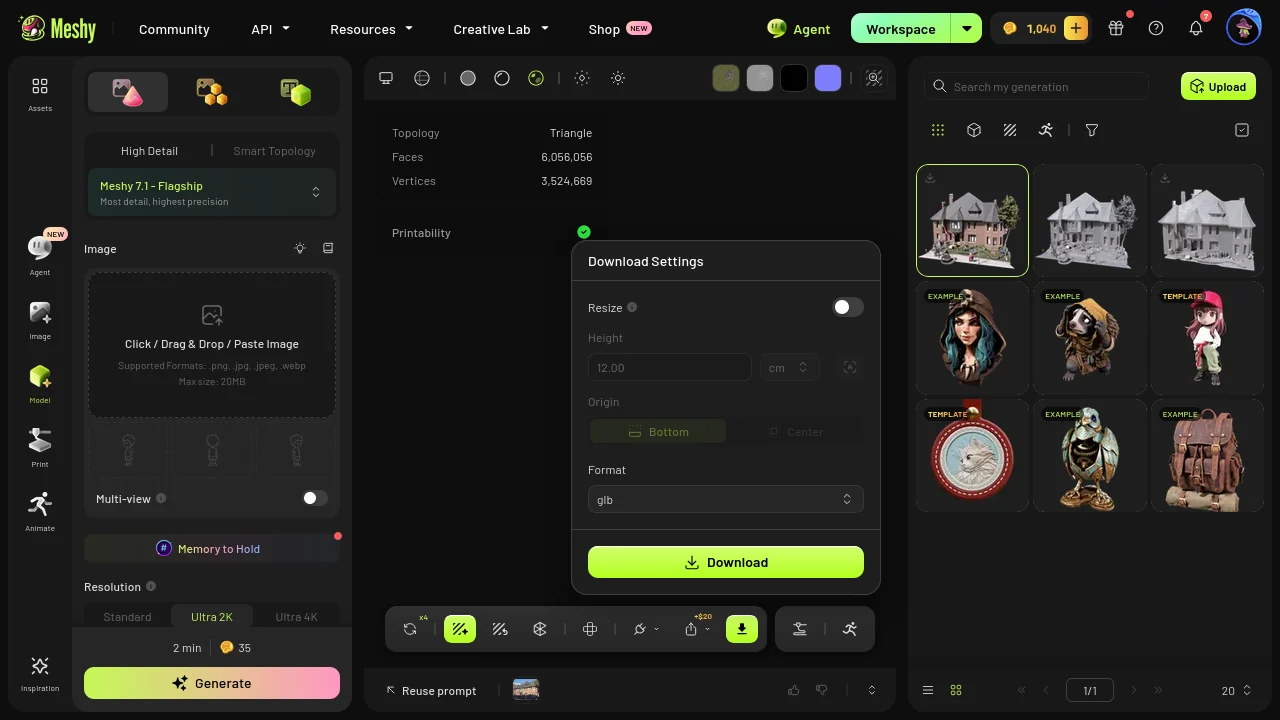 Meshy's export dialog: eight formats with real-world size and origin controls. Nothing else in this test matches it.
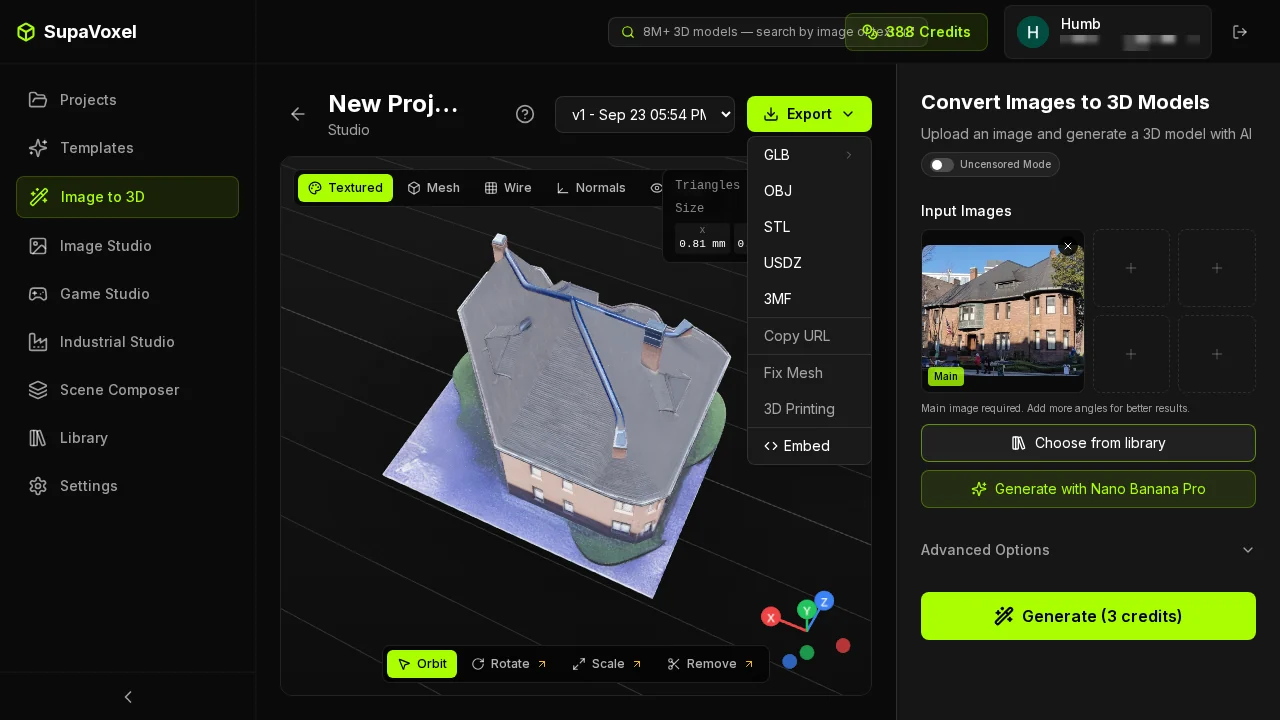 SupaVoxel's five formats cover web, engines and 3D printing, but not FBX or other legacy DCC handoffs.
How long each one took
Meshy's geometry pass finished in 58 to 74 seconds, inside its own estimate of about a minute. The texture pass then ran 4.5 to 10 minutes against an on-screen estimate of 2 minutes. SupaVoxel quoted 5 to 10 minutes and finished in 295 seconds.
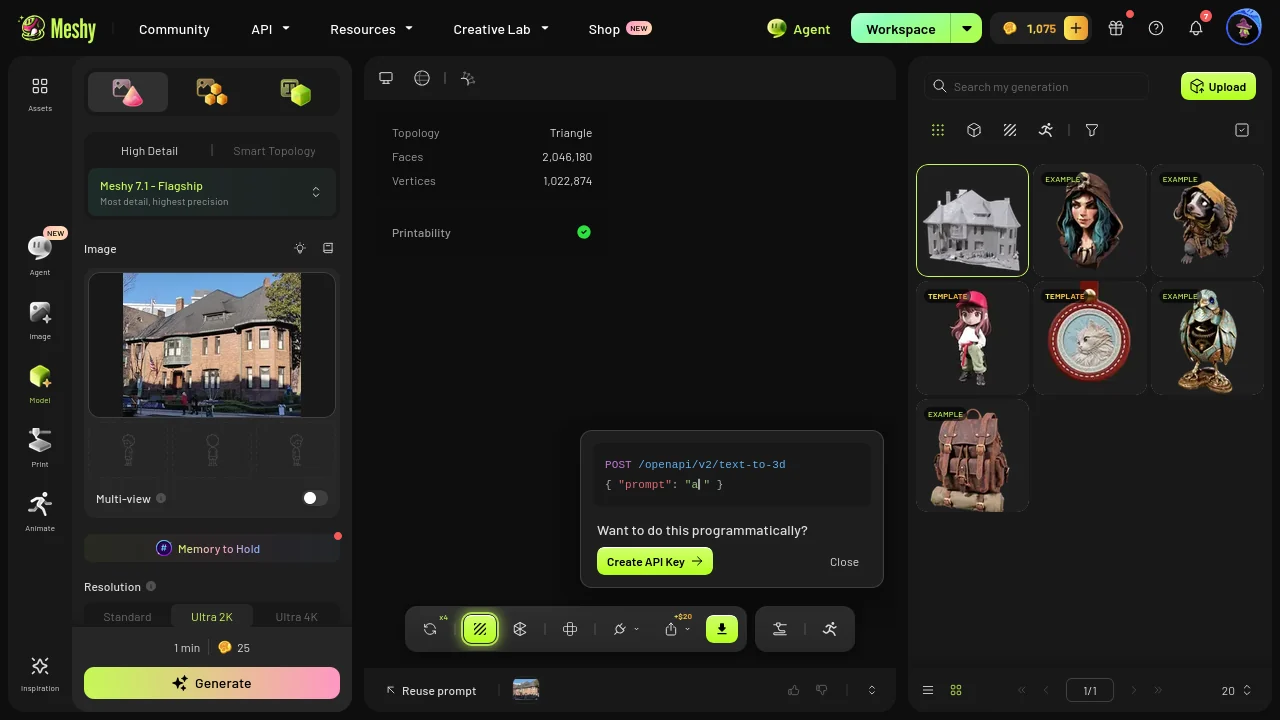 Meshy's estimate was right for geometry and three to five times too short for texture.
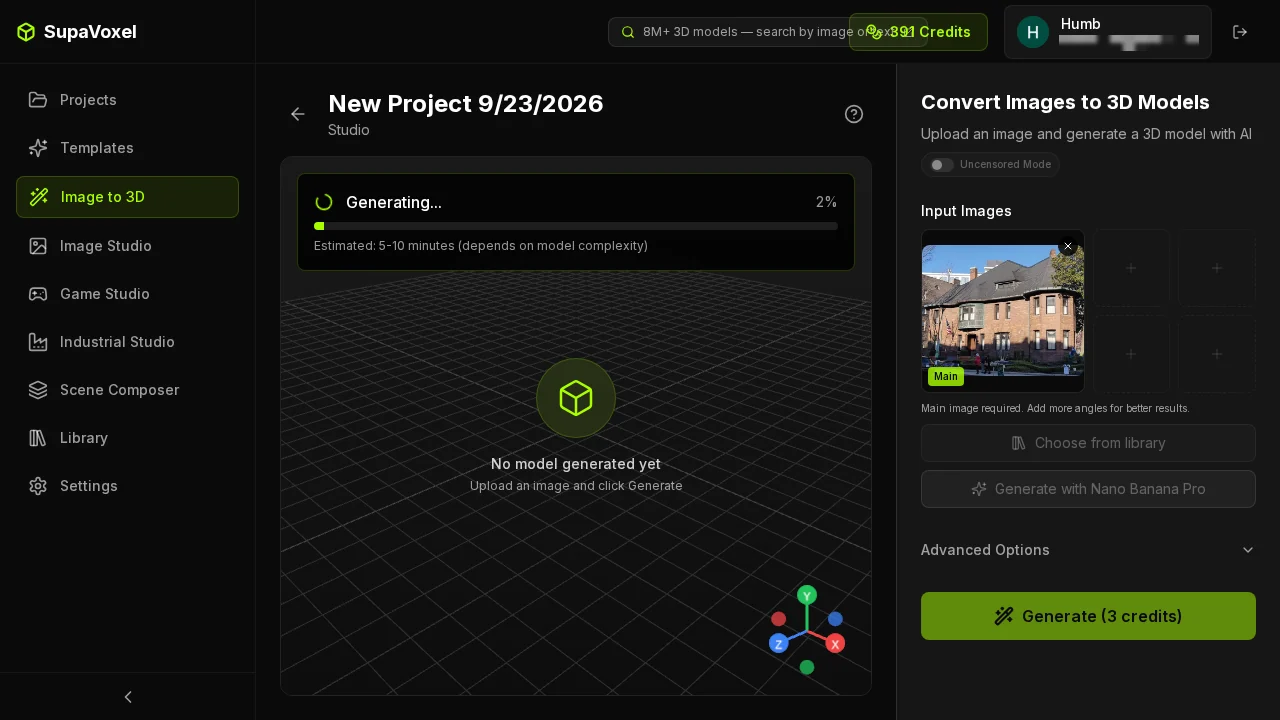 SupaVoxel beat its own 5 to 10 minute quote by landing at 295 seconds.
Scaled to a street of 100 buildings, run one after another with Meshy at an 8-minute midpoint per model:
- Credits: Meshy 3,500, SupaVoxel 300
- Time: Meshy 13.3 hours, SupaVoxel 8.2 hours
- Disk: Meshy 19.4 GB, SupaVoxel 1.59 GB
- Manual work: Meshy needs the car and people cut out of a single-material mesh 100 times; SupaVoxel needs none
3,500 credits is more than Premium includes, so that batch means a $100 Ultra month on Meshy.
My verdict
Meshy: 60/100. A capable source master and the best exporter in this test, fast on geometry, honest about its triangle counts, and the quickest to first frame from local disk. As a deliverable it falls apart: 184.9 MB with no compression, 32.0 bytes per triangle, over two minutes on mobile, $193.90 a month of egress at 10,000 loads, a texture pass that triples the mesh with no cap, and a whole street welded to the house.
SupaVoxel: 90/100. 15.2 MB with meshopt, quantization and WebP, 1,499,830 triangles, 47 MB of geometry memory, 3 credits per textured model and a building that arrives isolated on a base plate. It gives up 337 ms of decode time and three export formats.
If your model is headed for a DCC pipeline, Meshy's exporter earns its place. If it is headed for a URL or a slicer, the smaller, cleaner mesh from SupaVoxel is the one I'd start from. And you can check the central claim yourself in under a minute: export any Meshy GLB, open it in a glTF inspector, and read extensionsUsed.
More from this building test
Same photo, same two tools, same day:
- Meshy vs SupaVoxel: the back of the building covers the reconstruction itself, including the rear roof Meshy invented without its dormer and where four times the triangles went.
- Meshy vs SupaVoxel: texture, credits and colour covers the texture toggle that is off by default, the credit cost of missing it, and how far each wall colour drifted from the photo.