For anyone comparing tools for image to stl work, this hands-on review examines how Meshy and SupaVoxel turn the same wrench photo into downloadable 3D files, including file size, speed, credits, and deliverables.
Disclosure: this is an independent hands-on test. Both tools were run on ordinary customer accounts; neither company supplied review access or saw this piece before publication.
A wrench. One photo of it. And a product page that needed a 3D version by Friday.
That was the whole job.
I asked around for the best way to turn a photo into a 3D model, and two names kept coming back: Meshy and SupaVoxel. So I ran the same picture through both, wrote down what each one charged on its own meter, and weighed what came back.
This article is the receipt.
My verdict in 60 seconds — Meshy 58/100, SupaVoxel 90/100
Those scores are my opinion about this one job. The numbers under them came out of the task records and the files.
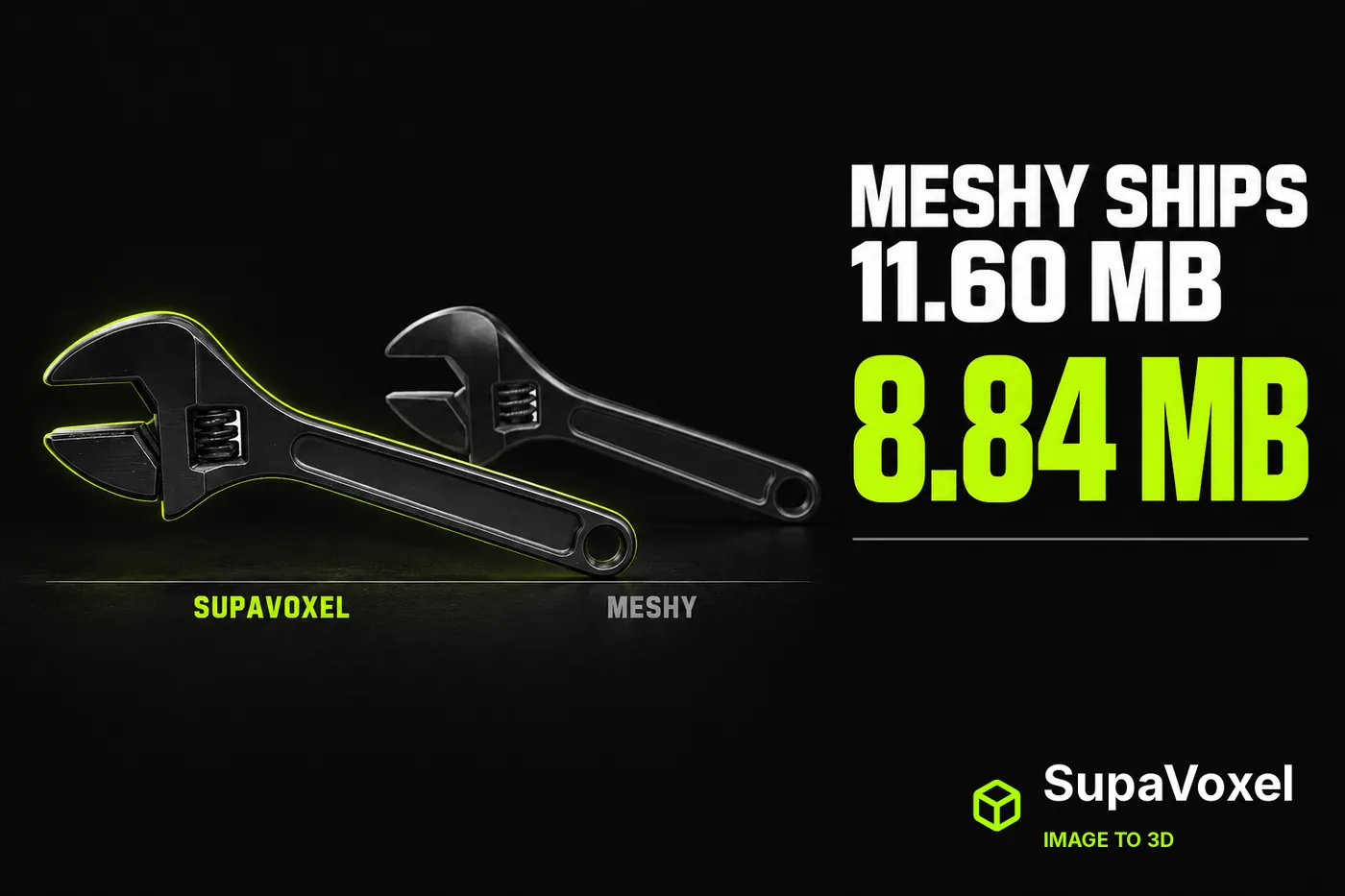
- What you download — Meshy 11,603,384 bytes vs SupaVoxel 8,842,180 bytes · Meshy 6/10 · SupaVoxel 9/10 — Meshy adds 2.76 MB to every single visit; SupaVoxel delivers the same wrench in a lighter file, so your bandwidth bill and your visitor both get off cheaper
- Waiting on a 12 Mbps phone — Meshy 7.7 s vs SupaVoxel 5.9 s · Meshy 6/10 · SupaVoxel 9/10 — Meshy makes a mobile visitor sit through nearly two extra seconds of nothing; SupaVoxel gets the model on screen sooner
- Waiting on a 100 Mbps desk line — Meshy 0.93 s vs SupaVoxel 0.71 s · Meshy 8/10 · SupaVoxel 9/10 — Meshy is still the slower file, but on fibre the 0.22 s gap is one nobody will notice
- A hundred of these on disk — Meshy 1.16 GB vs SupaVoxel 0.88 GB · Meshy 6/10 · SupaVoxel 9/10 — Meshy quietly adds 0.28 GB per hundred products to a bill you pay monthly; SupaVoxel's catalogue is smaller from day one
- Deliverables you walk away with — Meshy 1 GLB vs SupaVoxel 2 GLBs · Meshy 7/10 · SupaVoxel 9/10 — this Meshy run left me one 11,603,384-byte file; SupaVoxel's menu had a compressed 8,842,180-byte GLB and a full 68,718,876-byte original-size GLB ready at the same time
- Does the tool tell you how long it took? — Meshy not recorded vs SupaVoxel 215.462 s · Meshy 6/10 · SupaVoxel 9/10 — Meshy leaves the field empty, which is exactly the number you want when a batch job stalls; SupaVoxel writes it down
- What the meters recorded — Meshy 35 credits vs SupaVoxel 3 credits · Meshy 8/10 · SupaVoxel 8/10 — a forced tie, and deliberately so: two different plans in two different units, so neither tool can win this row and nobody should tell you otherwise
- Retries needed — Meshy 0 vs SupaVoxel 0 · Meshy 8/10 · SupaVoxel 8/10 — level, and both deserve it: neither tool needed a second attempt at this wrench
Four things that cost you something, in order:
- Meshy hands you the heavier file. 2,761,204 bytes heavier, for the same wrench, from the same photo.
- Meshy's record has no generation time in it. SupaVoxel's says 215.462 s. I'm not filling in a blank with a guess, so there's no speed contest in this article.
- Neither tool recorded a failure count, so nobody gets to claim reliability here — not Meshy, not SupaVoxel.
- Meshy's meter moved 35 for this wrench and SupaVoxel's moved 3. Two different plans, two different units. I'm not turning that into dollars, because you can't.
For one wrench on a page that has to load fast, SupaVoxel is the one I'd run it through — the file above came out of https://supavoxel.com and it's the lighter one on every page it lands on.
One image, one run on each side. Not a lab study.
So what does one wrench actually cost you?
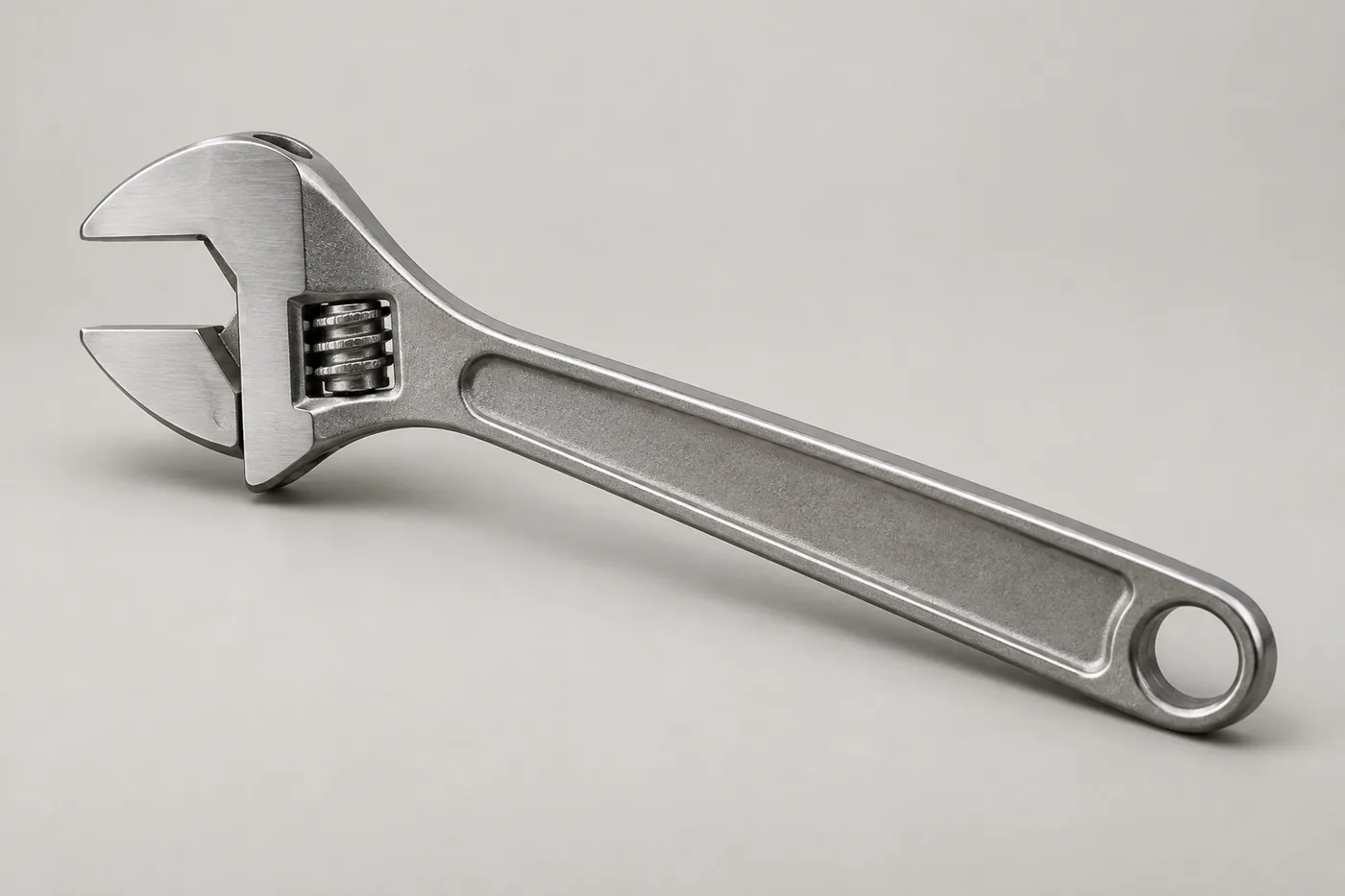
The whole input: one photo of a brushed-steel adjustable wrench. No text prompt on either side.
Meshy's meter moved 35 credits for this. SupaVoxel's moved 3.
Now here's the part most reviews get wrong. Those two numbers are not comparable. Different plans, different units, different things being counted. Dividing one by the other gives you a number that means nothing.
What they do tell you is that each tool bills this job on a scale of its own, and you have to do your own plan maths before you commit to a hundred of them.
Anybody who tells you Meshy is "cheaper" or "pricier" than the other one is doing arithmetic on two different currencies.
Which file is lighter on your page?
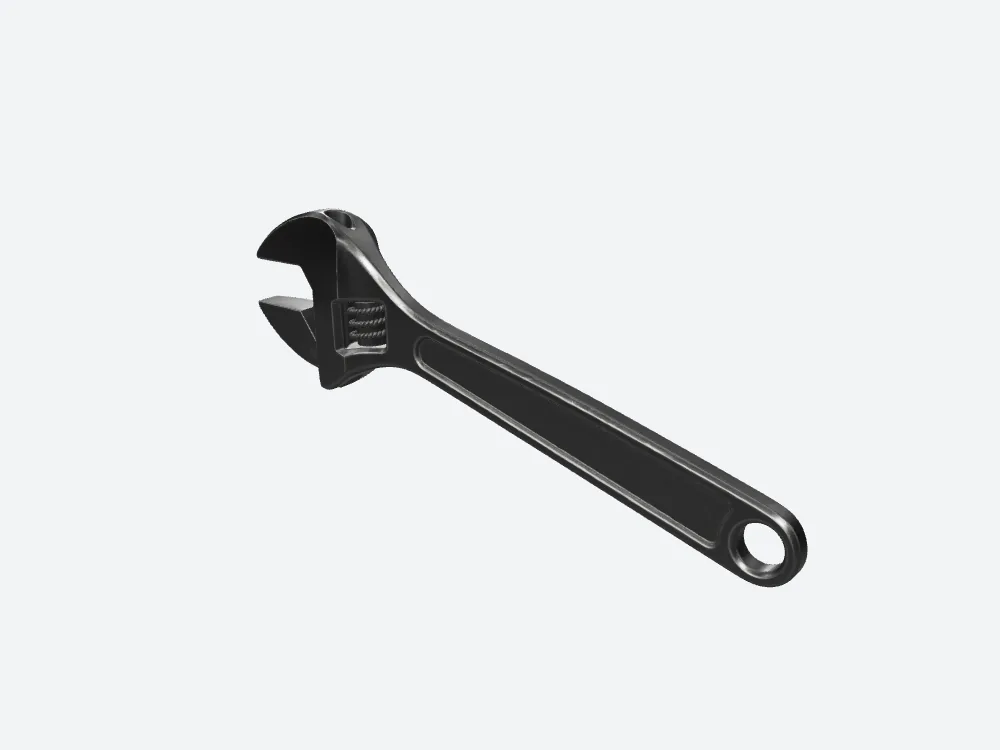
Meshy's finished wrench — the view that ends up on the page. This is the 11.60 MB file.
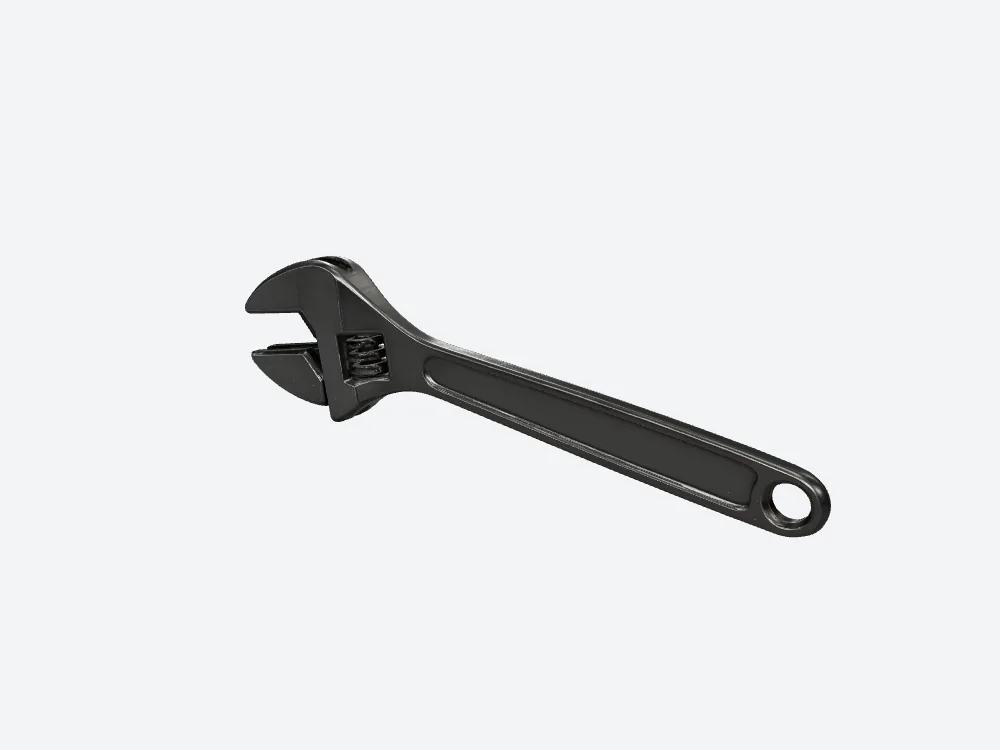
The SupaVoxel version at the same camera. 8.84 MB.
This is the cleanest number in the whole comparison, because nobody has to interpret it.
Meshy: 11,603,384 bytes. SupaVoxel: 8,842,180 bytes.
That's 2.76 MB extra, every time somebody opens your page. On a 12 Mbps phone connection it's 7.7 seconds of waiting with Meshy against 5.9.
Two seconds. Which sounds like nothing, until you remember it lands right at the moment a visitor decides whether your page is worth the wait.
Both files are GLB — one file with the shape and the textures packed inside. Same format, same three textures. Meshy just made it bigger.
What a hundred of these do to your storage
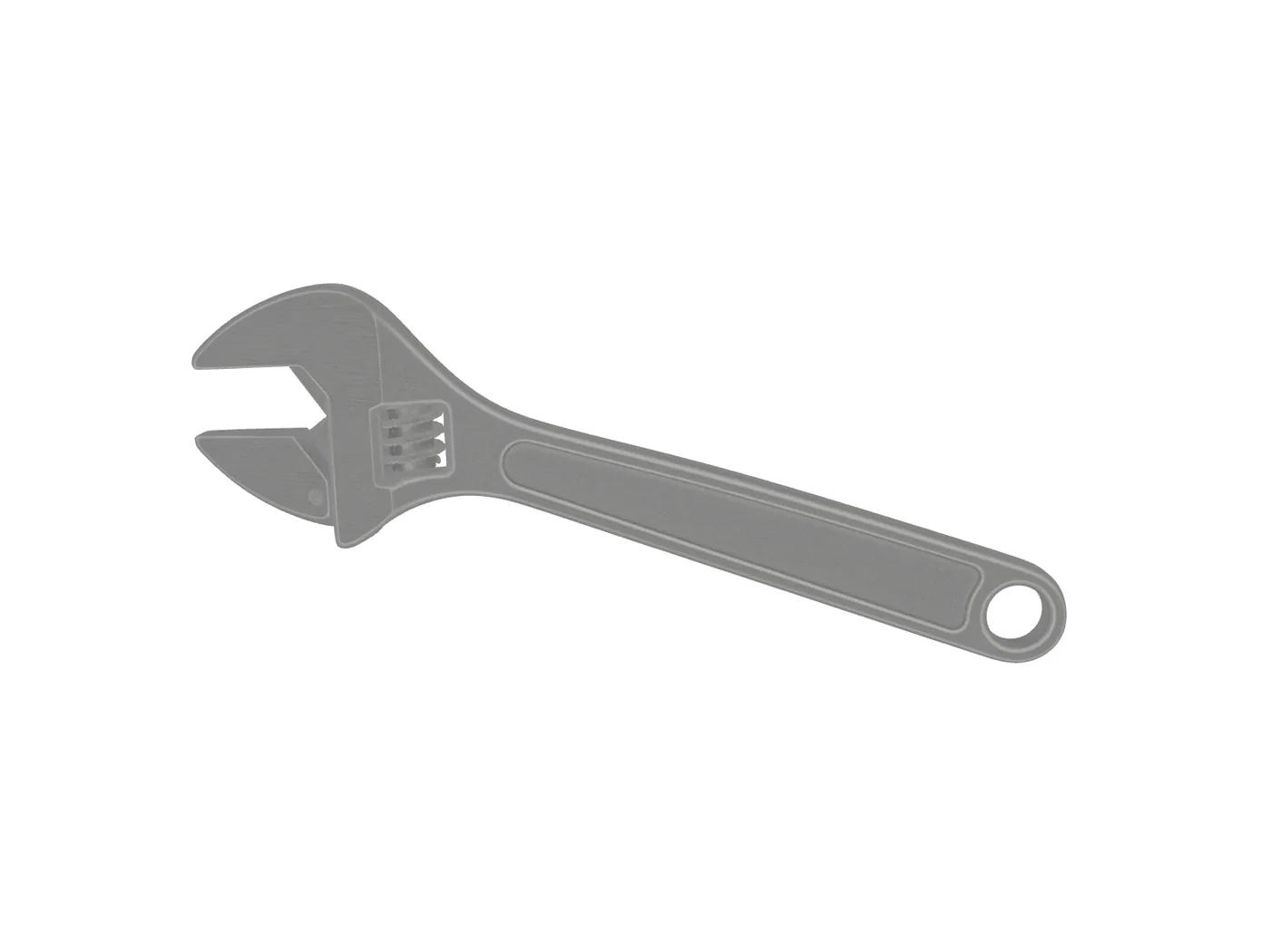
Meshy's wrench with the lighting switched off, so you see the raw texture colour rather than reflections.
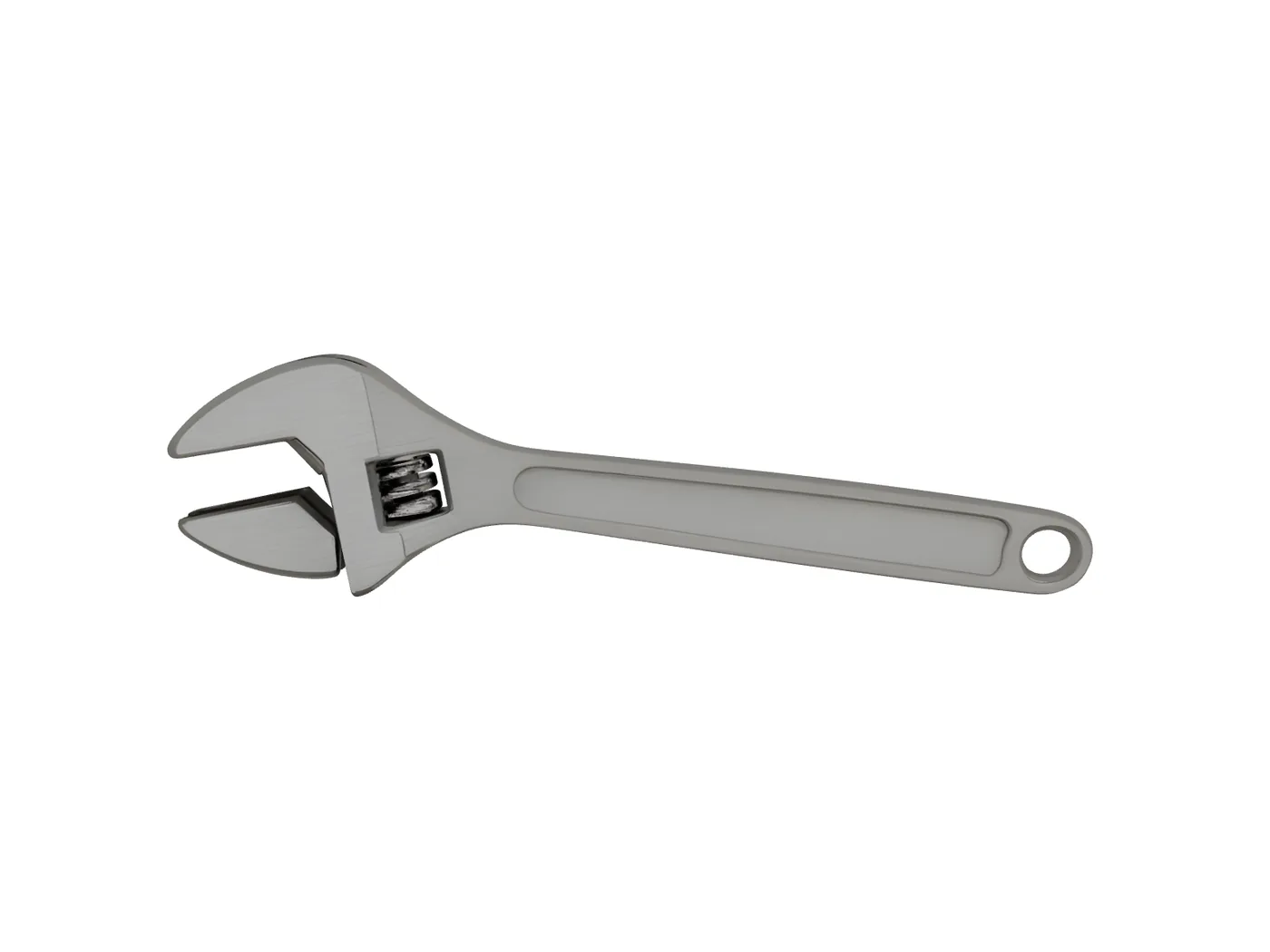
The same unlit view of the SupaVoxel file. Both read grey-silver — the dark look in the other shots is the lighting, not a Meshy texture fault.
One wrench is a rounding error. A catalogue isn't.
Copy this one Meshy output a hundred times and you're holding 1.16 GB of disk. The same hundred from SupaVoxel is 0.88 GB. That's 0.28 GB of Meshy overhead per hundred products, sitting in your bucket, billed monthly, forever.
Now scale that to the number of SKUs you actually have.
And no, you can't compress your way out of it later — whatever Meshy wrote into that file is what you're storing.
The per-file difference is invisible. The per-catalogue difference is a line on an invoice.
One tool tells you how long it took. The other doesn't.
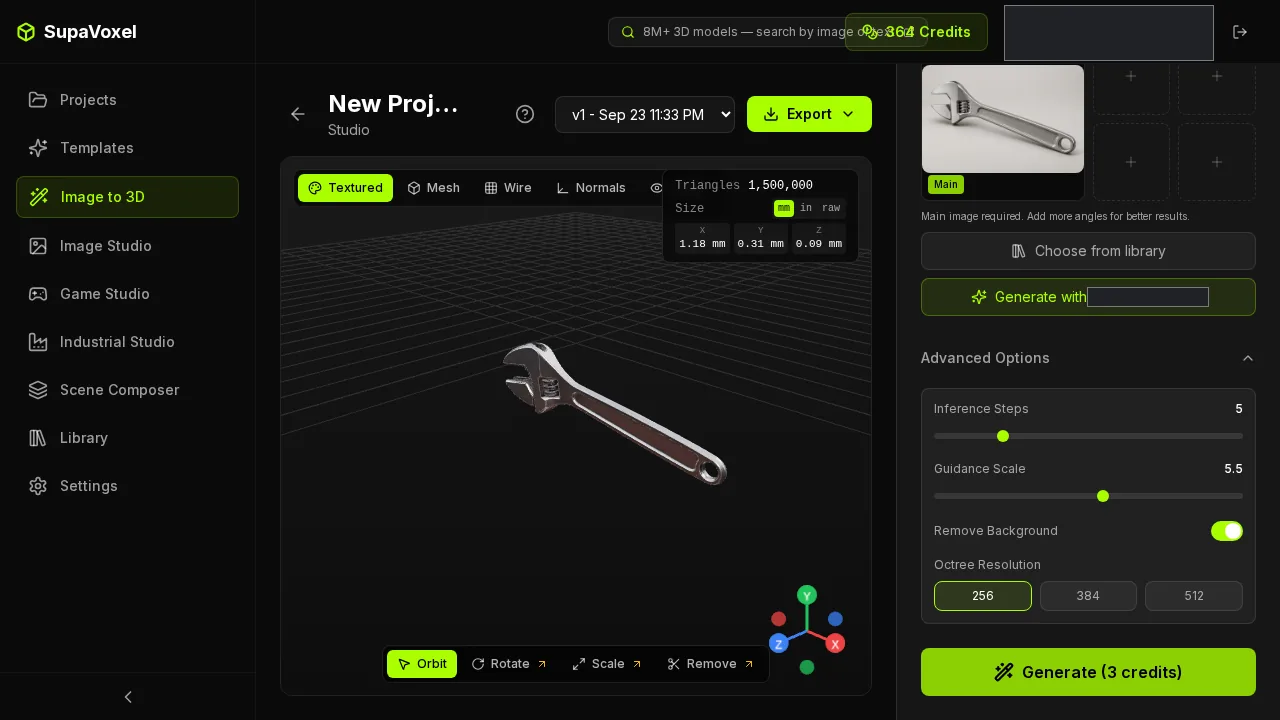
The SupaVoxel result screen. The job is on the record at 215.462 seconds.
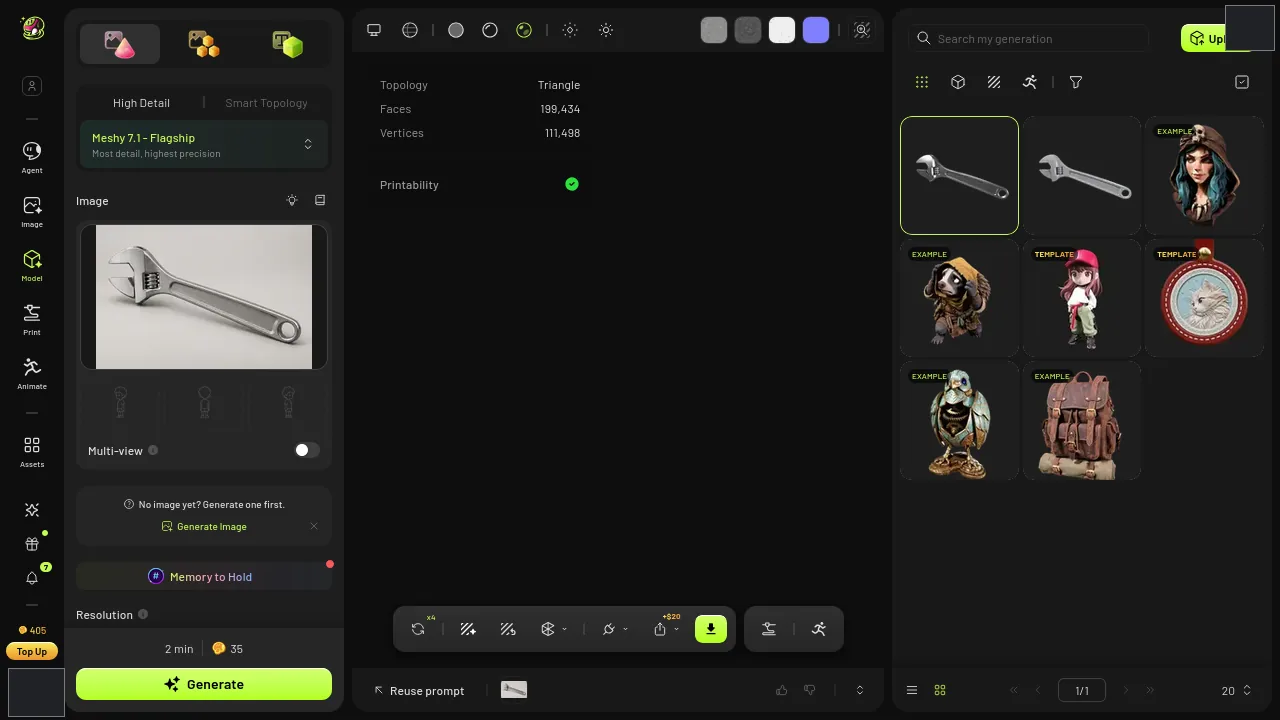
Meshy's finished result, ready to export.
SupaVoxel's record says 215.462 seconds, start to finish, download not included. Call it three and a half minutes — about one coffee.
Meshy's record says nothing at all.
So I can't tell you which one is faster, and I'm not going to pretend otherwise. But there's a smaller point hiding in that blank: when you're running fifty of these and one of them stalls, the tool that writes down how long things take is the tool you can actually debug.
A missing number isn't a slow number. It's just a number you don't have.
The upload takes ten seconds. The choice doesn't.
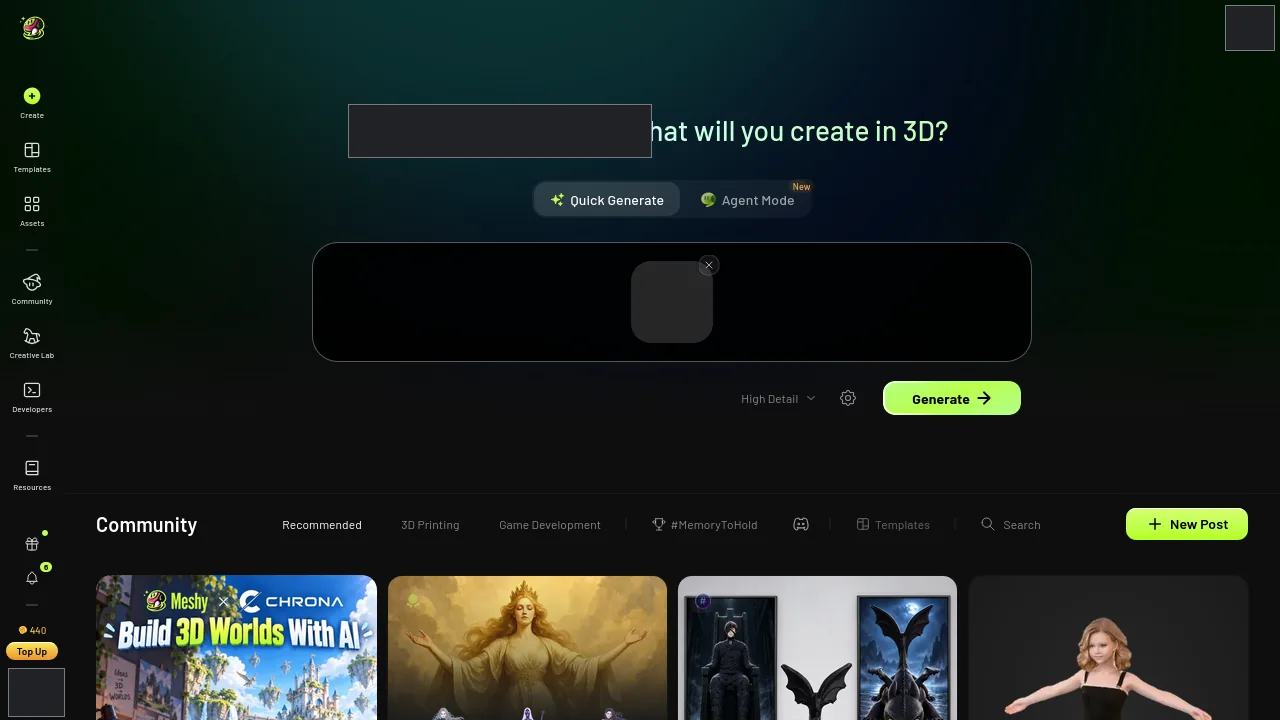
Dropping the photo into Meshy.
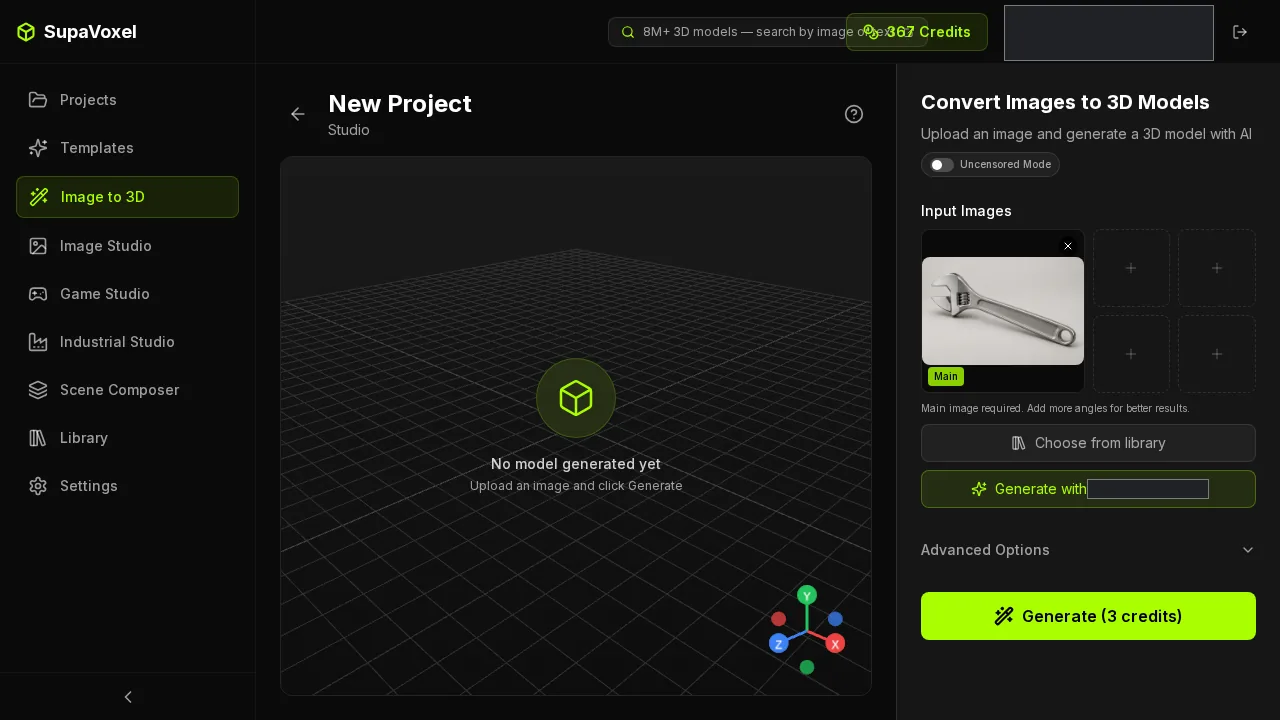
The same photo going into SupaVoxel.
Both uploads are boring, which is how it should be. Drag the picture into Meshy, wait. Drag the same picture into the other one, wait.
Nothing to separate them here, and Meshy deserves the credit for that: the part most people worry about is the part Meshy and SupaVoxel both get right.
The whole trip is short on both sides. Drop the photo in, tick the texture option, start the job, wait for the result screen, open the export menu, pick GLB, download. Four screens on Meshy, four on SupaVoxel — upload, settings, result, export — and the screenshots through this article are exactly those four, on each side, in order.
So if you're picking between Meshy and the other one hoping one of them saves you a pile of clicking: they don't. The difference isn't in the workflow. It's in what lands in your downloads folder at the end of it.
I want to be straight about something here: I didn't go hunting for a lighter Meshy configuration to make Meshy look worse. I left Meshy on what its interface put in front of me, which is what you'd do too.
So 35 is what Meshy's meter recorded for this wrench on these settings. It isn't Meshy's floor and it isn't Meshy's ceiling — and it still isn't comparable to the 3 on the other meter, because they're different plans and different units.
The settings screen is where your credits go

Meshy's settings with texture switched on — Flagship model, High Detail, Ultra 2K.
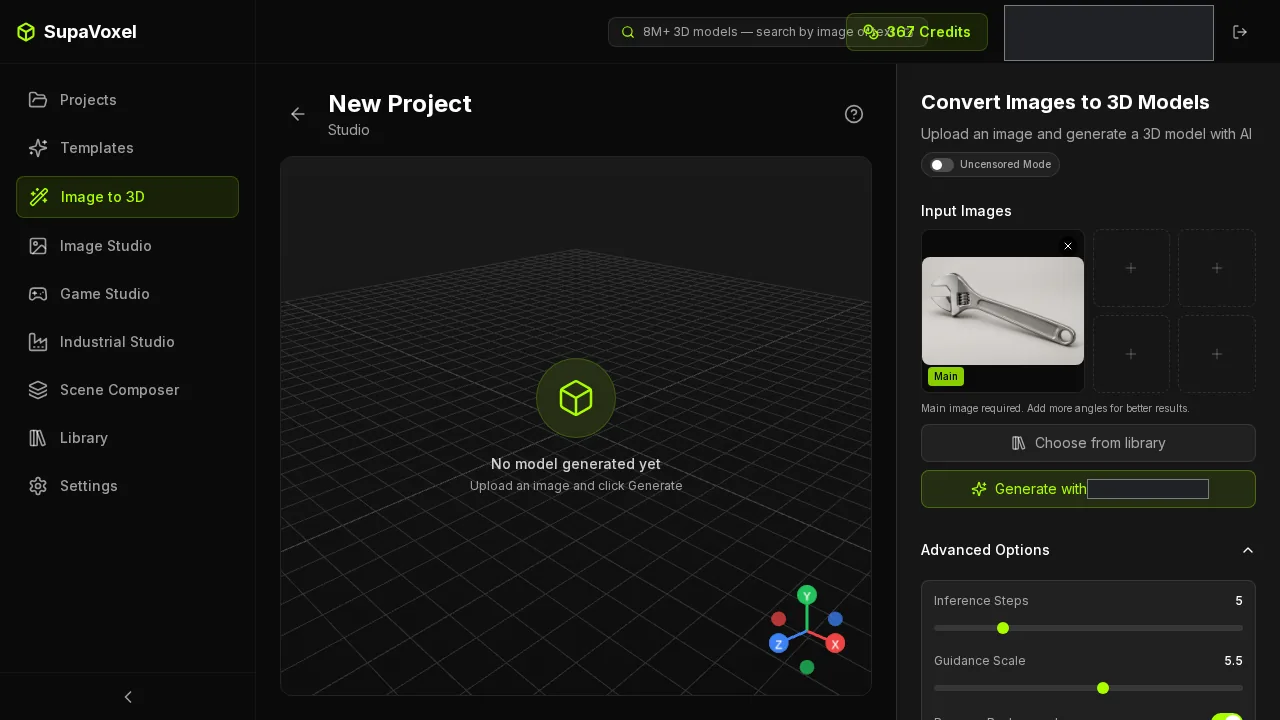
SupaVoxel's settings: 5 steps, guidance 5.5, background removal on, octree 256.
Two different control panels, so these are not equivalent settings and I won't pretend they are. They're what each tool handed me.
Here's what those two panels produced, though, and this part you can compare: Meshy returned 199,434 triangles — the little flat plates a model is built from — against 1,500,000 from SupaVoxel.
So Meshy's meter moved 35 and delivered roughly a seventh of the surface detail, in a file 2.76 MB bigger. (Still two different plans in two different units — that 35 isn't a price against the other meter's 3.)
That's the sentence that decided this article for me.
The full line-by-line, both sides
Here's every number this job produced. No table — they collapse into soup on this platform — so it's a list.
Credits recorded. Meshy 35, SupaVoxel 3. Different plans, different units, not a price ratio. Say it with me one more time.
Run time recorded. Meshy: blank. SupaVoxel: 215.462 seconds. You can't compare a number to a blank, so I don't.
Retries. Zero on Meshy, zero on SupaVoxel. Meshy nailed this wrench first go, and so did the other one — worth something when you're planning a batch of fifty.
Failures. Not recorded on either side. Which means if you're choosing Meshy or SupaVoxel on reliability, this run gives you nothing, and anyone telling you otherwise is guessing.
Triangles. Meshy 199,434, SupaVoxel 1,500,000. Roughly a seventh of the surface detail from the tool whose meter moved more.
Vertices. Meshy 111,498, SupaVoxel 816,916. Same shape of gap.
Textures inside the file. Three on Meshy, three on SupaVoxel. A tie, and a useful one — it means the size difference isn't "one of them skipped a texture".
Download size. Meshy 11,603,384 bytes, SupaVoxel 8,842,180 bytes.
Format. Both GLB. Nobody has to convert anything before they can open it.
Required extensions. Meshy none. SupaVoxel needs EXT_meshopt_compression and KHR_mesh_quantization — more on that in a second.
The other export. SupaVoxel also offers this wrench at original size: 68,718,876 bytes with no special requirements, textures as PNG instead of the compressed build's WebP. Meshy wasn't run in a second export mode, so that side is blank too.
Three blanks in that list. None of them get filled in with a guess.
The sums, and exactly how I did them
Every "seconds" and "GB" in this article is arithmetic on the numbers above. None of it is a stopwatch. Here's the working, so you can redo it with your own assumptions.
Phone wait: bytes × 8 ÷ 12,000,000. Meshy 7.7 s, SupaVoxel 5.9 s. Assumes a steady 12 Mbps and ignores handshakes, decoding and caching — so treat it as the transfer floor, not the real-world number.
Desk wait: the same sum at 100 Mbps. Meshy 0.93 s, SupaVoxel 0.71 s.
Storage for a hundred: this file × 100. Meshy 1.16 GB, SupaVoxel 0.88 GB.
A hundred runs on each meter: 3,500 on Meshy, 300 on SupaVoxel — each in its own units, still not a price ratio, and it assumes every job bills exactly like this one with no retries.
Memory the geometry wants: 32 bytes per vertex plus 4 bytes per triangle index, textures excluded. Meshy 6.0 MB, SupaVoxel 44.1 MB. This is where Meshy comes out ahead by 38.1 MB, and on a cheap phone loading several products at once that's the number that actually decides things.
If your figures come out different, it's your assumptions that changed — the files are the files.
Two finished files for the price of one job
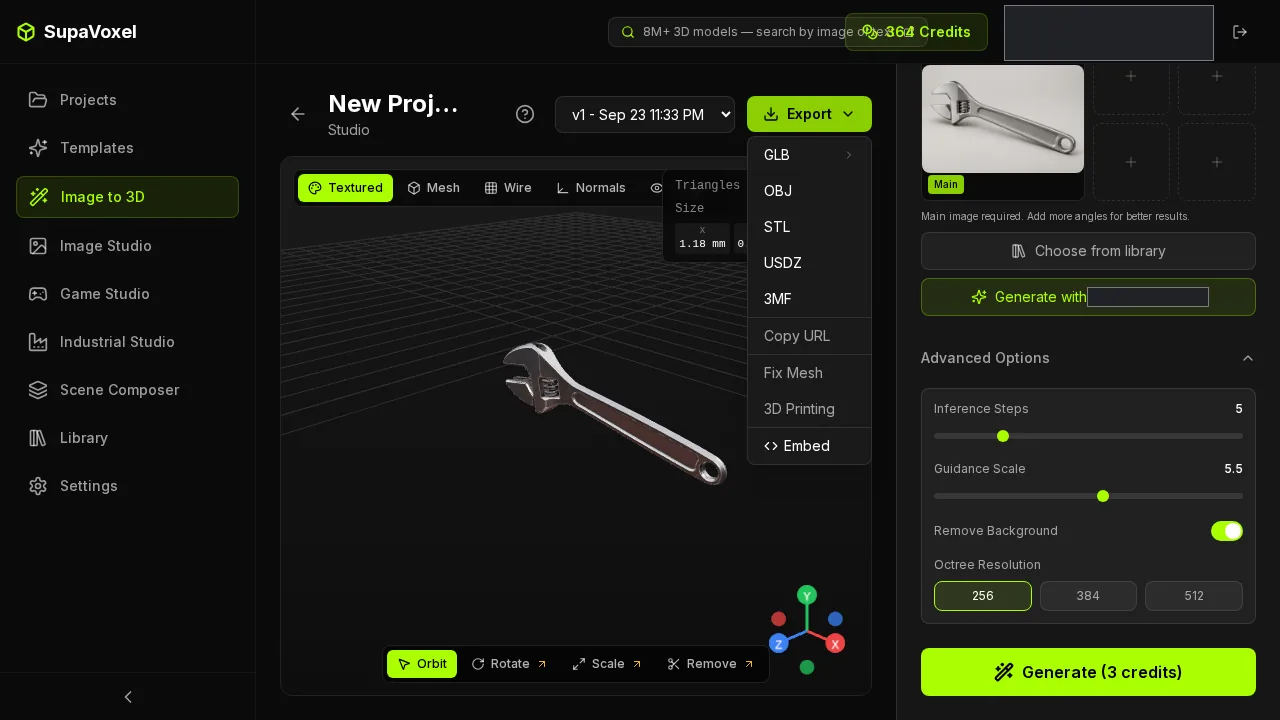
SupaVoxel's export menu once the wrench was done: a compressed 8,842,180-byte GLB and a full original-size 68,718,876-byte GLB, both from the same run.
Here's the line item nobody puts on a pricing page.
One job on the meter, two deliverables in the folder. The compressed 8,842,180-byte GLB is the one your product page ships — it's the file behind every download figure in this article. The original-size export is the complete, unsqueezed version at 68,718,876 bytes, textures stored as PNG instead of the compressed build's WebP. It's larger because nothing has been compressed out of it; that's the whole point of it.
Which matters the moment the same asset has two jobs. The page wants light. The engineer who asks for "the actual model" wants complete. You hand out one of each and you never went back to the start screen.
No second run, no second job on the meter, no hunting for a converter. Both files were already there.
Where Meshy actually wins
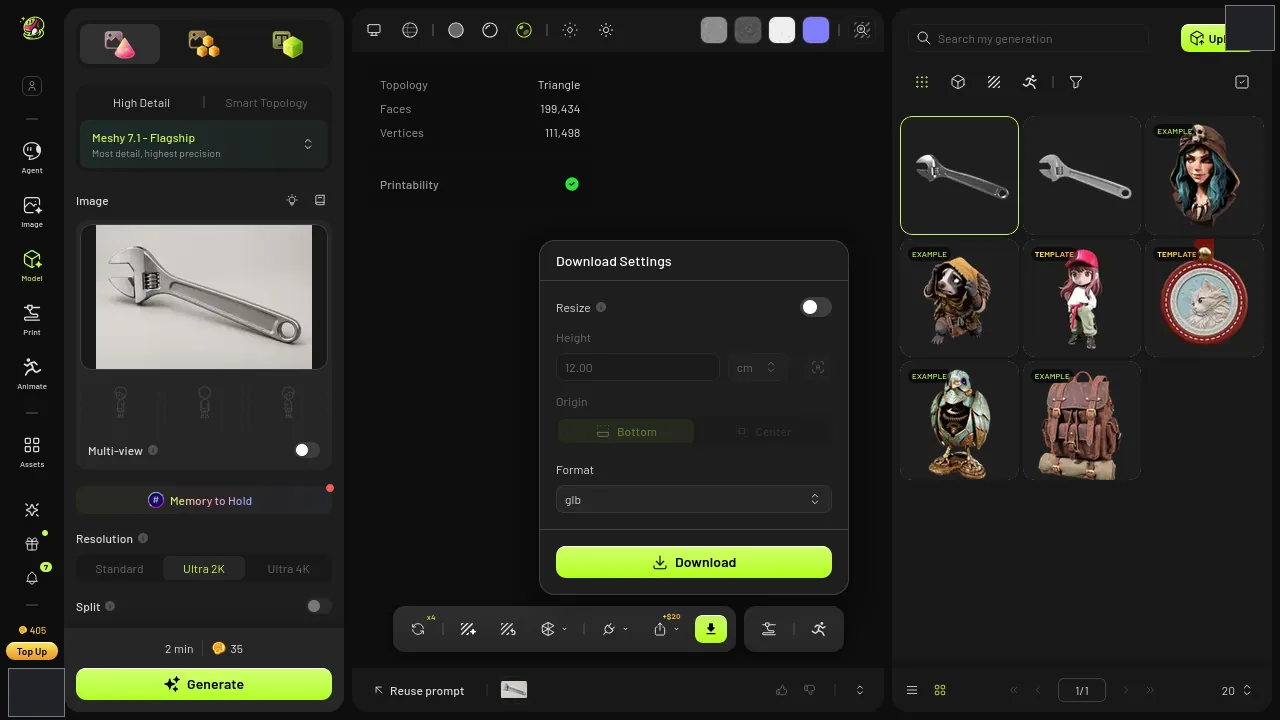
Meshy's export panel. The GLB that comes out of it declares no required extensions at all.
Now the rows where Meshy beats SupaVoxel outright, stated at full strength.
Meshy's file opens anywhere. The compressed SupaVoxel GLB is squeezed with a scheme called meshopt, and your 3D software has to understand meshopt before it will open that particular file. Meshy's requires none of that. Switch to SupaVoxel's original-size export from the same menu and the decoder isn't needed there either — but Meshy gets you the no-requirements file at 11.60 MB, and that's a real advantage on an old importer.
One caveat on this row, because it matters: I read those requirements out of the files themselves. I didn't import either one into a specific application, so this is "what the file says it needs", not a test of what opened.
The second Meshy win is memory: 6.0 MB of geometry against 44.1 MB, arithmetic from the vertex and triangle counts, not a reading off a device. On a cheap phone loading several products at once, that 38.1 MB gap is the row that decides whether the page survives.
So: if your software might choke, or your customers are on low-end phones, take Meshy and stop reading. A lighter download is worth nothing if the file won't open or the page falls over.
So which one would I run it through?
For a wrench on a product page — lighter file, faster on a phone, less disk at scale, and a run time you can actually read — SupaVoxel.
For a wrench that has to land in software you don't control — Meshy, because compatibility beats megabytes every time it comes up.
And on cost: I genuinely can't tell you which one takes less money out of your account. 35 credits and 3 credits are two different plans in two different units. Check your own pricing page against your own volume. That part nobody can do for you.
Try it on your own photo
Run the product shot you actually need — not a wrench, yours — through https://supavoxel.com and through Meshy on the same afternoon. Then look at three things: what each meter moved, what each file weighs, and how long each one made you wait.
Twenty minutes of that will tell you more than any review, this one included.
How I tested this
One photo of an adjustable wrench, uploaded to both tools in the same session, no text prompt either side. Meshy ran at 02:38:02Z on its 7.1 Flagship model, High Detail, Ultra 2K, texture and image enhancement on. SupaVoxel ran at 03:29:36Z at 5 steps, guidance 5.5, background removal on, octree 256. Each tool on its own defaults, one run apiece.
Credits, retries and run time come from each tool's own task record. File sizes, triangle counts, texture counts and extension requirements were read out of the two downloaded files.
The waiting times are arithmetic, not stopwatch readings: file size × 8 ÷ 12,000,000 for the phone figure, ÷ 100,000,000 for the desk figure, assuming a steady connection and ignoring decoding, caching and page rendering. The storage and hundred-run figures are this one result multiplied by 100 — a capacity estimate, not a hundred real runs, and it assumes every job bills exactly like this one with no retries.
Neither tool recorded a failure count, and Meshy's run time wasn't recorded at all. Both blanks stay blank.
Originally published on Medium: Meshy AI Review 2026: 35 Credits and 11.60 MB for One Wrench.