For readers looking for an image to stl workflow, this hands-on comparison shows how Meshy AI and SupaVoxel handle a lacy Voronoi eggshell. It compares mesh detail and file size, including what matters when a model is headed for printing.
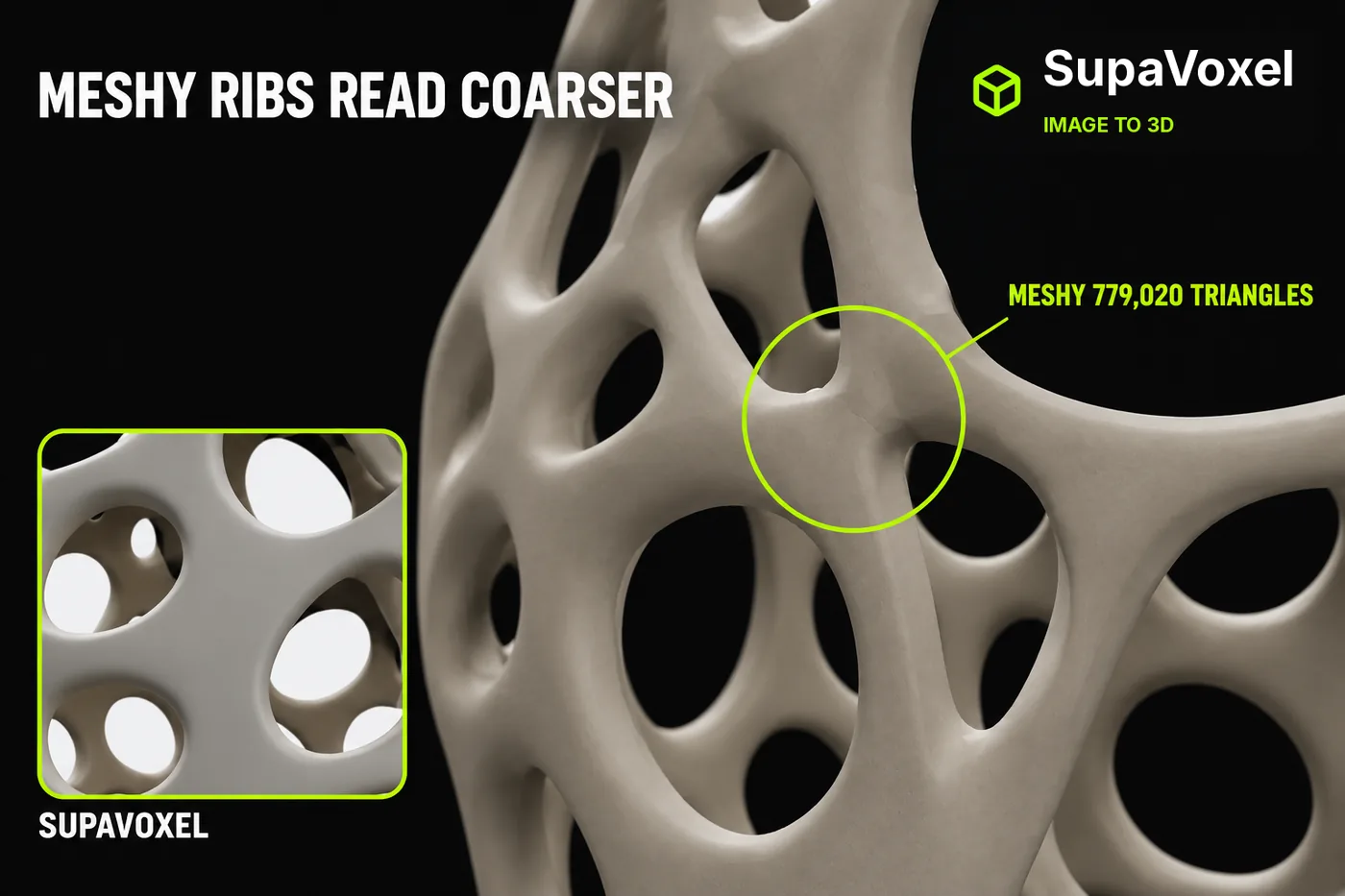
Disclosure: this is an independent hands-on test. Both tools were run on ordinary customer accounts; neither company supplied review access or saw this piece before publication.
You can't print a picture.
That was my problem. I had one image of a Voronoi eggshell — the lacy kind, all ribs and holes — and I needed an actual 3D model of it. Ask anyone which tool turns a picture into a model and you get the same two answers: Meshy and SupaVoxel.
So I ran the same image through both, then rendered the two results in the same viewer, at the same camera angles, under the same lights, and put them side by side.
My verdict in 60 seconds — Meshy 61/100, SupaVoxel 90/100.
Subjective scores, this one job. Here's the short version:
- Triangles building the shell — Meshy 779,020 vs SupaVoxel 1,500,000 · Meshy 6/10 · SupaVoxel 9/10 — Meshy's ribs read blunt because half the facets aren't there; SupaVoxel holds the lattice together with 720,980 more
- Surface fineness at 120 mm tall — Meshy 0.306 mm average edge vs SupaVoxel 0.295 mm · Meshy 6/10 · SupaVoxel 8/10 — Meshy describes each curve in longer steps, which is exactly where the junctions soften; SupaVoxel's shorter steps keep them crisp
- Bytes you ship to show it — Meshy 27,408,396 vs SupaVoxel 9,044,340 · Meshy 5/10 · SupaVoxel 9/10 — Meshy makes a viewer wait through three times the download for a coarser model; SupaVoxel shows more detail for a third of the bytes
- Screen-only detail maps — Meshy 2,826,340 bytes vs SupaVoxel 235,772 · Meshy 5/10 · SupaVoxel 8/10 — Meshy spends twelve times the payload on maps a plain print never touches; SupaVoxel keeps that weight off the wire
- Textures inside the file — Meshy 3 vs SupaVoxel 3 · Meshy 8/10 · SupaVoxel 8/10 — tie: Meshy fills all three material slots and so does SupaVoxel, so neither is short on surface data
- Camera fairness — Meshy identical camera numbers vs SupaVoxel identical camera numbers · Meshy 8/10 · SupaVoxel 8/10 — tie by construction: Meshy got no flattering angle and neither did SupaVoxel
- The back of the shell — Meshy invented vs SupaVoxel invented · Meshy 5/10 · SupaVoxel 5/10 — tie: the source picture shows one side, so Meshy's back is unverifiable and SupaVoxel's is unverifiable in exactly the same way
- Sealed shell after cleanup — Meshy 0 open edges vs SupaVoxel 0 · Meshy 9/10 · SupaVoxel 9/10 — tie: the half neither of us can verify is at least closed on both sides — Meshy's back is no open hole and neither is SupaVoxel's
Three honest observations.
At the same front camera, Meshy's ribs read thicker and blunter. That's what 779,020 triangles looks like next to 1,500,000 on the same object.
The back of both shades is made up. The source picture shows one side of an egg, so there is nothing to check the far side against — and that applies to Meshy and SupaVoxel equally.
And Meshy spends 2,826,340 bytes on screen-only surface maps against SupaVoxel's 235,772, which is a lot of file for detail that only exists behind glass.
For this eggshell I kept the render from SupaVoxel. Meshy takes two rows outright, and one of them is about colour.
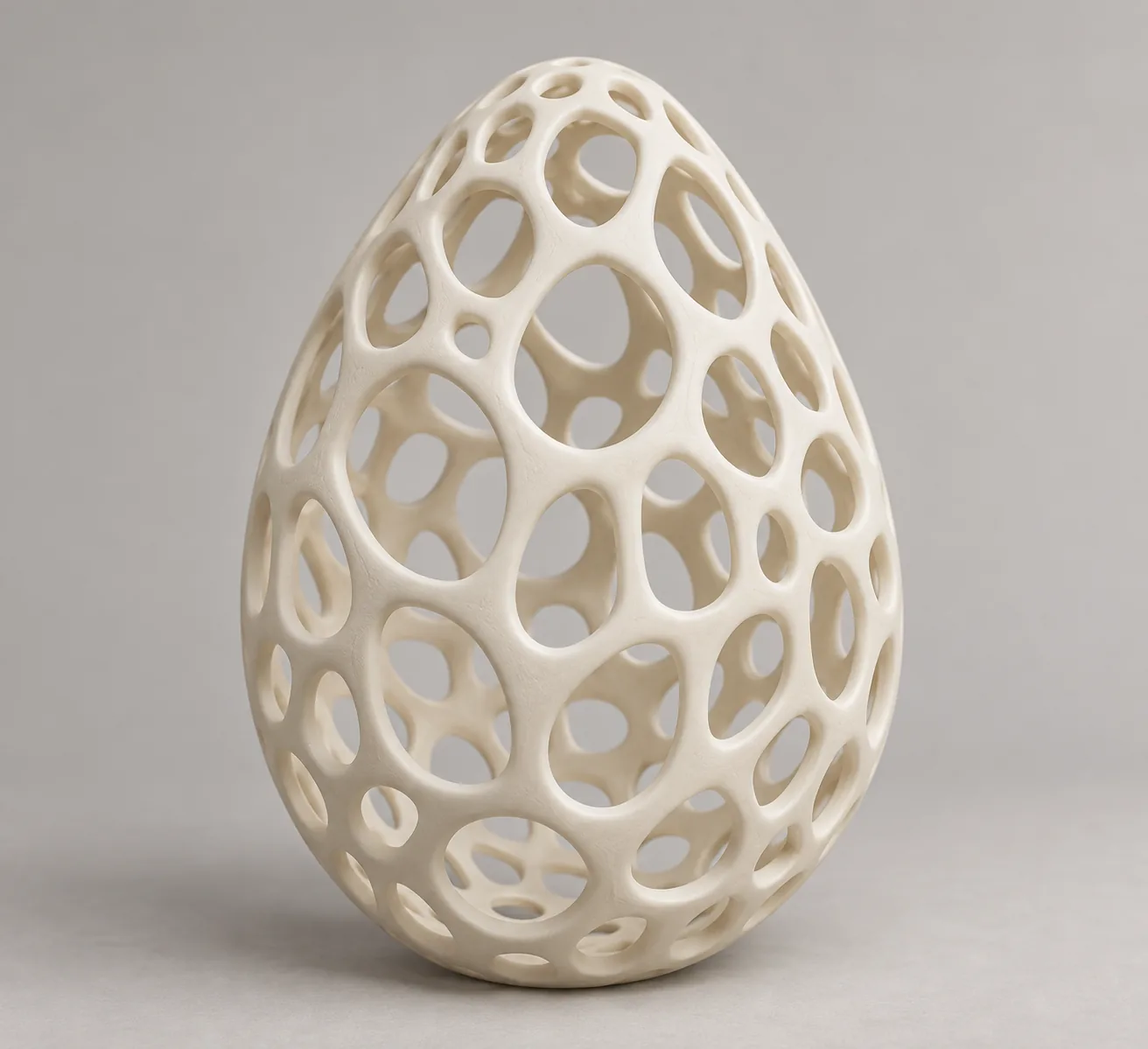
The reference picture, the only thing either tool got. No text prompt attached to either run — whatever Meshy and SupaVoxel disagree about downstream, the input is identical.
Does the model actually look like the picture?
Both do, from the front.
Perforated shell, interlocking beams, egg silhouette — Meshy nailed the read and so did SupaVoxel. Squinting at thumbnails, you would not pick a winner between them.
That's the honest baseline, and it is worth saying plainly because it is the part most people actually care about: Meshy did not produce a blob, and neither did SupaVoxel. Both produced the object in the photo.
What the reference can settle is whether the front of Meshy's shade and the front of SupaVoxel's match it. What it cannot settle is the back, the inside, the wall thickness, or whether the colours are right — none of which are in the picture, and none of which I measured on either file.
Meshy exports GLB and so does SupaVoxel — the single-file format that carries geometry and images together — so nothing below is a format difference in disguise either.
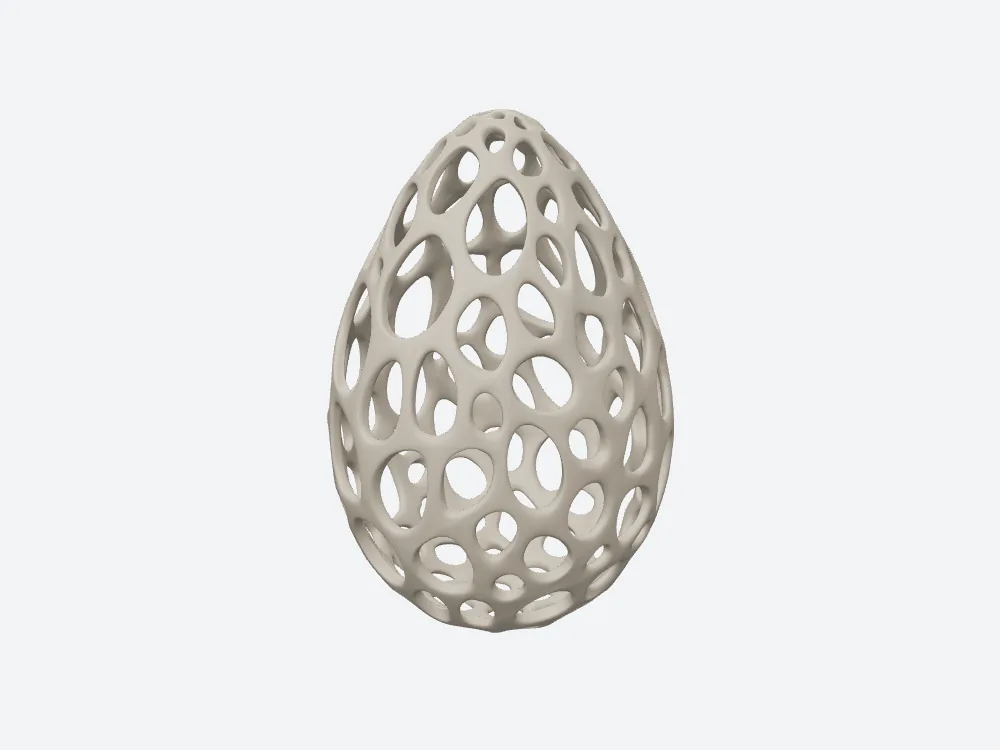
Meshy at a fixed three-quarter camera, textured, fixed lights. Same setup on both sides — yaw 35, pitch 18, no zoom, identical rig.
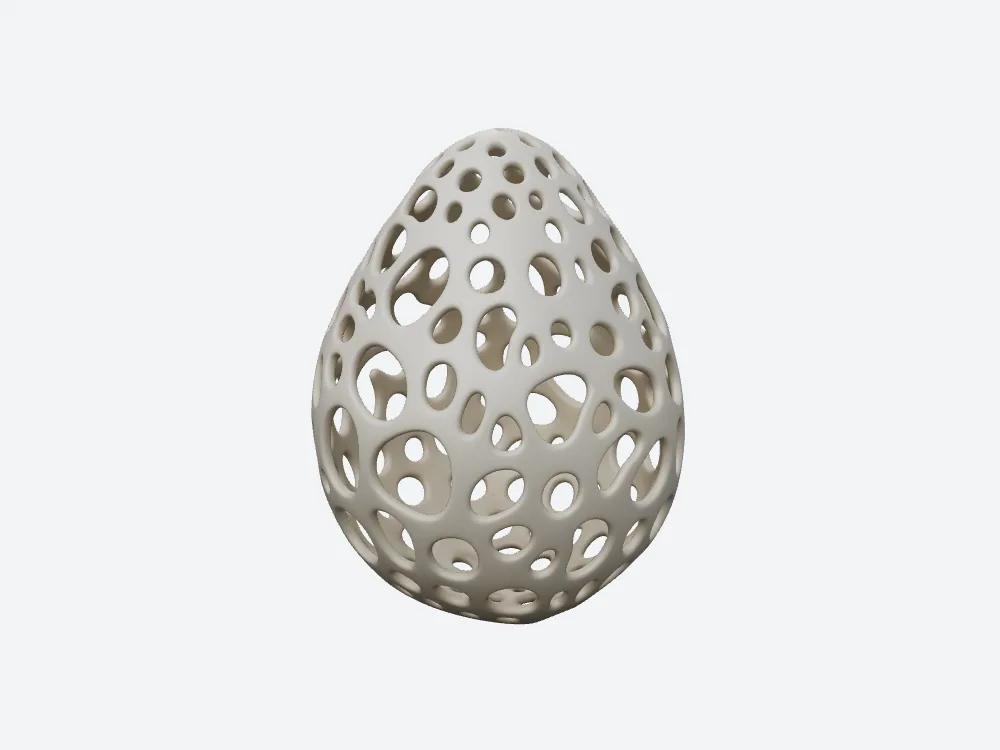
SupaVoxel at the identical camera. The rib network reads finer — though the two files may sit at different starting angles inside, so don't read this as pixel-on-pixel.
Which shade has crisper ribs at the same camera?
Now zoom in and it stops being a tie.
Meshy's ribs are broader. The gaps between Meshy's beams are fewer and rounder. SupaVoxel's rib network keeps more of its structure at the same magnification.
That impression has numbers under it. Meshy builds this surface out of 779,020 triangles and 424,152 corner points, at a 0.306 mm average edge on a 120 mm shade. SupaVoxel uses 1,500,000 triangles, 865,508 points and a 0.295 mm average edge.
What it means for you: every rib is a thin twisting tube. Twice the triangles means twice as many facets available to keep that tube round instead of faceted. Meshy is describing the same shape with half the material.
And notice the direction of that edge-length figure. Against a 0.4 mm printer nozzle, Meshy's 0.306 mm steps are the coarser description of a curve — on a lamp shade whose ribs are only a few beads thick, that is where faceting shows up first.
The render and the triangle count say exactly the same thing, which is the only reason I trust either.
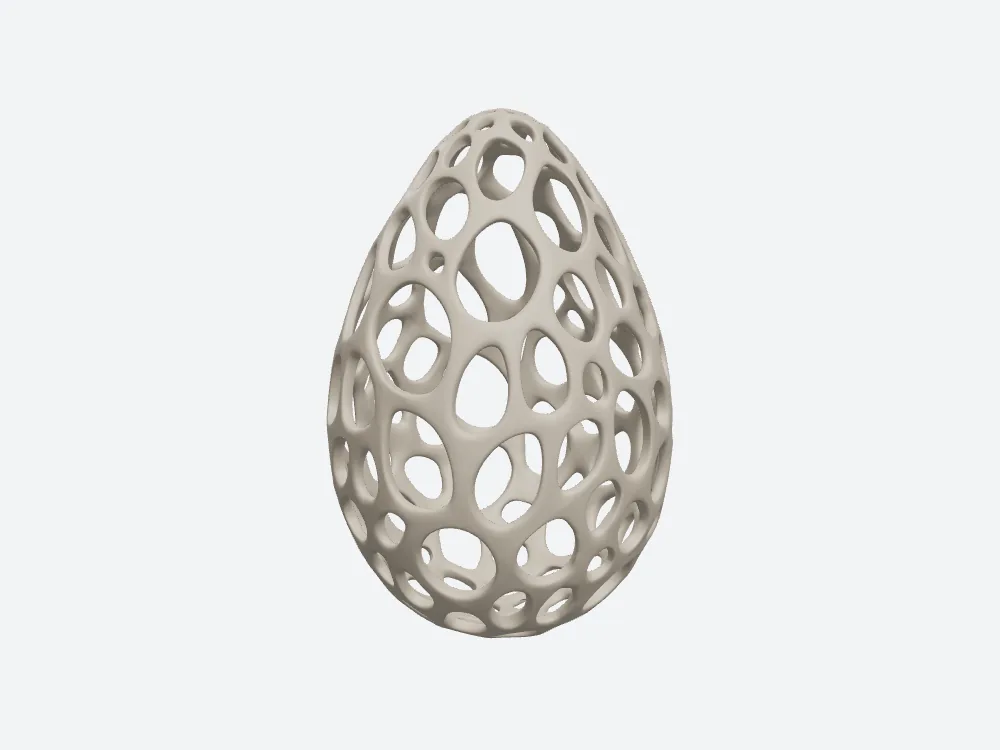
Meshy from the front, textured, offline render at yaw 0 / pitch 10 — the flattest, fairest view of the rib pattern.
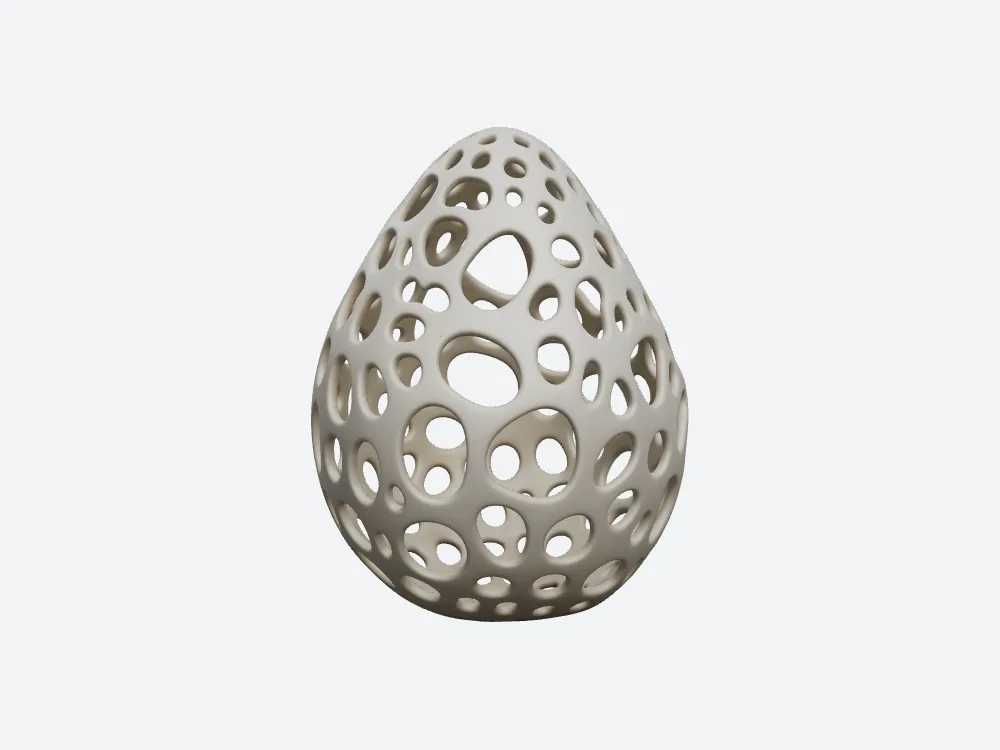
SupaVoxel from the identical front camera. Tighter rib subdivision around the same ring of holes.
Zoom in on the front: same crop, same lights
I pulled both close-ups out of those front renders using one identical crop box on both sides — same position, same width, same height, applied to each render's own frame — so nobody gets a more flattering zoom.
Meshy's crop and SupaVoxel's both show the shell holes and the crossing beams. Both look like the reference.
Look at the beam junctions, though — the places where three ribs meet. That's where a coarser mesh gives itself away, and it's the difference you would feel with a fingernail on a print.
What the crop can't contain: wall thickness. A picture of a hole is not a measurement of the wall around it, and I measured that on neither file. If a rib in either render is thinner than your nozzle, it will look perfect here and fail on the plate.
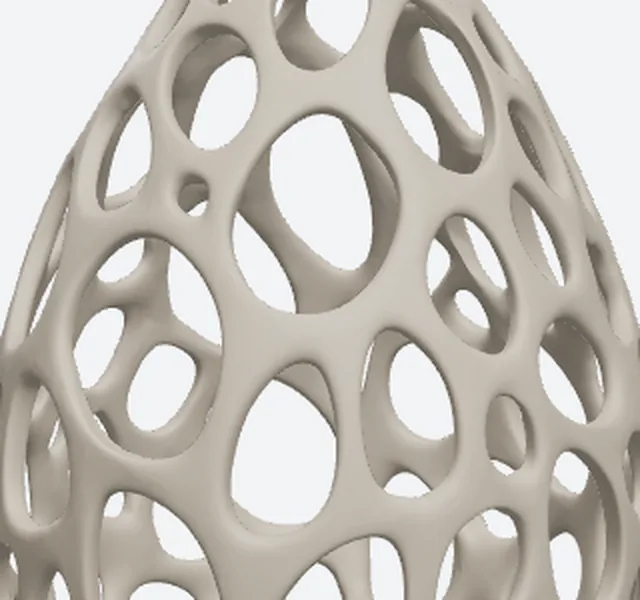
Meshy's front crop. Rib edges soften where three beams meet — this is the 0.306 mm average edge doing its work.
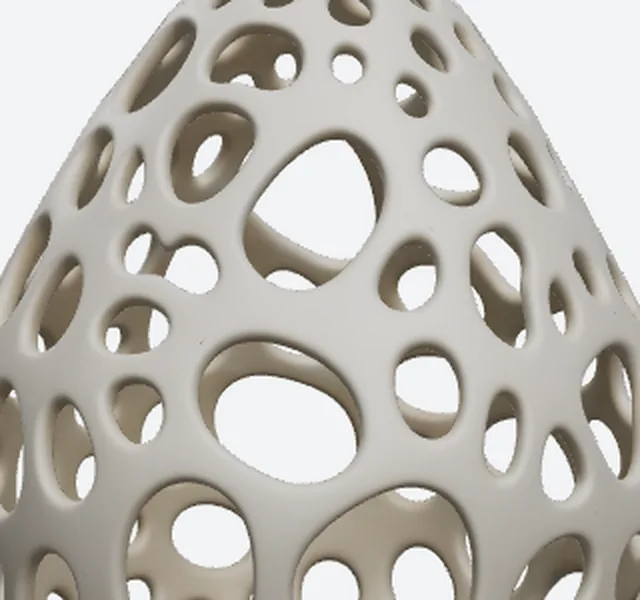
SupaVoxel's crop from the identical box. Same camera, same lights, same frame — the difference is mesh density, not exposure.
Nobody can check the back — not Meshy's, not SupaVoxel's
Here's a thing image-to-3D reviews rarely say out loud.
Your picture shows one side. Everything on the far side is invented — by Meshy, by SupaVoxel, by any tool you hand it to. There is no reference for it, which means when Meshy's back looks convincing, that's plausibility, not accuracy.
Same sentence, unchanged, for SupaVoxel's back.
What I can tell you is that Meshy's file and SupaVoxel's both close up properly around the back — zero open edges after cleanup on both, no edges shared by three faces, consistent surface direction, one connected shell each. So neither one is a hollow shell with a hole where the camera couldn't see. That much is measured. The rest is imagination, on both sides.
A detail that surprised me: before cleanup, Meshy's file reports 67,946 loose edges and SupaVoxel's reports 225,446. Both are seam bookkeeping from wrapping a flat image around a 3D shape, and both vanish when you merge points that sit at the same spot. Do not let a raw edge count in some viewer convince you the back is open.
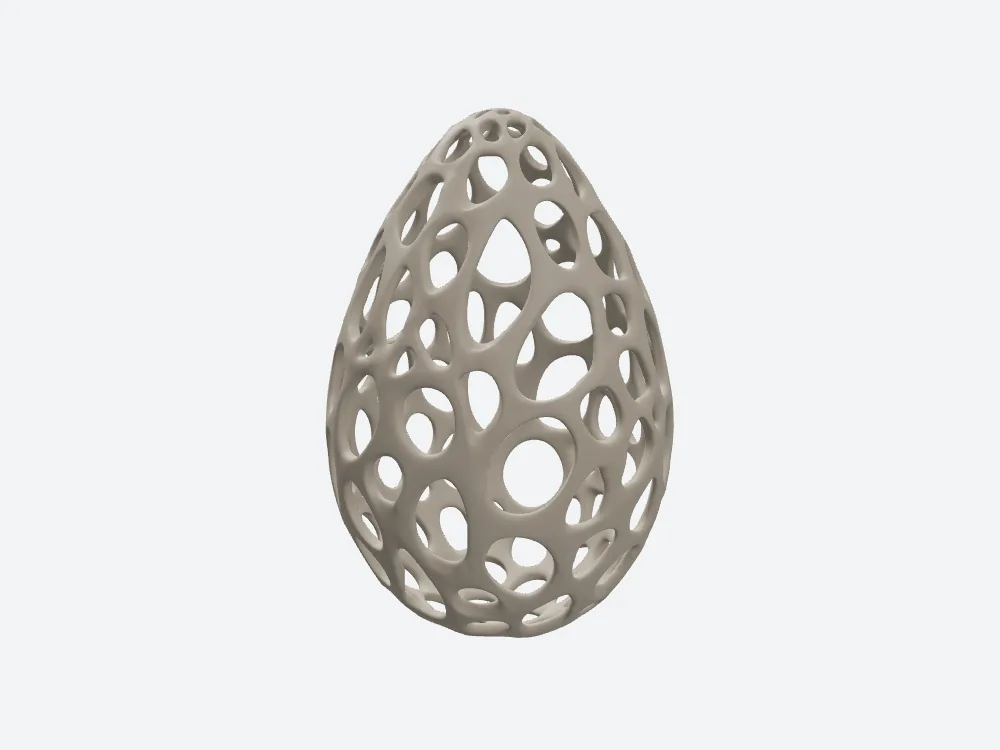
Meshy from behind at yaw 180. Invented geometry, no reference to check it against — and closed all the way round.
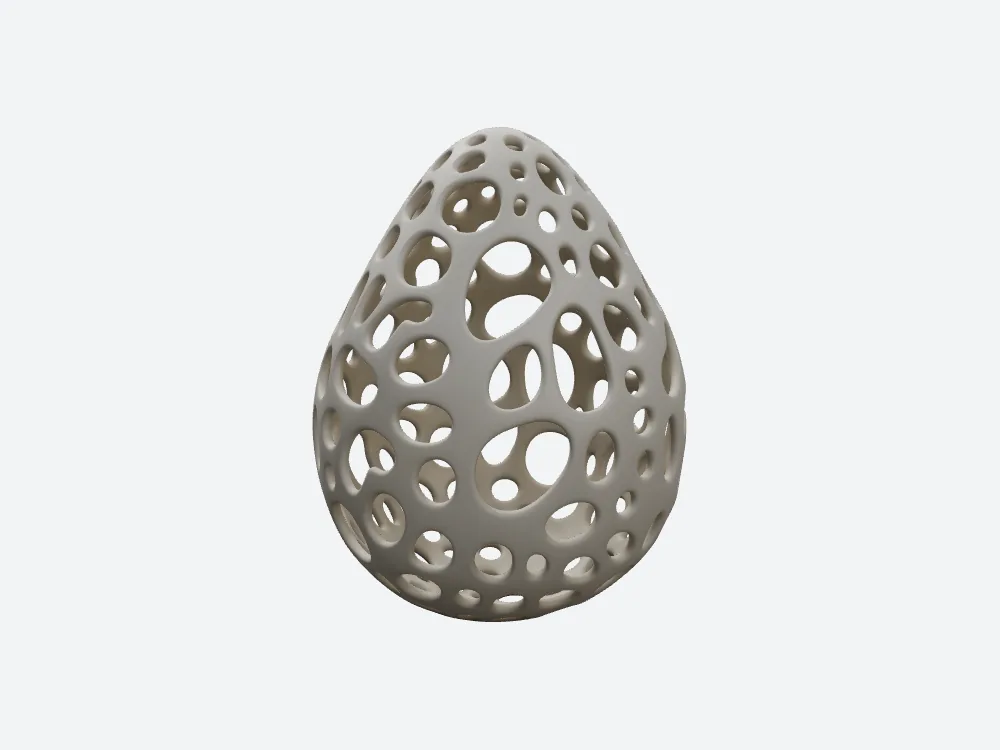
SupaVoxel from the identical back camera. Also invented, also sealed — same standard applied to both.
The back close-up: where a lattice turns to mush
Push the camera in close on the back and you find out whether Meshy understood the pattern or just smeared something that looks like it. Same test for SupaVoxel.
Meshy holds its rhythm. Coarser, but a rhythm — Meshy's holes stay regular and its beams keep their direction.
SupaVoxel holds a finer one. More rib detail at the same magnification, which is the visible form of that 1,500,000 against 779,020.
On a lamp shade this is the surface guests actually stand next to. A ceiling light throws its pattern from the side that faces away from you, so the invented half is the half doing the decorating.
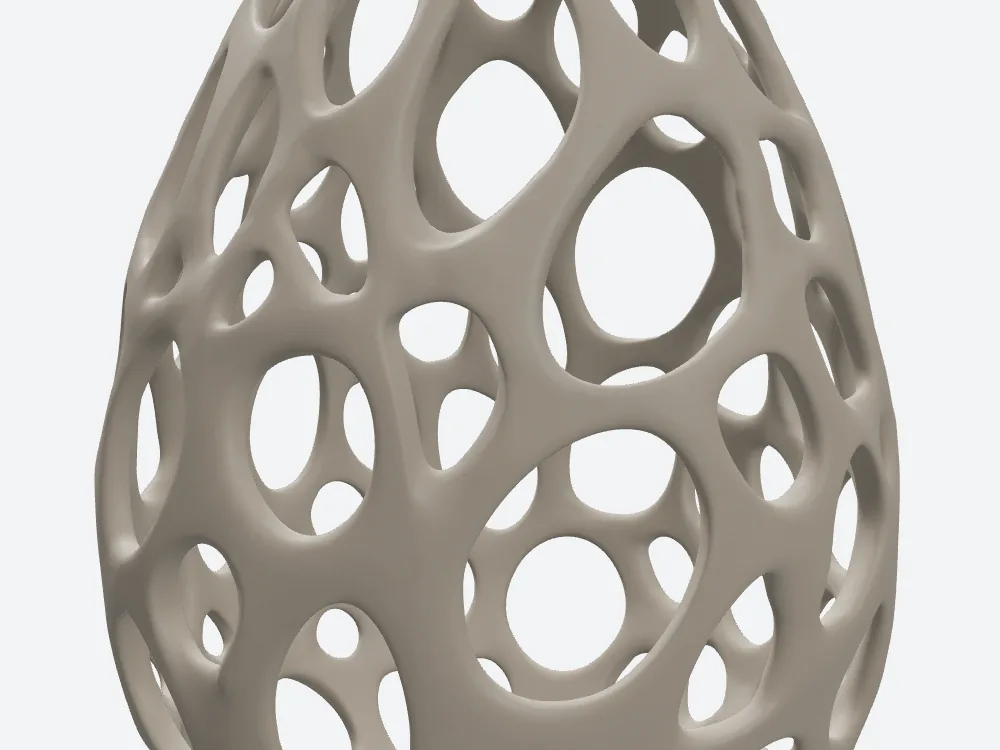
Meshy's back close-up at yaw 180, pitch 5, zoomed in to 0.45. Hole spacing stays regular at this scale.
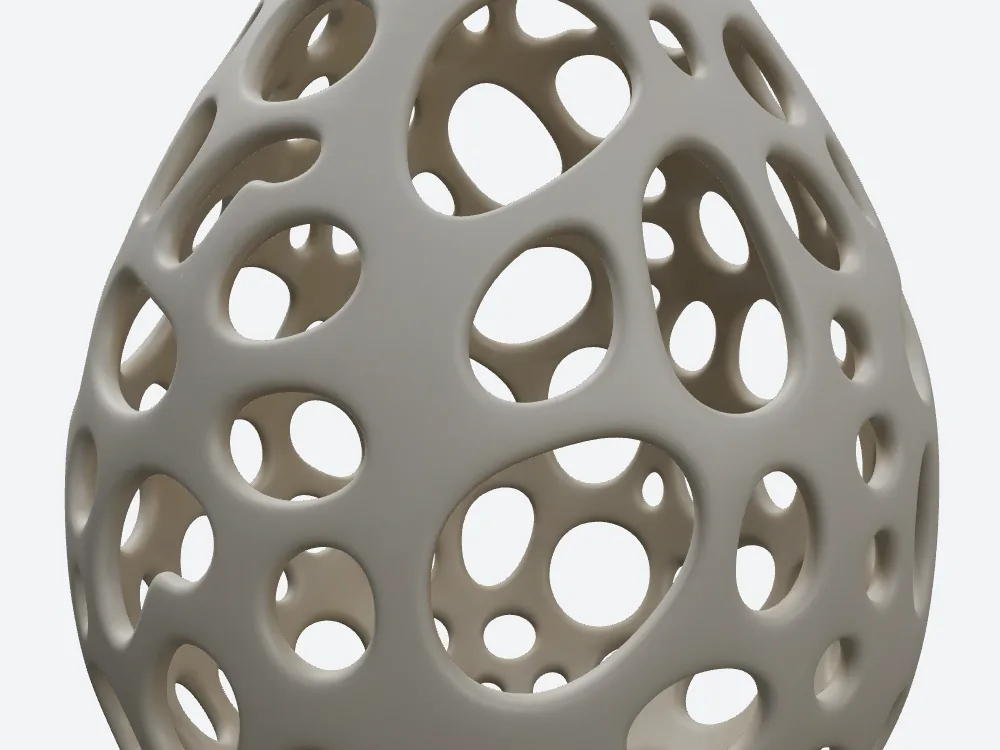
SupaVoxel at the identical close-up camera. Finer rib boundaries carrying the same pattern.
The back crop, same frame on both
Same treatment as the front: one crop box, applied identically to Meshy's back render and SupaVoxel's.
Read it for local shape and surface only, and mind one caveat I'd rather state than bury — identical camera numbers don't guarantee identical orientation, because Meshy's file and SupaVoxel's may carry different ideas of which way is forward. A yaw of 180 on Meshy's model and 180 on SupaVoxel's are the same instruction, not necessarily the same face of the egg.
So these are same-frame comparisons, not same-object-registered ones. Judge texture, rib thickness and hole shape. Don't try to match one specific hole in Meshy's crop to a hole in SupaVoxel's.
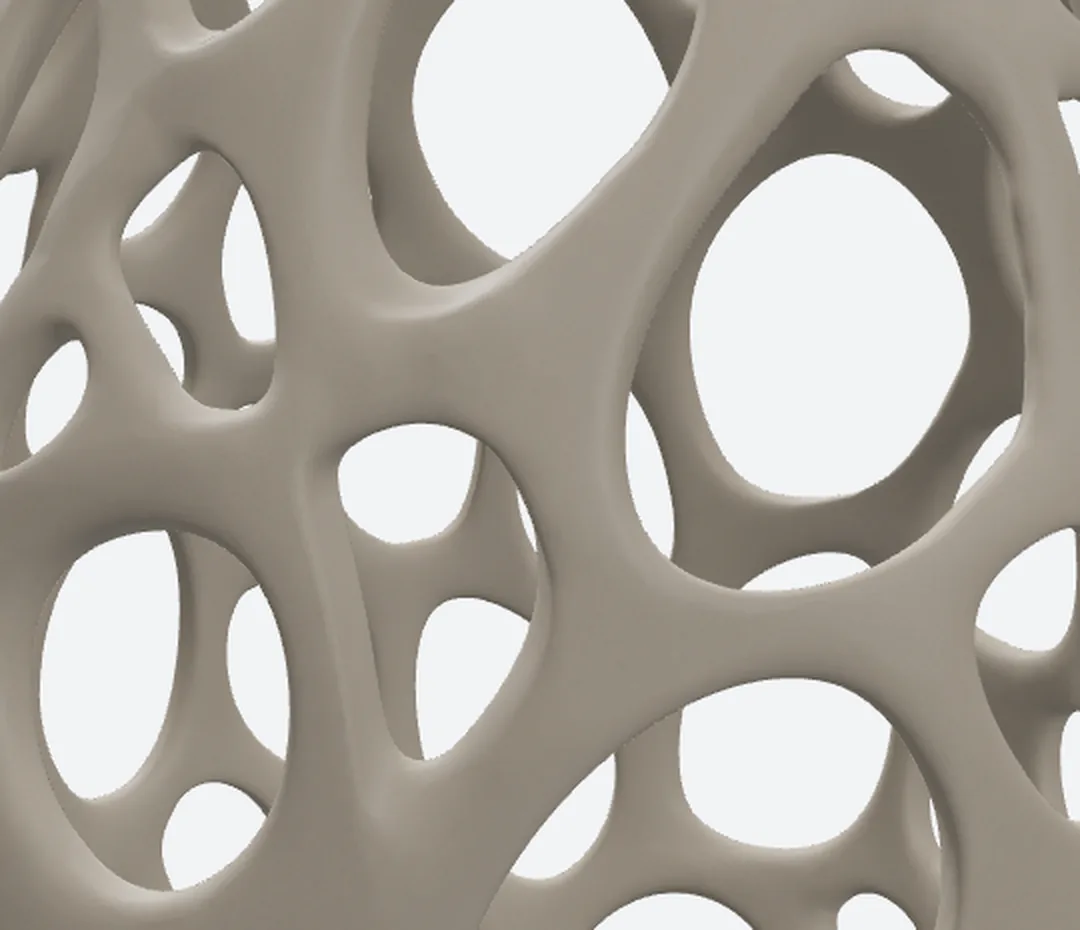
Meshy's back crop: shell wall and through-hole at maximum available detail.
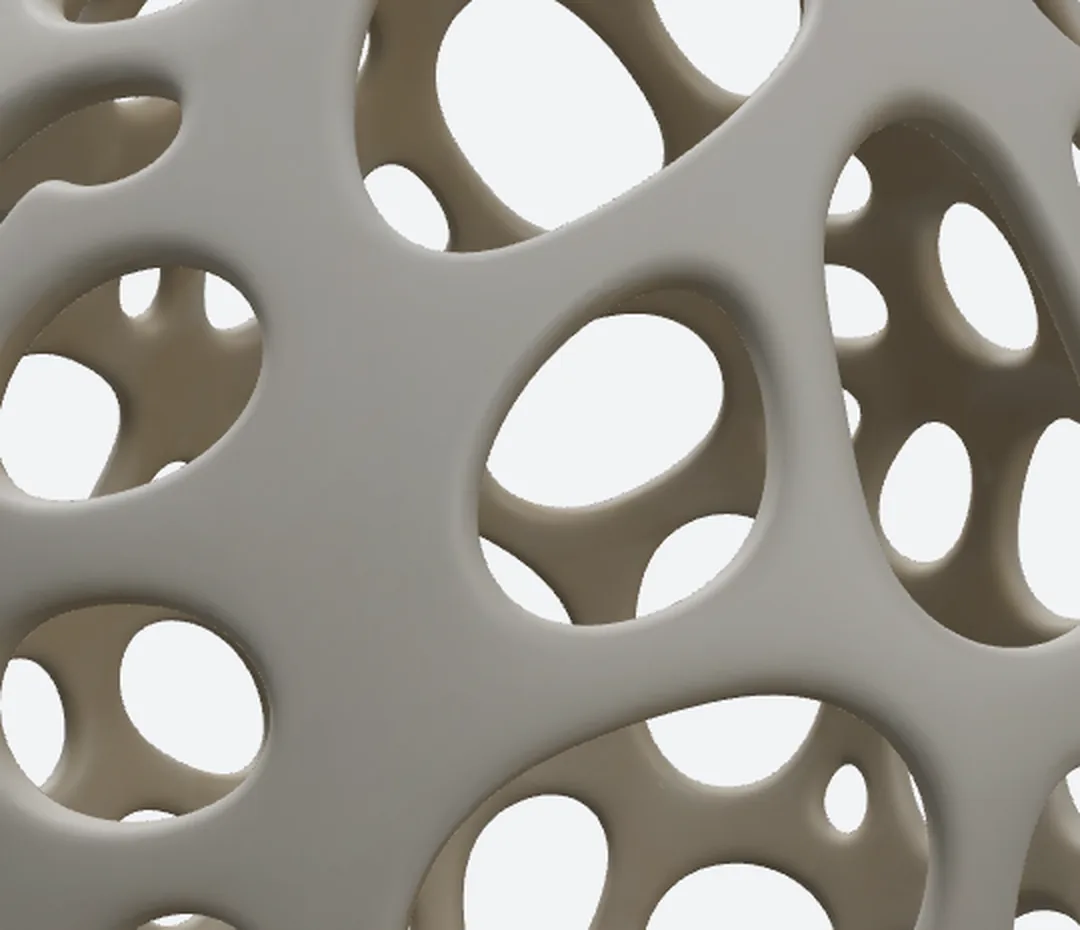
SupaVoxel's crop from the identical box, same normalised frame on its own back-zoom render.
Both files carry 3 textures. They don't weigh the same.
Meshy packs 3 images into its file. So does SupaVoxel. Tie, and Meshy deserves the tie — it did not skimp.
The difference is what those images weigh. Meshy's two screen-only maps — the bump detail and the shine — come to 2,826,340 bytes against SupaVoxel's 235,772.
For a textured web view, that's detail you can see. For a plain print, it's roughly twelve times the download of something the printer cannot use.
Add the colour images and Meshy carries 4,484,950 bytes of pictures against SupaVoxel's 755,738 — 16.4% of Meshy's file against 8.4% of SupaVoxel's. Which tells you something useful: Meshy's bulk is not textures. The rest of Meshy's 27,408,396 bytes is mesh data, uncompressed.
One note on how I counted Meshy's: unique images only, and this is byte weight, not pixel resolution. Nobody measured how many pixels across either Meshy's textures or SupaVoxel's are.
Does the colour actually match the photo?
I don't know, and neither does anyone who hasn't measured it.
There is no colour-difference figure in this article. No per-pixel comparison against the reference, for Meshy or for SupaVoxel. I can see that Meshy's shade and SupaVoxel's both read as the same off-white ceramic as the photo, and that is an eyeball judgement, not data.
So when I say Meshy carries more colour data below, read it precisely: more bytes, not verified better colour. If colour fidelity is the thing your project lives or dies on, this comparison does not settle it and you should test it yourself with a colour target in frame.
What the shape costs you to show it
Renders are the point of this article, but somebody has to load them.
If you put Meshy's model or SupaVoxel's on a web page to spin, you are shipping the whole file: Meshy's 27,408,396 bytes against SupaVoxel's 9,044,340. On a 12 Mbps phone connection that is 18.3 seconds of waiting against 6.0 — arithmetic on the byte counts at an assumed steady throughput, not a measured page load. On a 100 Mbps line it is 2.19 against 0.72.
Once loaded, the ranking flips in Meshy's favour: reserve 32 bytes per point and 4 per index and Meshy's geometry needs about 22.9 MB in memory against SupaVoxel's 45.7 MB, because compression shrinks a download, not a loaded mesh. Also arithmetic, not measured memory.
And if you are building a gallery, multiply: a hundred of these shades is 2.74 GB from Meshy against 0.90 GB from SupaVoxel on disk. On the meters, a hundred runs would be 3,500 Meshy credits and 300 SupaVoxel credits — two different plans measured in two different units, so that is two budgets side by side and not a price comparison.
Meshy's version is only prettier until someone has to download it.
Where Meshy actually wins
Two rows, both real.
Meshy carries more colour. Meshy's colour image is 1,658,610 bytes. SupaVoxel's is 519,966. That's over three times the colour data for the same shade, and if what you want is a rich textured model for a screen, more colour information is the right direction to have more of.
The exchange rate: Meshy's extra 1,138,644 bytes of colour arrive inside a file 18,364,056 bytes bigger overall, carrying 720,980 fewer triangles. And I have to be straight with you — I did not measure colour accuracy, on either side. So I can tell you Meshy's colour image is larger, not that it is better. It's still Meshy's row.
Meshy's mesh is calmer. Count the stretched sliver triangles that upset repair software and Meshy has 419 against SupaVoxel's 2,849. Meshy also has zero degenerate, near-zero-area faces where SupaVoxel has two. Part of that is simple arithmetic — more triangles, more chances to be skinny — but if your workflow runs everything through a fussy cleanup step, Meshy hands you the easier file.
There's a third thing that isn't about looks: Meshy's GLB declares no required extensions, while the compressed SupaVoxel GLB declares EXT_meshopt_compression and KHR_mesh_quantization, so the program at the other end needs a decoder. And on SupaVoxel's side you switch the export to original size and that decoder question disappears — the same run already produced both files, one for the web and one for whatever refuses to decode. I read what the files declare; I never loaded either into a real importer.
What a render can't tell you
No colour measurement against the photo, for Meshy or for SupaVoxel. No pixel-level registration between the two models. No texture resolution — three images is a count, not a size. No slicer, no wall thickness, no print, on Meshy's file or the other one.
Two more blanks worth naming: neither run recorded how many times it failed or retried, and Meshy's generation time was never captured at all. SupaVoxel's record shows 274.715 seconds; Meshy's shows nothing, so there is no speed claim anywhere in this article.
I'm listing the gaps because a visual article is the easiest place on earth to let an impression pass as a measurement. Everything numeric here came out of Meshy's file and SupaVoxel's. Everything visual is a render at a stated camera you can judge with your own eyes.
Final verdict: Meshy scores 61/100 for this job
Meshy turned one picture into a recognisable Voronoi eggshell, sealed all the way around, with the lattice reading clearly from every angle I shot. That's the job done, and it is not nothing.
Meshy did it with 48% fewer triangles and a coarser average edge, which is why Meshy's ribs read blunter in every close-up. And Meshy brought over three times the colour data, which is a real advantage if your shade is going on a screen rather than a build plate.
Mine was going on a build plate.
One eggshell, one Meshy run, one SupaVoxel run, my own scoring. Another subject — a solid figure, a smooth product shell — could easily land the other way, and a single run proves nothing about Meshy's consistency or SupaVoxel's.
Use SupaVoxel for this job
Don't take my eggshell as your answer — run your own picture through Meshy and SupaVoxel and look at the crops yourself. Subjects behave differently, and one run is one run.
For this shade I kept the 1,500,000-triangle model with the 0.295 mm average edge and the 235,772 bytes of screen-only maps — compressed for the web, original-size GLB from the same run for anything fussier. If you want to try the same comparison with your own image: https://supavoxel.com
How I tested this
One image, one run on each side. Not a lab study, no averages, no ranking of either tool across subjects.
Measured: Meshy's file and SupaVoxel's were both checked against their hashes and parsed — triangle counts, point counts, texture counts, embedded image sizes, file sizes, declared extensions and the sealed-shell results all come out of the files themselves. The 274.715-second duration comes from SupaVoxel's task record.
Controlled: every render used the same offline viewer, the same lighting, the same resolution and the same camera numbers on both sides — three-quarter at yaw 35 / pitch 18, front at 0 / 10, back at 180 / 12, back close-up at 180 / 5 / 0.45 — and both detail crops used one identical normalised box per pair. The two models may still carry different internal orientations, so matched camera numbers aren't pixel registration.
Assumed: the millimetre figures come from scaling each model to a 120 mm tall shade, since neither file carries real-world units, with a 0.4 mm nozzle as the reference scale. Download seconds assume steady 12 and 100 Mbps throughput; the memory estimate assumes 32 bytes per point and 4 per index; the hundred-copy figures are this one file multiplied by a hundred. All arithmetic, none of it benchmarked.
Missing: colour accuracy, texture pixel dimensions, UV layout, failures, retries, Meshy's generation time, wall thickness, self-intersection, slicing and actual printing — none of them tested, on either side.
Originally published on Medium: Meshy AI Image to 3D Review 2026: The Lattice Reads Coarser.