For readers exploring an image to stl workflow, this review shows how two textured 3D outputs compare in load size, visual detail, and suitability for an interactive gallery.
Disclosure: everything here comes from my own independent test on regular customer accounts; neither vendor gave special access or previewed this article.
The picture in my head was a bone cat spinning on a product page. Not a promise about printing — a model visitors could rotate to check that the ribs really were open and the tail loop stayed open in profile. If that took close to a minute on an ordinary mobile connection, the "interactive" bit would just be an empty box.
Hyper3D and SupaVoxel each got the identical illustration. What Hyper3D let me download was a Gen-1.5 PBR GLB packed in a ZIP; its newer Gen-2.5 preview couldn't be downloaded on the free account I tested. On the SupaVoxel side I measured the UI's Original size textured GLB, not the Compressed option, which went unmeasured. After rendering both downloads from matched views, I weighed the files and examined their texture slots.
My verdict in 60 seconds — to show this pale skeleton cat in a public gallery, I would host Hyper3D Gen-1.5 first: it is lighter and its ribs are finer. The extracted PBR comes to 14.18 MB, versus 67.38 MB for the SupaVoxel Original size GLB I selected. SupaVoxel does have genuine strengths — three 4K maps rather than three 2K maps, denser mesh sampling and a smaller computed solid volume — but none of that makes its broad ribs truer to a deliberately delicate design. Should the commission demand high-resolution close inspection or repeated sculpt edits, I would try SupaVoxel, including the compression I have yet to measure, before ruling it out. Albedo accuracy and print strength were not measured for either file. Eight paired editorial calls follow, with no invented numeric scores:
- Front outline — Hyper3D: slimmer ribs that read as separate · SupaVoxel: an open chest with broader crossing arches. On this visual brief, Hyper3D wins.
- Side and tail — Hyper3D: thinner side bars, smaller tail perforations · SupaVoxel: a thicker open loop. Each keeps real geometric openings.
- Made-up back — Hyper3D: narrow central spine, ribs still separate · SupaVoxel: a broad joined spine sheet. Neither has rear-view ground truth.
- Maps: count and size — Hyper3D: three 2048² PNGs · SupaVoxel: three 4096² PNGs. Four times the pixels per map is not demonstrated as four times the likeness.
- Standalone PBR GLB — Hyper3D: 14.18 MB extracted · SupaVoxel: 67.38 MB Original size. With the tested selections, Hyper3D is lighter.
- What the browser Download delivers — Hyper3D: 23.15 MB ZIP with PBR + Shaded · SupaVoxel: 67.38 MB GLB, direct. That ZIP is not a 14.18 MB web transfer.
- Geometry budget — Hyper3D: 120,000 triangles / 116,539 vertices · SupaVoxel: 1,499,910 / 893,267. Finer sampling for editing on SupaVoxel, carrying more bytes and memory.
- Mesh hygiene — Hyper3D: 0 degenerates / 249 slivers · SupaVoxel: 19 / 7,217. Both weld into watertight shells; local triangle quality still leans to Hyper3D.
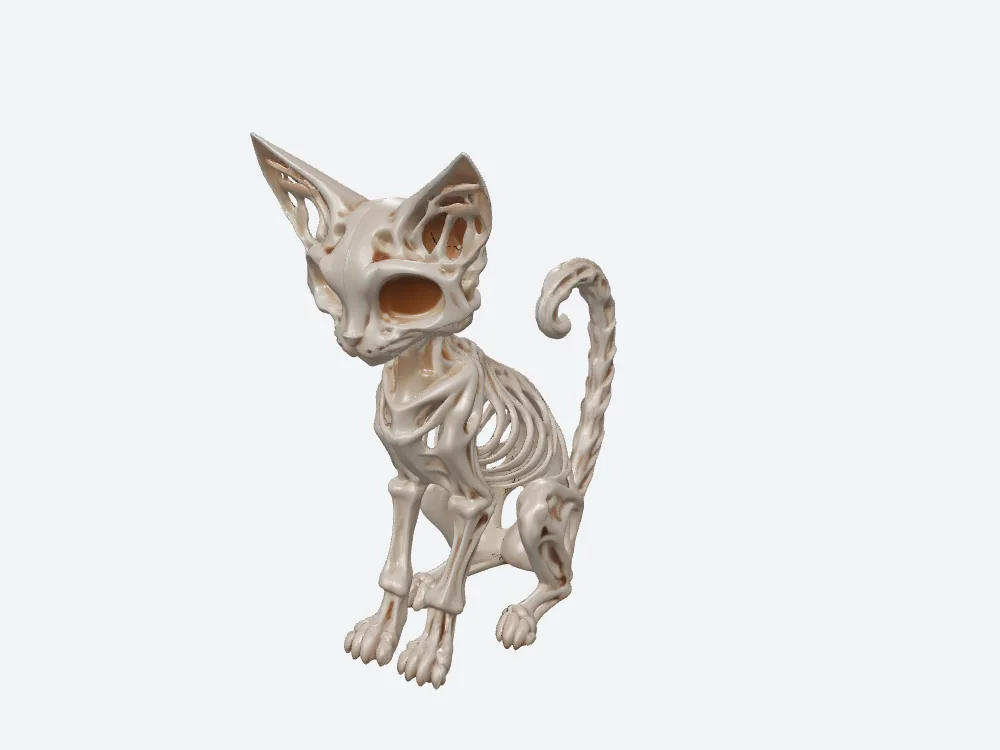
The Hyper3D Gen-1.5 PBR file you can actually download keeps a narrow-ribbed, open look. The locked Gen-2.5 preview serves as no evidence for this image.
What the reference image does and doesn't say
A single independently generated 1,702,829-byte PNG shows a skeleton cat with eye sockets, open ribs and a curled tail. It doesn't show the full back, give a rib thickness or define what a printable tail should be. That same file went to both tools, and a hash comparison confirmed it was the input on the SupaVoxel request. On the Hyper3D side, the two model paths stored different automatic descriptions, so the gap between their results isn't a clean experiment with everything but the version held fixed.
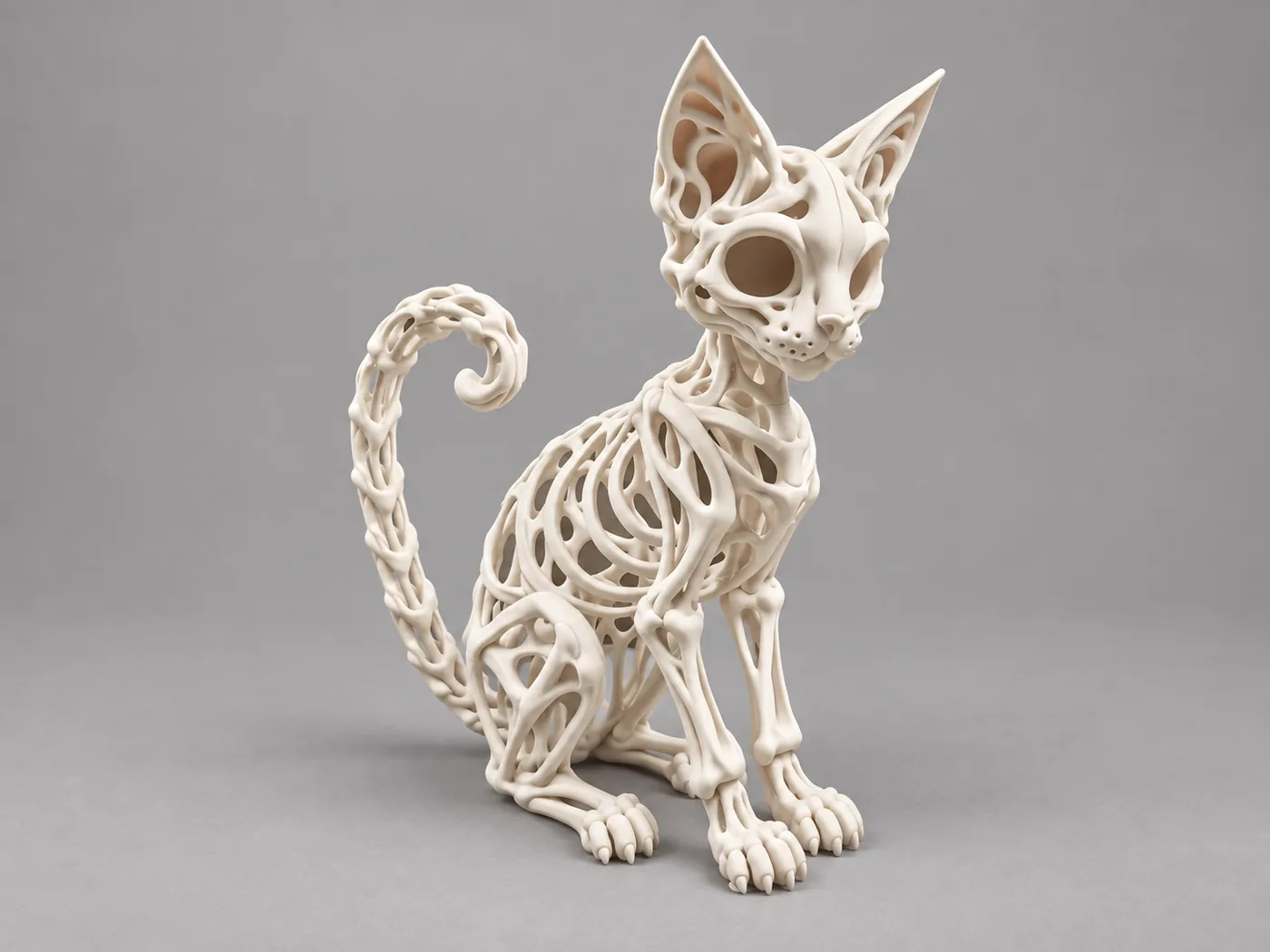
A single image served both jobs. A bright background plus pale bones makes it very easy to read too much into lit color comparisons.
Download size versus hosted size
Hyper3D's button doesn't hand you the 14 MB file; it hands you a ZIP. The extracted PBR GLB is 14,181,040 bytes, but the Download actually returned a 23,151,232-byte ZIP that also holds an 8,969,940-byte Shaded GLB. Every offline comparison used the PBR file. SupaVoxel's measured Original size browser export is a single 67,377,036-byte GLB. That leaves two valid comparisons, each answering a different question:
- Browser transfer — 23.15 MB ZIP against a 67.38 MB GLB; with the tested buttons Hyper3D moves 44.23 MB fewer.
- Hosting only the PBR on your own gallery — 14.18 MB extracted GLB against the 67.38 MB tested GLB; under those selections SupaVoxel's file is about 4.75× larger.
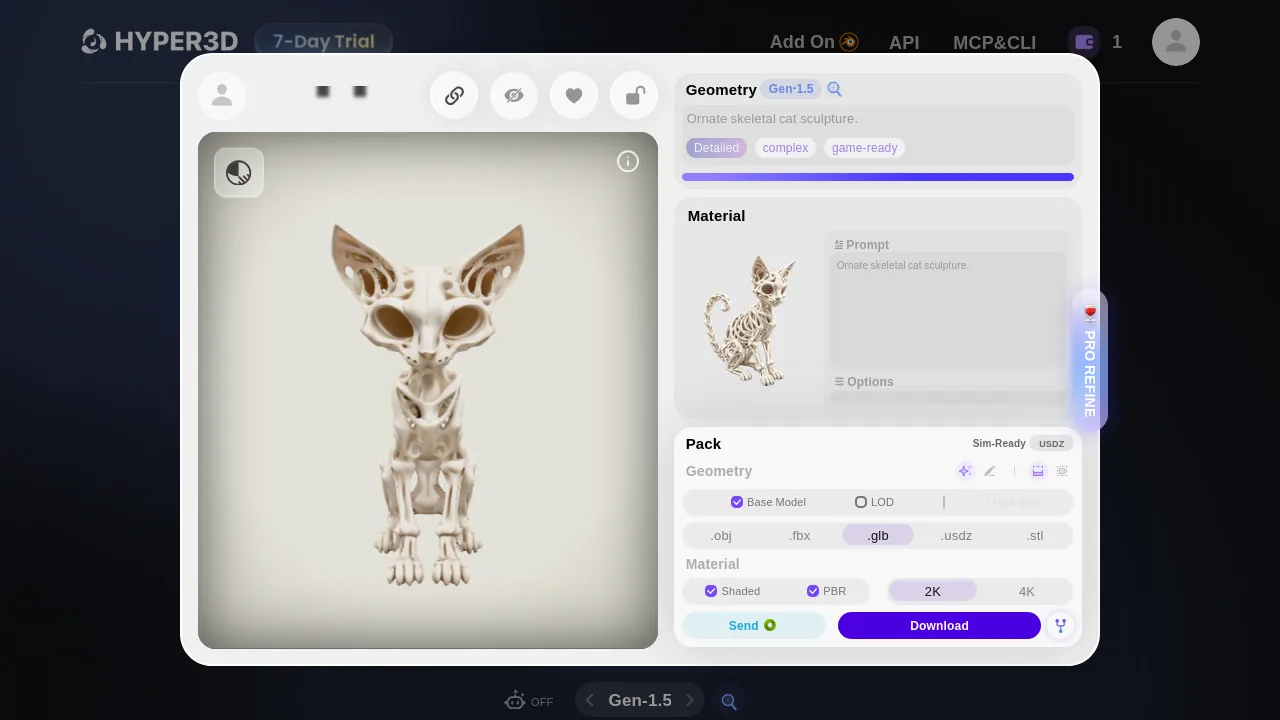
With both PBR and Shaded selected, the web action downloaded a two-GLB ZIP rather than the 14.18 MB member you could host on its own.
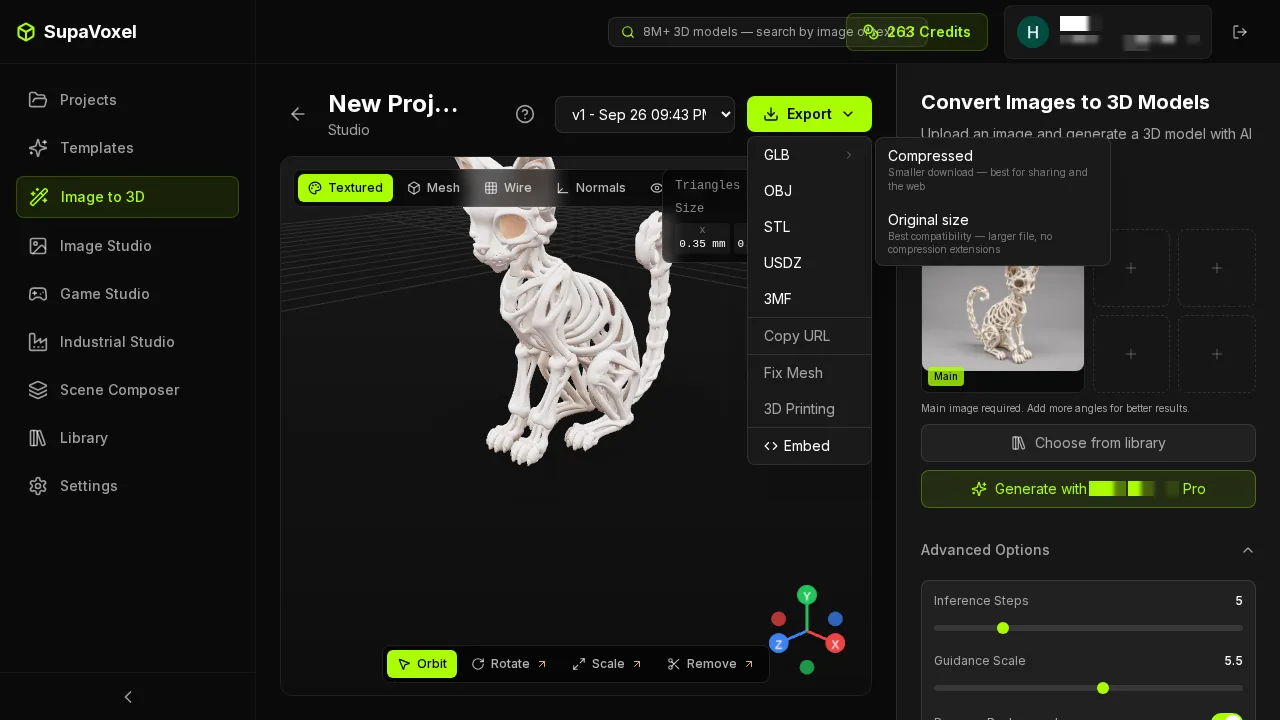
Original size is the SupaVoxel option I measured. Compressed is shown here, but I observed no size for it in this case.
Transfer floors on a 12 Mbps line
Take the actual button transfers, multiply bytes by eight and divide by a clean 12 Mbps: the ideal floors are 15.43 seconds for Hyper3D's ZIP and 44.92 seconds for SupaVoxel's GLB, a 29.49 seconds gap. On 100 Mbps those floors become 1.85 and 5.39 seconds. They exclude HTTP setup, unzipping, decoding, rendering and partial caching, and they are not stopwatch times.
Host each PBR GLB separately and Hyper3D's floor falls to 9.45 seconds, while the measured SupaVoxel file stays at 44.92. For a site owner serving a rotating asset, that's the more useful thought experiment. Someone on a fast connection may not notice. Someone opening six heavy cards on a phone might. I benchmarked no real phone and no first visible frame, so I'd measure both before rolling out a gallery.
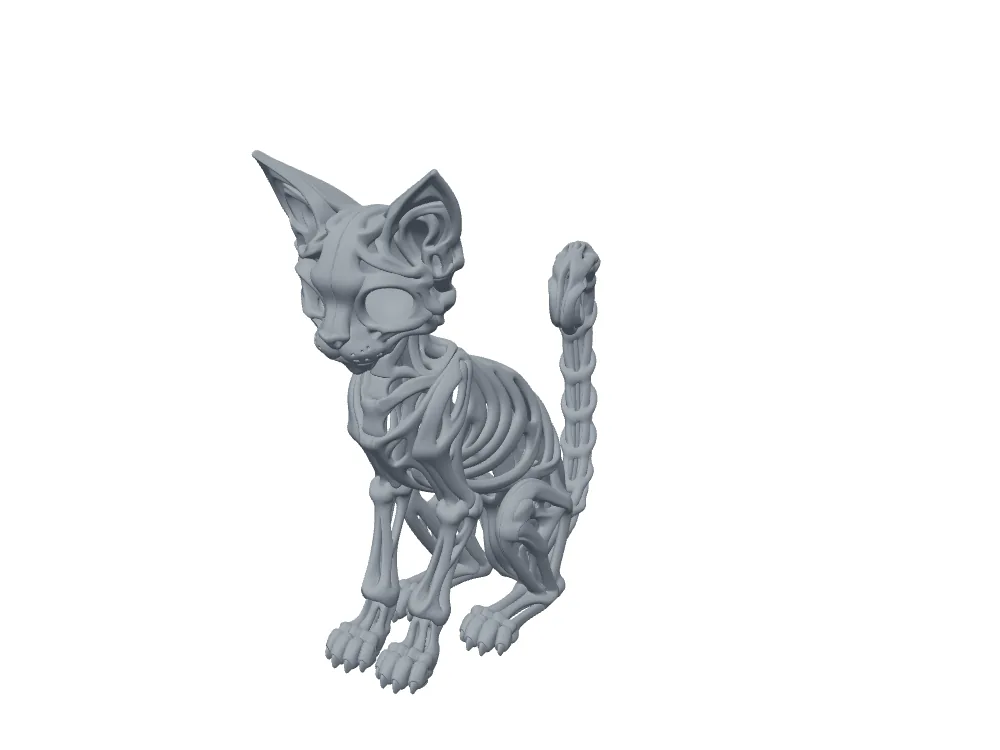
Untextured, SupaVoxel's geometry keeps its openings, but in the tested Original size file it carries a bigger transmission and working-set budget.
A month of gallery traffic, priced
Model a deliberately simple month: every GLB, hosted separately, gets 10,000 full uncached transfers, counted in decimal gigabytes with egress at $0.085 per GB. Hyper3D's 14.18 MB PBR adds up to 141.81 GB, modeled at $12.05. SupaVoxel's 67.38 MB Original size file adds up to 673.77 GB, modeled at $57.27. Under those assumptions the gap is roughly $45.22 — not an actual CDN bill, not a conversion forecast and not a claim that caching never helps.
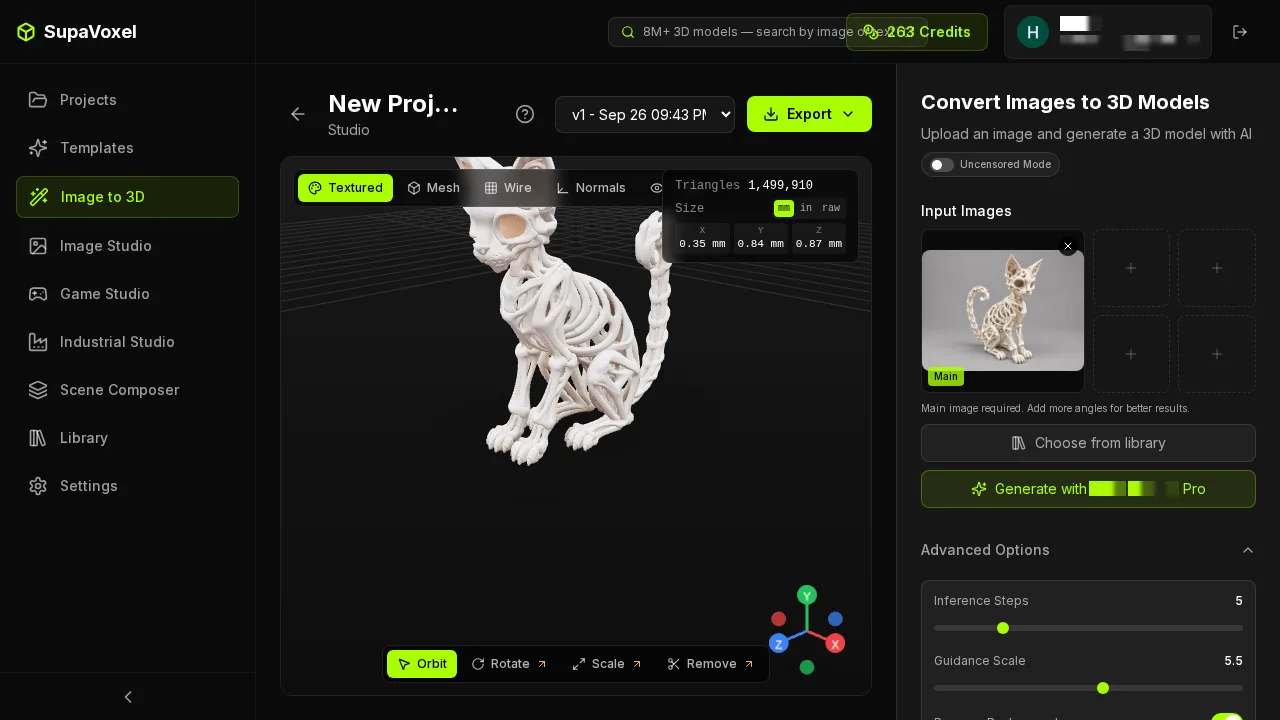
That 67.38 MB file comes from one particular UI export. The CDN sums assume every byte is served again and again, not a traffic trace I observed.
Geometry memory, estimated
Using an illustrative budget of 32 bytes per exported vertex plus 4 bytes per triangle index, Hyper3D's 116,539 vertices / 120,000 triangles come to 5.17 MB and SupaVoxel's 893,267 / 1,499,910 to 46.58 MB. In other words, an estimated geometry allocation of 46.58 MB against 5.17 MB, not phone RAM that anyone measured. Left out entirely: the texture maps and their decoded expansion, any copies the browser makes, renderer buffers and general scene overhead.
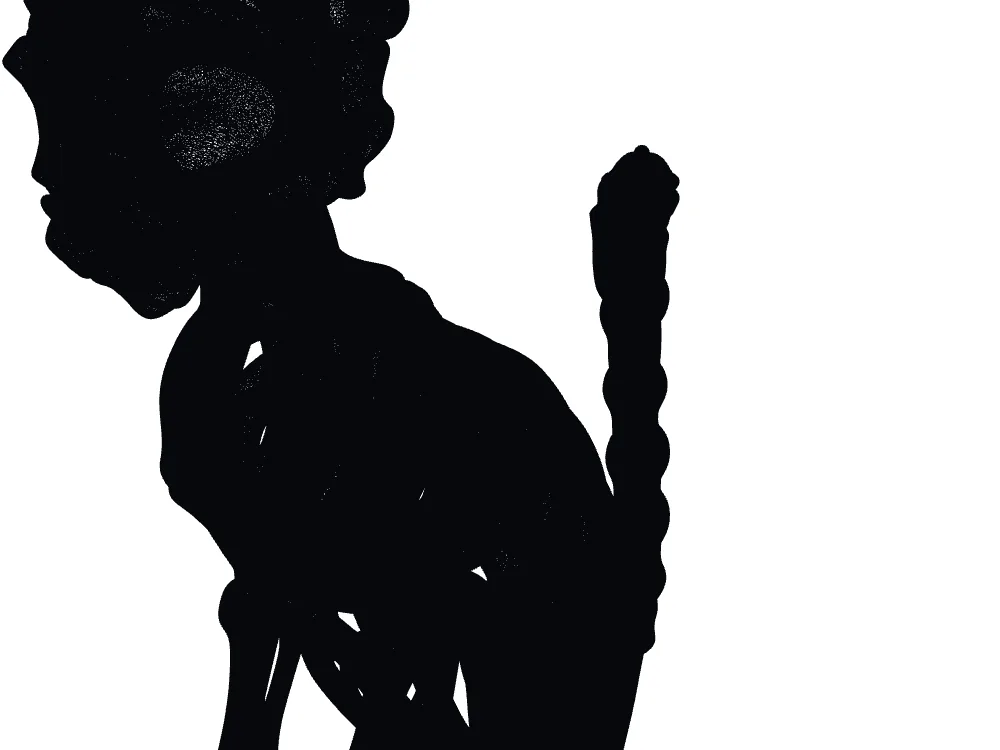
SupaVoxel samples far more finely and gives you more vertices to edit; the 46.58 MB figure covers geometry only and is not measured device memory.
The case for SupaVoxel's 4K textures
SupaVoxel ships three 4096 × 4096 PNGs, Hyper3D three 2048 × 2048 PNGs. In both, the slots are baseColor, normal and metallicRoughness, with one material each. Each 4K image carries four times the pixels per map, which pays off only if a viewer zooms close enough and the UVs give useful texels to the area being inspected. I did not measure color error or UV occupancy, nor check whether zooming in really draws on the extra pixels.
Hyper3D's baseColor image takes 3,801,218 bytes; SupaVoxel's takes 14,363,914. Normal plus metallicRoughness come to 5,208,830 versus 6,427,581 bytes. In a PBR viewer those maps can shift highlights; in a monochrome resin slicer they add no geometry. If you assume a slicer use that ignores non-color maps, 5.21 and 6.43 MB respectively would be dead weight for that purpose — not bytes a slicer was measured discarding. For a pale cat on a gallery page, I would zoom into both textures before accepting four times the pixel count as a visual argument.
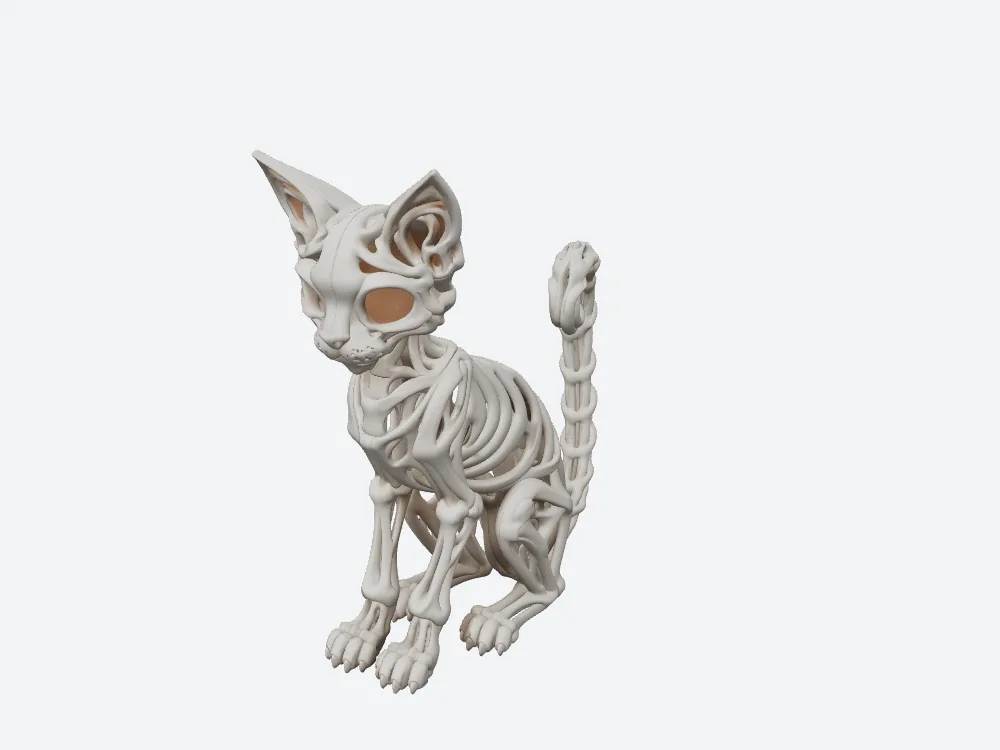
The pale SupaVoxel hero with 4K textures is easy to inspect; resolution by itself doesn't quantify how closely it resembles the pale source art.
Head-on, which cat looks like bones?
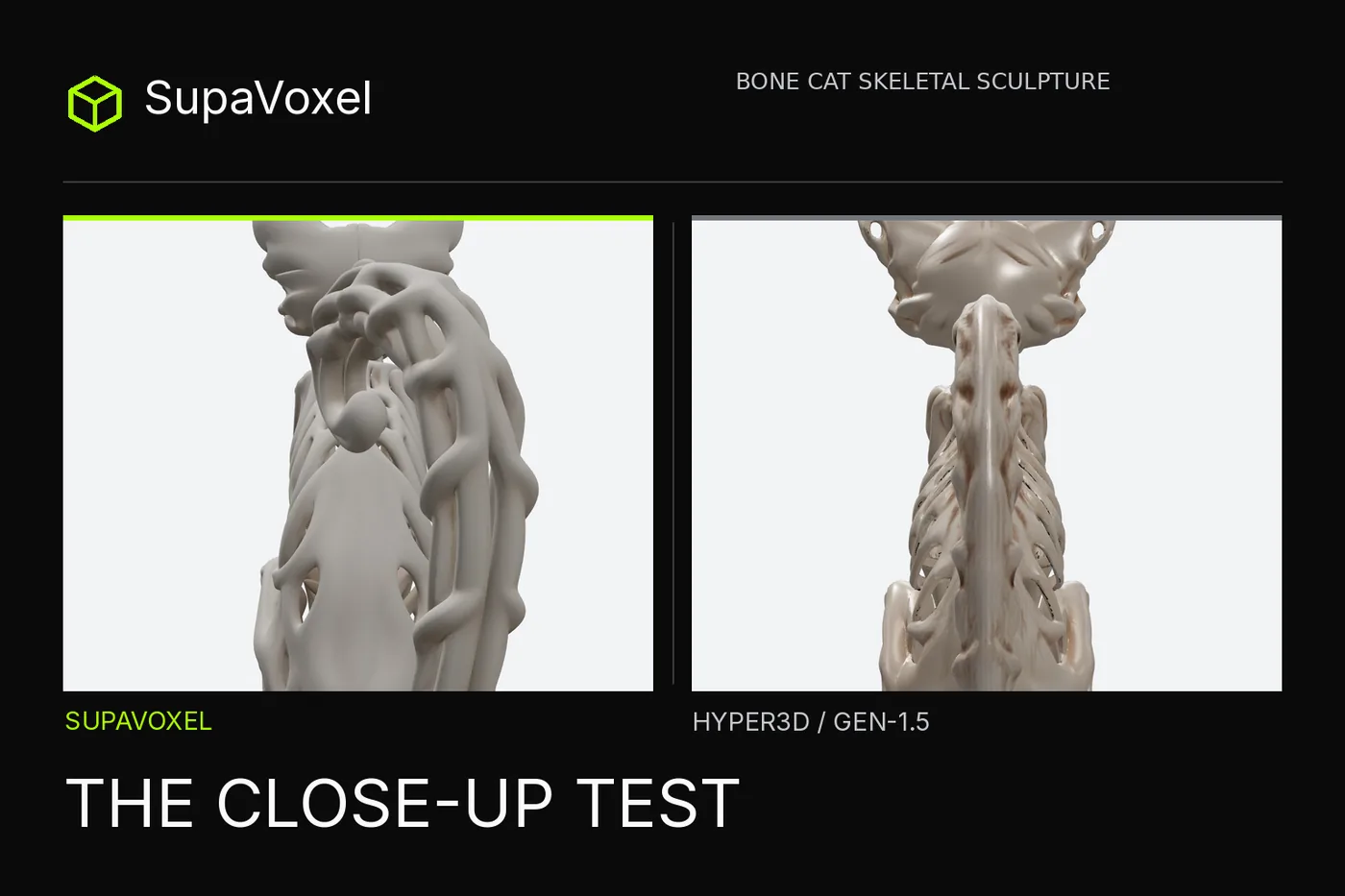
Matched front renders show that both candidates hold on to ears, legs, the openings in the skull and the gaps through the chest. Hyper3D's 120,000-triangle mesh produces more thin-looking ribs you can read one by one. SupaVoxel's 1,499,910-triangle mesh produces broader arches that overlap more heavily. Triangle count doesn't decide the look: here, more of them did not yield more distinct-looking bones.
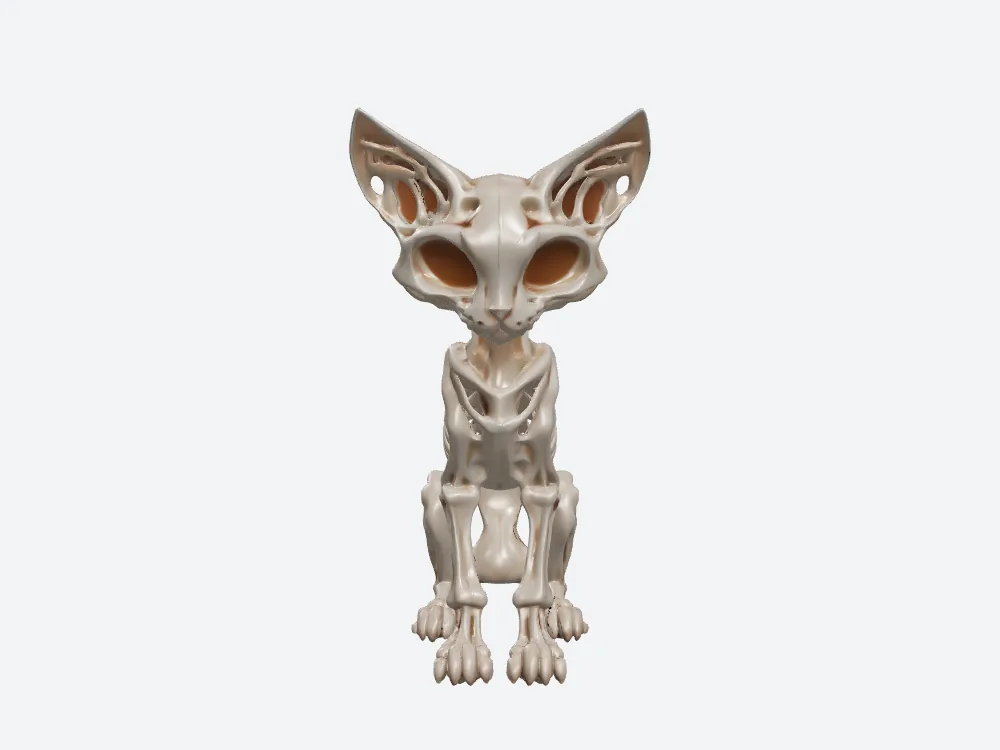
More narrow, separate ribs on the Hyper3D front, even though it has a twelfth of the other file's triangles.
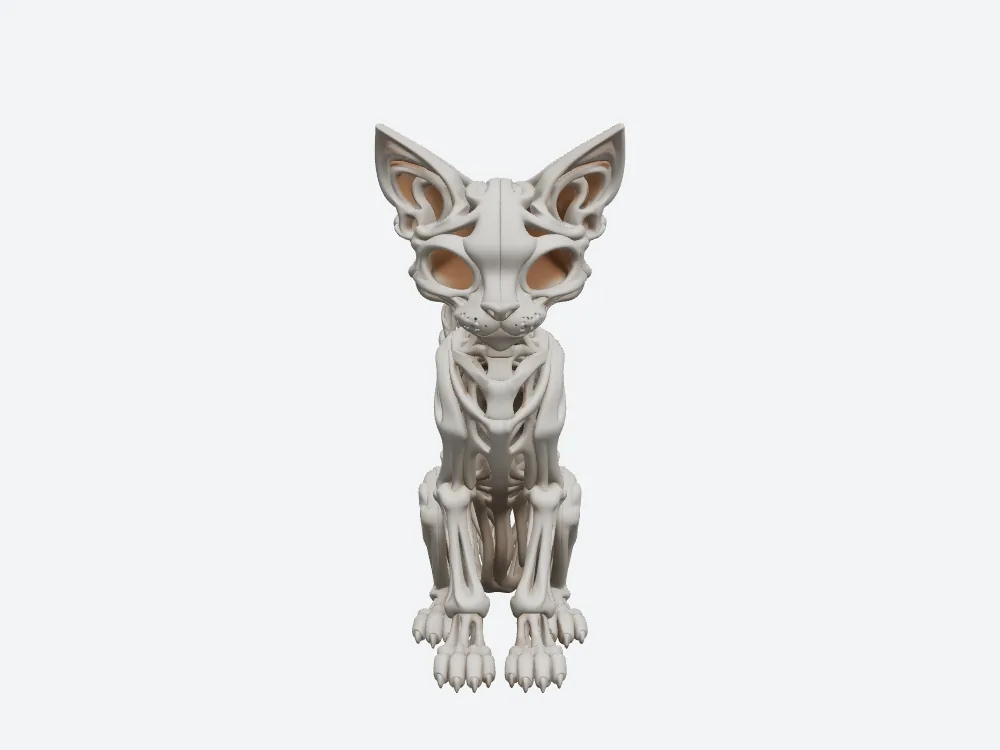
The SupaVoxel openings are real, not painted-on fake holes, yet the chest reads as bigger continuous curves.
The tail in profile
On a spinning card, the curled tail shows in profile. Hyper3D pierces it with small holes and stacks thin, layered ribs across the chest. SupaVoxel leaves its tail open too, so a "solid blob" label would be unfair; its version is simply a chunkier loop that looks braided, with broader unbroken bars wrapping the torso. Paired cameras make that difference more telling than either hero pose by itself.
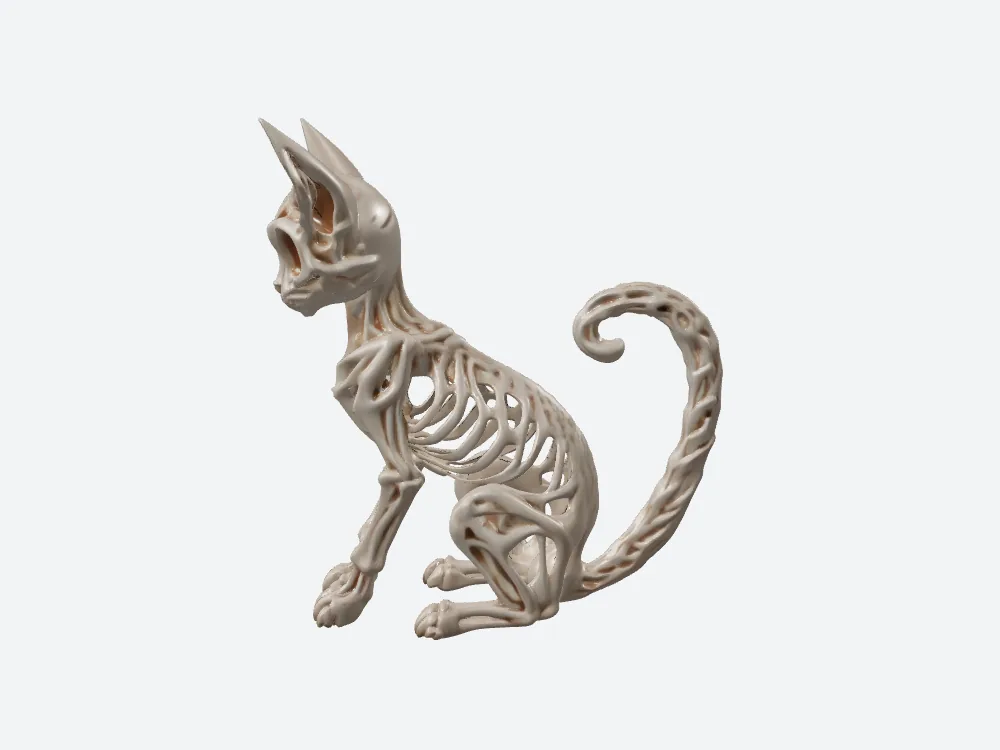
Seen from the side, Hyper3D has little holes in the tail and slimmer struts in the chest. Nothing here tests feature size or breakage for a physical print.
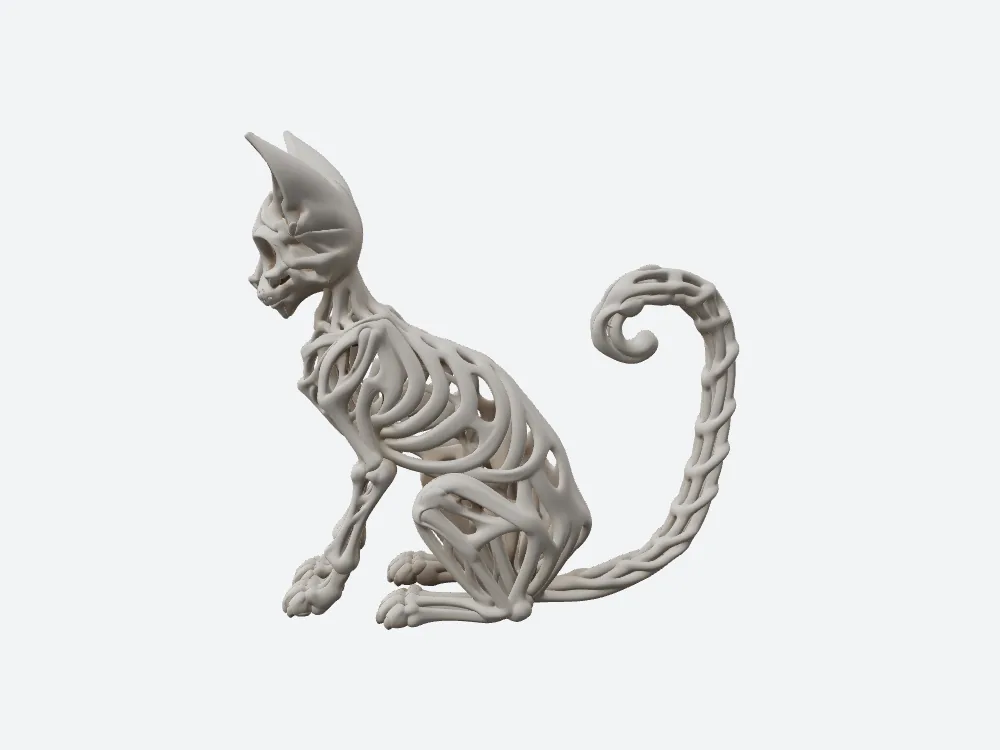
SupaVoxel's tail remains an open loop, but from the same angle its ribs and tail look heavier.
A back that nobody photographed
Is the more open-looking back more accurate? There's no way to know. The source illustration left out most of the rear anatomy, so each tool guessed. Hyper3D came up with a slim spine flanked by ribs that look separate; SupaVoxel invented a wider continuous central back. At display distance that difference shapes the whole character of the cat as it turns, yet there's no true back to grade against. For this skeletal aesthetic I prefer Hyper3D's openness, without calling it a faithful reconstruction of something nobody could see.
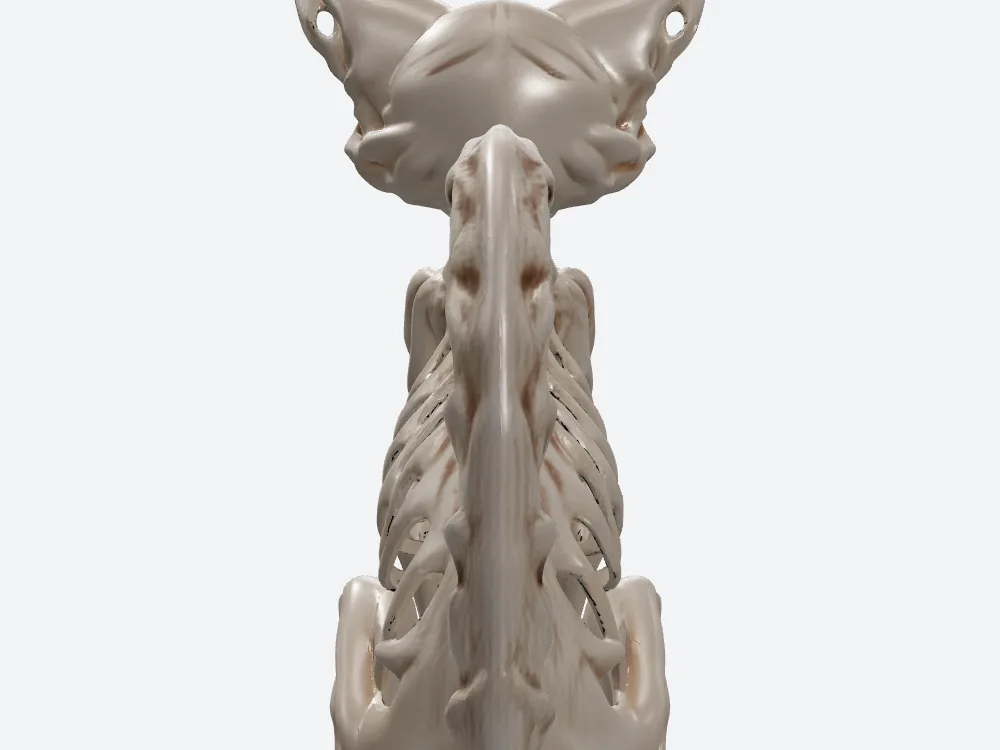
Hyper3D's open-looking rear is an artistic guess, not anatomy recovered from the missing back view.
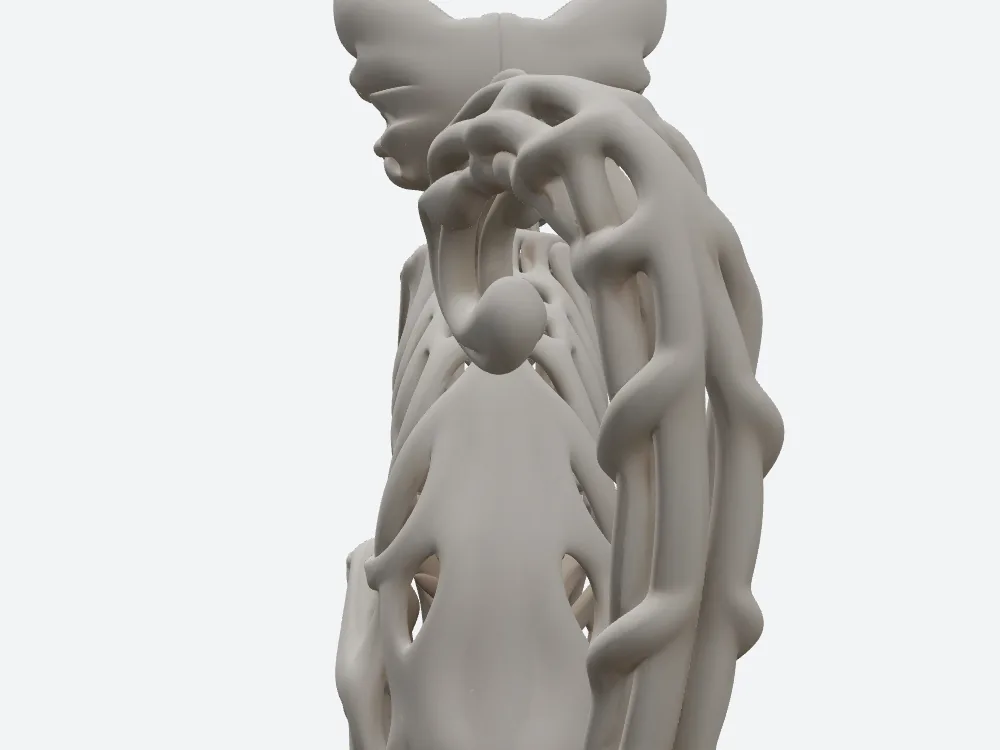
The joined SupaVoxel rear spine gives the product page a different character. Neither invented back can be scored for fidelity here.
What SupaVoxel's extra megabytes actually buy
Three 4K maps hold four times the pixels per map of three 2K maps; close-up texture inspection might benefit, though I measured neither perceptual gain nor UV efficiency. A mean edge of 0.3139 mm versus 0.7664 at normalized scale gives more surface samples for geometric edits. Both meshes clear the same welded closed-shell check. In solid-fill resin terms SupaVoxel encloses 38.95 cm³ to Hyper3D's 46.53 cm³ — $1.36 versus $1.63 at a hypothetical $35/L, a $0.27 advantage before supports and waste.
That is a trade, not a blanket endorsement. For finer maps and shape sampling you take on roughly 53.20 MB more hosted-file payload across the two GLBs as selected, plus an estimated 41.41 MB more geometry memory, and 7,217 slivers / 19 degenerates instead of 249 / 0. On this one input, the thinner-looking Hyper3D ribs still win visually. If the real brief is a sculpting master to examine up close, look into SupaVoxel; if it's this cat shown on phones at normal viewing distance, start with Hyper3D.
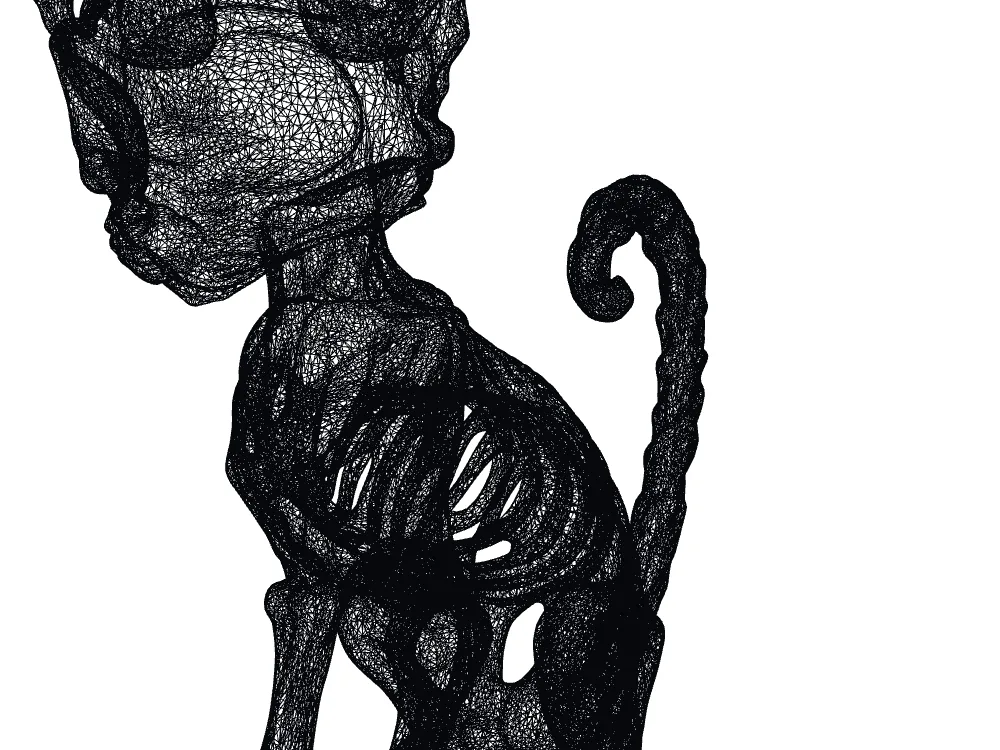
Hyper3D has fewer measured slivers — 249, not zero — and that cleaner local geometry supports its lightweight-gallery case.
Final verdict: the file I'd actually upload
For the tested full-file 3D gallery and this particular skinny-ribbed source, it's Hyper3D Gen-1.5: more delicate-looking ribs, a welded watertight shell and a 14.18 MB extracted PBR. Let downloaders know the real browser archive is 23.15 MB. SupaVoxel deserves a controlled next run if its 4K maps or editing density are a requirement, but I'd weigh its Compressed variant first and check the 19 degenerates and 7,217 slivers. From these renders, I wouldn't sell either as a tested physical skeleton.
Which one I would use for this job
When your art direction wants a high-resolution texture pass or a finely sampled model you plan to keep editing, try SupaVoxel with a source image of your own. Here it packed three 4K PNGs into a single Original size GLB that downloaded directly; that file is heavy, and its weaker local triangle health is not imaginary. A fair second shot means measuring the Compressed GLB it also offers before you fix any deployment budget. If all you want is a light, spinning version of this very cat, I still pick the Hyper3D file I tested.
How the files were measured, and the open questions
Both services got the same independently generated image. Hyper3D Gen-2.5's free-account export was blocked, so it appears in no file figure. From the downloaded ZIP, which holds two files, I pulled out the actual Gen-1.5 PBR GLB and set it beside SupaVoxel's downloaded Original size GLB. Offline renders used fixed front, side and back viewpoints; byte sizes, triangle/vertex counts and image slots came from the GLBs themselves, and coincident UV-split positions had to be welded before checking watertightness. I did not slice or print either model. A screenshot under matched lights is not a numeric albedo measurement.
Every size is decimal. The ideal bandwidth figures assume complete, steady 12 Mbps or 100 Mbps transfers with no overhead. CDN estimates assume $0.085/GB and 10,000 uncached full loads; memory estimates assume 32 bytes/vertex and 4 bytes/index and leave textures out. Not measured: actual memory, UV occupancy, albedo ΔE, first-frame time, the size of a compressed export, minimum rib thickness, a successful print, repeated failure rate or license terms.
Originally published on Medium: Hyper3D Rodin Texture Review 2026: 14 MB Loads Where 67 MB Drags.