If you are comparing image to stl tools, this review shows how Hyper3D and SupaVoxel handle a leaf-shaped cable holder, including the visible front, unseen back, geometry, textures, and downloadable GLB assets.
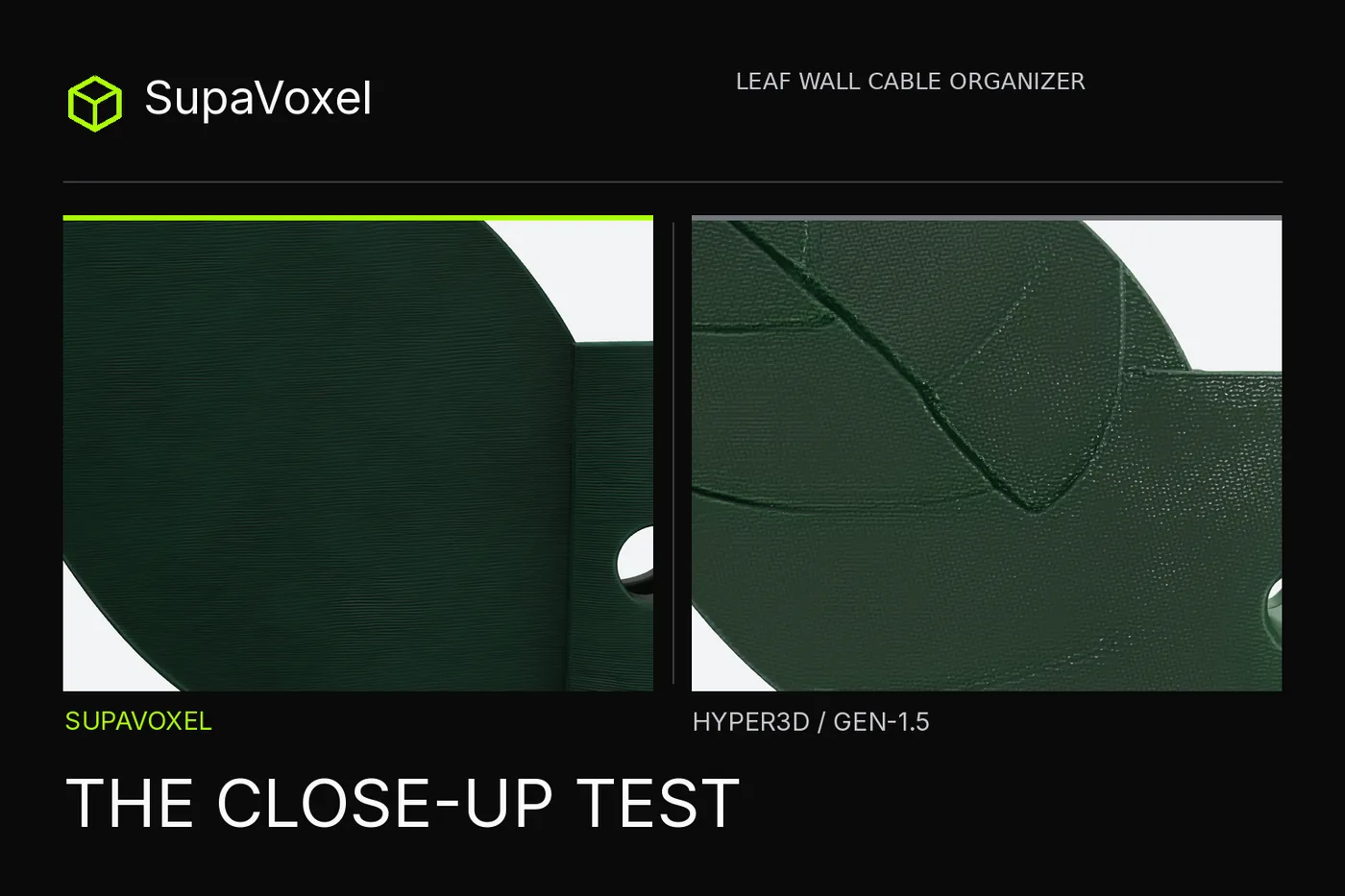
Independent review. I ran both tools on my own accounts, free and paid, with no vendor-provided access or early access of any kind.
The front of my little leaf-shaped cable holder was easy to approve. Both 3D files kept the green leaf, an opening in the clip and the mounting hole. I rotated the exports to the side the input picture never showed. Hyper3D had drawn bold veins there; SupaVoxel made a quieter back. If the piece is meant to touch a wall, that is where I would ask for a second look—not on the attractive front thumbnail.
My verdict in 60 seconds — SupaVoxel's quieter invented back is my closer wall-facing concept; Hyper3D is the measured bandwidth winner. Both preserve the recognizable front and open clip. Hyper3D's real Gen-1.5 download is a 25.30 MB two-GLB ZIP with a 16.64 MB PBR member; the chosen SupaVoxel Original size GLB weighs 94.45 MB. SupaVoxel offers four times the pixel area per texture map and a visually plainer rear, but neither proves color accuracy, wall contact or cable fit. For a close-up design review I would begin with SupaVoxel and measure its untested Compressed export before web delivery; for a mobile catalog serving these unchanged files, I would choose Hyper3D's leaner asset.
Eight side-by-side checks, Hyper3D then SupaVoxel:
- Recognizable front — both keep leaf, through-hole and C-shaped holder.
- Unseen back — Hyper3D invents prominent rear veins; SupaVoxel looks plainer but is not tested flat.
- Whole-model depth — 30.61 versus 21.37 mm when each longest bounding-box edge equals 120 mm; not a channel-width measurement.
- Grooves without paint — both retain major geometric veins; finer stripes were not individually sectioned.
- Texture pixel budget — three 2K maps versus three 4K maps; fourfold pixel area is not a color-likeness result.
- Getting a textured file — Hyper3D needed Material Generate and Confirm; SupaVoxel's completed request was textured.
- Website download — 25.30 MB Hyper3D ZIP versus 94.45 MB tested SupaVoxel Original size GLB.
- Estimated geometry memory — 4.18 versus 45.28 MB under a stated vertex/index layout, excluding textures.
This is a choice by use, not an overall measured quality score. The smaller download and quieter-looking back cannot both win the same criterion.
Was the reference a flat drawing or a shaped object?
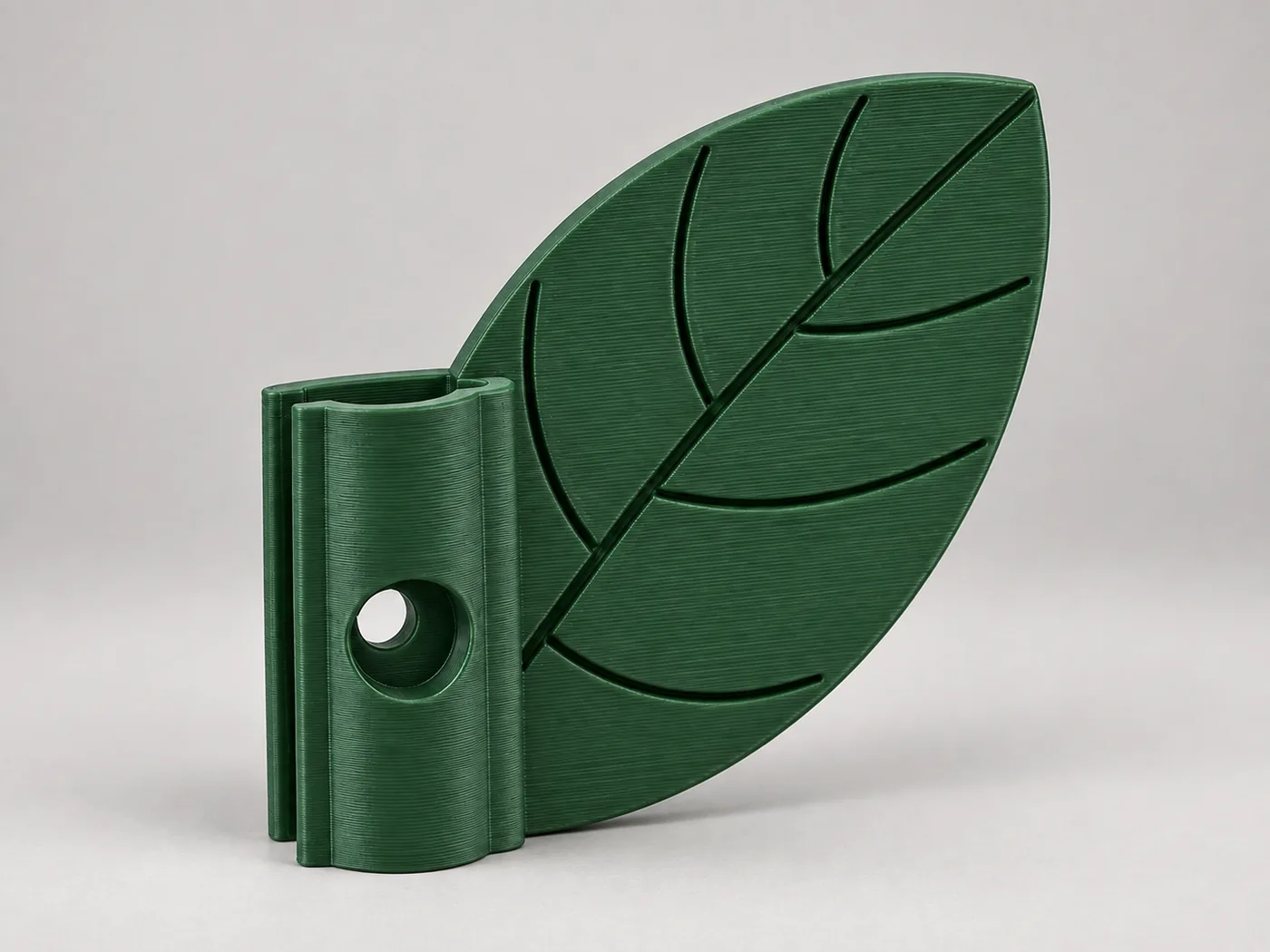
The identical input PNG already depicts a leaf edge, a protruding open holder and a mounting hole; it has no rear photograph.
The input already shows thickness; I wanted to see whether a downloadable model preserved the opening and invented a plausible back. Both services received the same SHA-checked 1,811,538-byte image, but their internal preprocessing was not measured. The AI-generated image used a third-party design cover as visual inspiration; this test establishes no publication rights over that reference. Hyper3D's Gen-2.5 million-face screen could not be downloaded on Free. The measured file is a different Gen-1.5 run with 120,000 faces.
What survives on the front without interpretation?
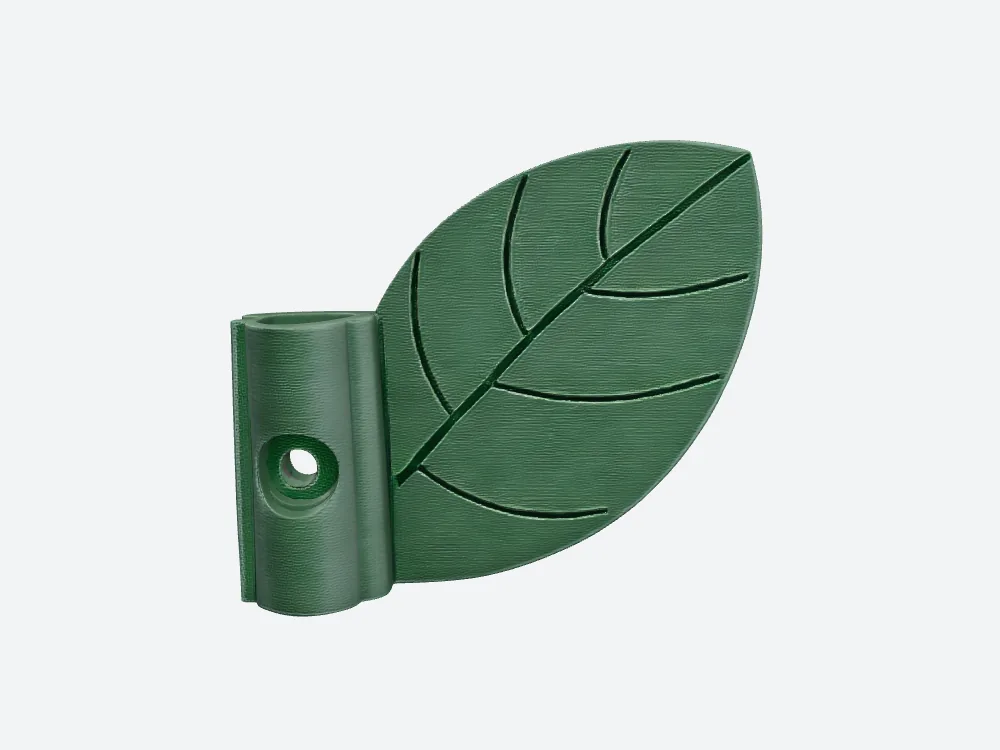
Hyper3D Gen-1.5 PBR front: main vein, through-hole and green clip are visible in the actual downloadable file.
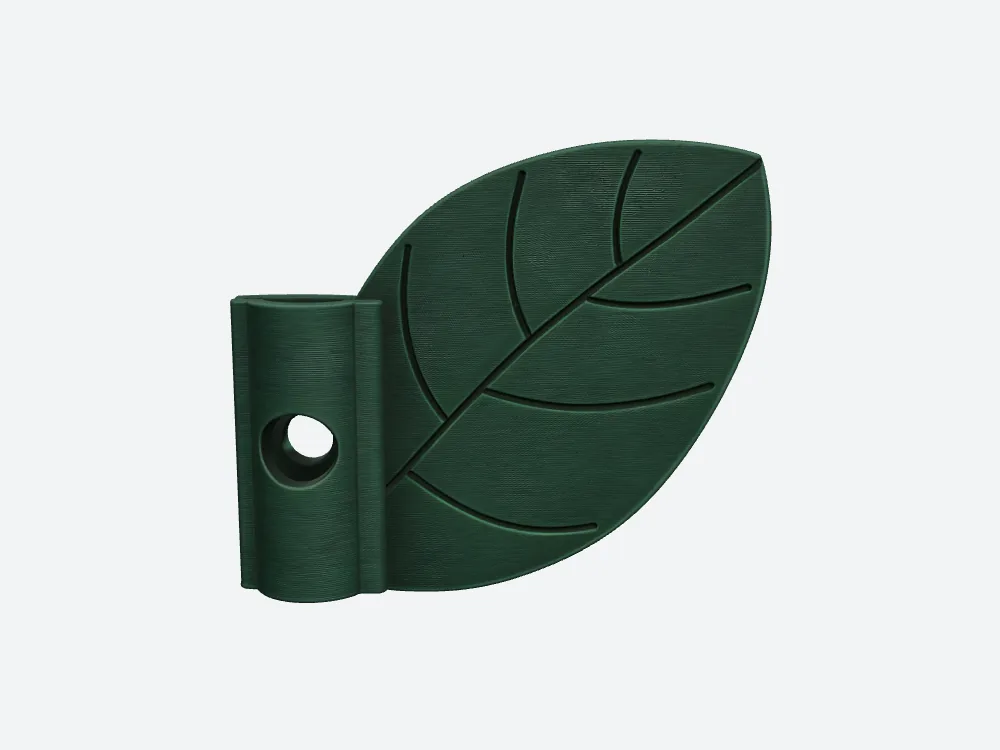
SupaVoxel, same camera settings: similar silhouette and an open-looking rim, with finer-looking surface stripes.
Neither model missed the subject outright. That matters; it avoids making the comparison about a straw-man failure. Hyper3D's green looks lighter by eye, but I did not capture calibrated albedo-only samples or compute ΔE, so I cannot award objective color fidelity to either. SupaVoxel's 1,500,000 triangles versus Hyper3D's 120,000 are a 12.5-fold count, not a twelvefold quality result. Ask where those faces and texture pixels go. From this frontal distance both models function as recognizable product concepts, and both still owe an actual clip-clearance measurement if the concept becomes hardware.
Can the clip still be entered from above?
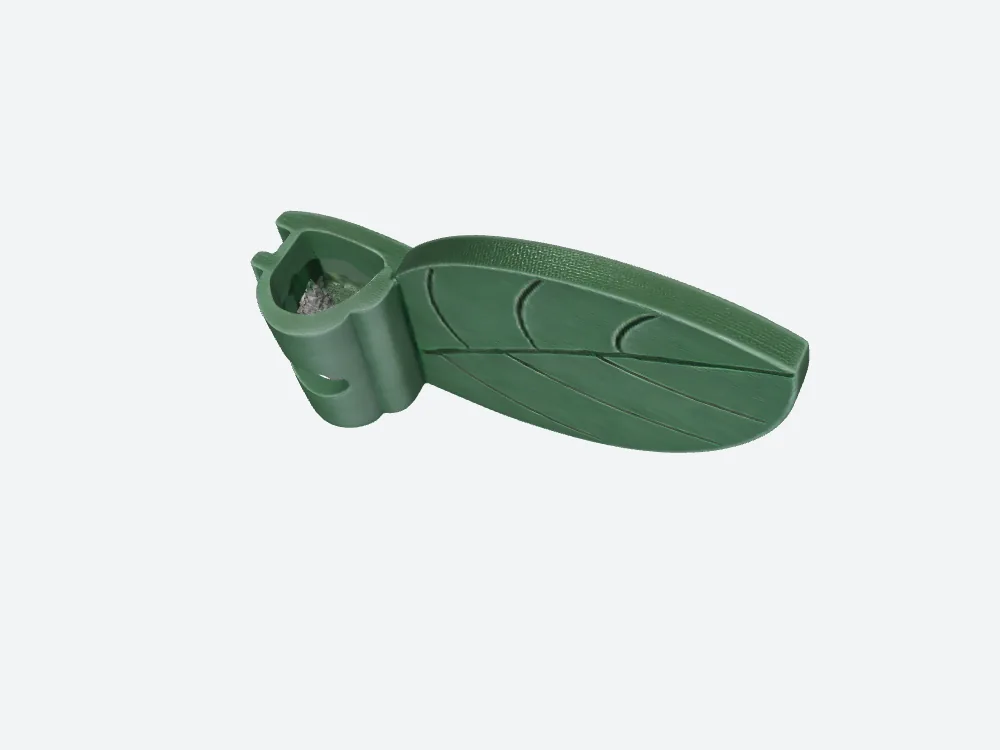
Hyper3D top angle: a visible open mouth and a mottled spot inside; its source was not isolated to mesh, material or lighting.
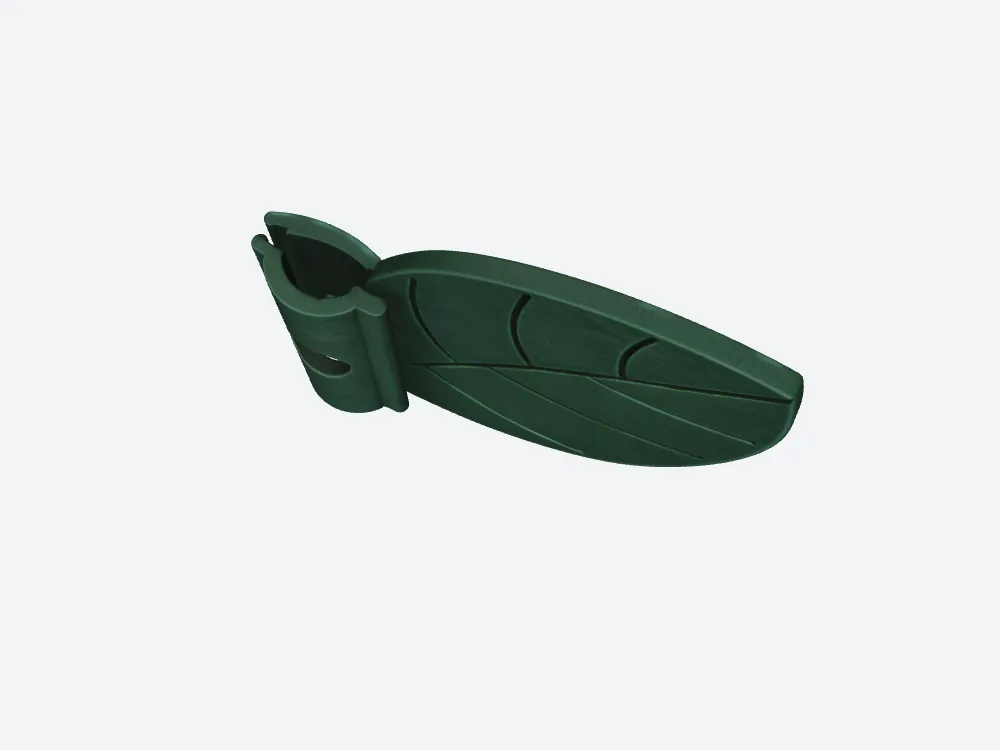
SupaVoxel at the matching overhead camera: an open C rather than a solid bridge, still not a measured inner diameter.
Both leave a visible gap. Hyper3D's inner surface looks rougher, but I did not cut a section or isolate that patch's material, so I cannot call it an obstructing bump. If paint, a physical print may ignore it; if mesh, it could narrow the passage. Measure cross-sections and put the target cable through a prototype. Neither picture settles fit.
What did the models invent behind the leaf?
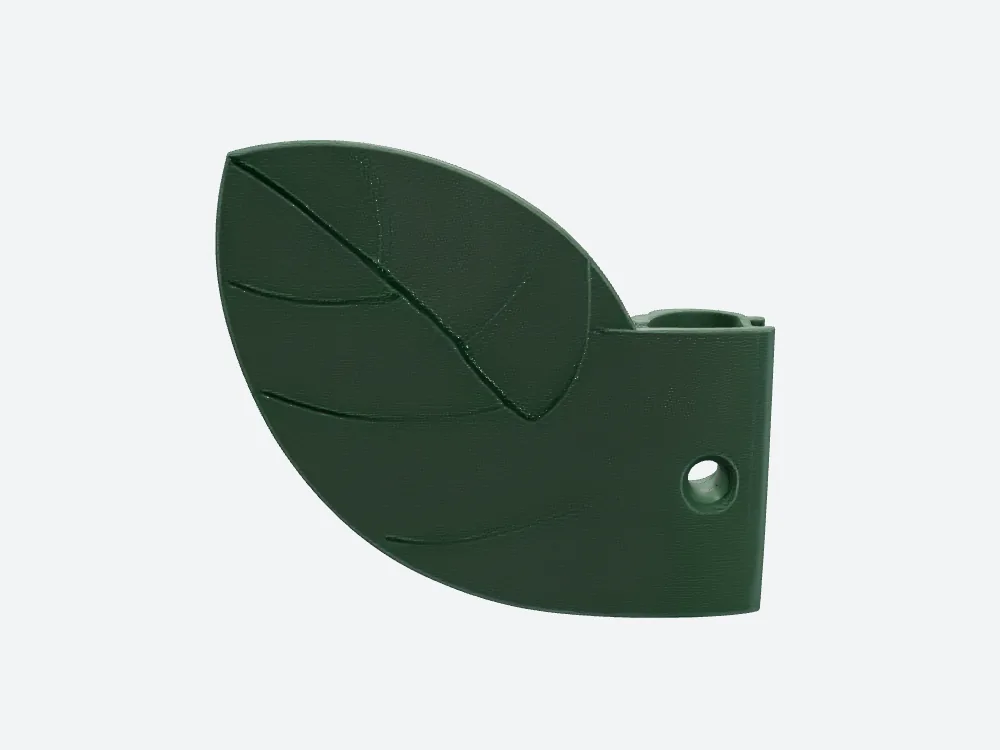
Hyper3D extends leaf-vein relief to a back the source never showed.
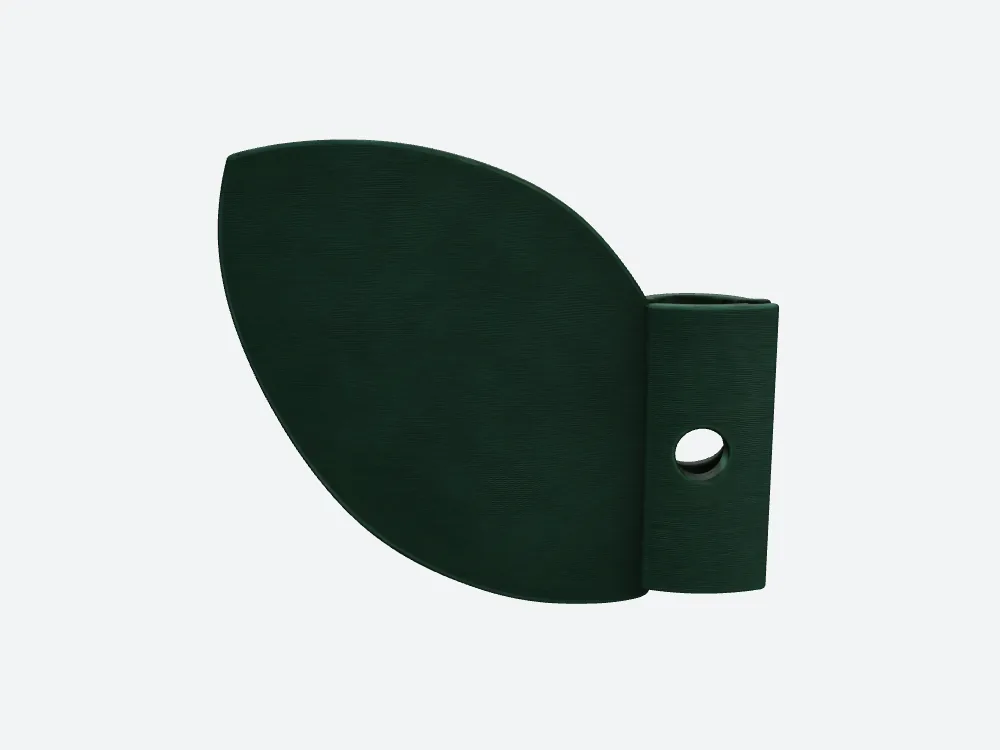
SupaVoxel's corresponding back is comparatively plain; “plain in a render” is not a measured flat mating face.
This is a design trade, not a reconstruction contest. There is no rear-view ground truth. A display leaf might look good with veins on both sides; a wall-contacting part calls for clearance between the plate and the wall. The SupaVoxel back asks me to inspect fewer conspicuous invented ridges. Hyper3D's back asks me to check whether relief would interfere. I did not clamp either to a wall, calculate a plane-distance map or measure screw-head recess. Saying “Hyper3D cannot mount” would outrun the evidence. Saying “both are equally useful because their fronts look green” would ignore the one surface the intended placement makes important.
Why did I zoom into the unseen side?
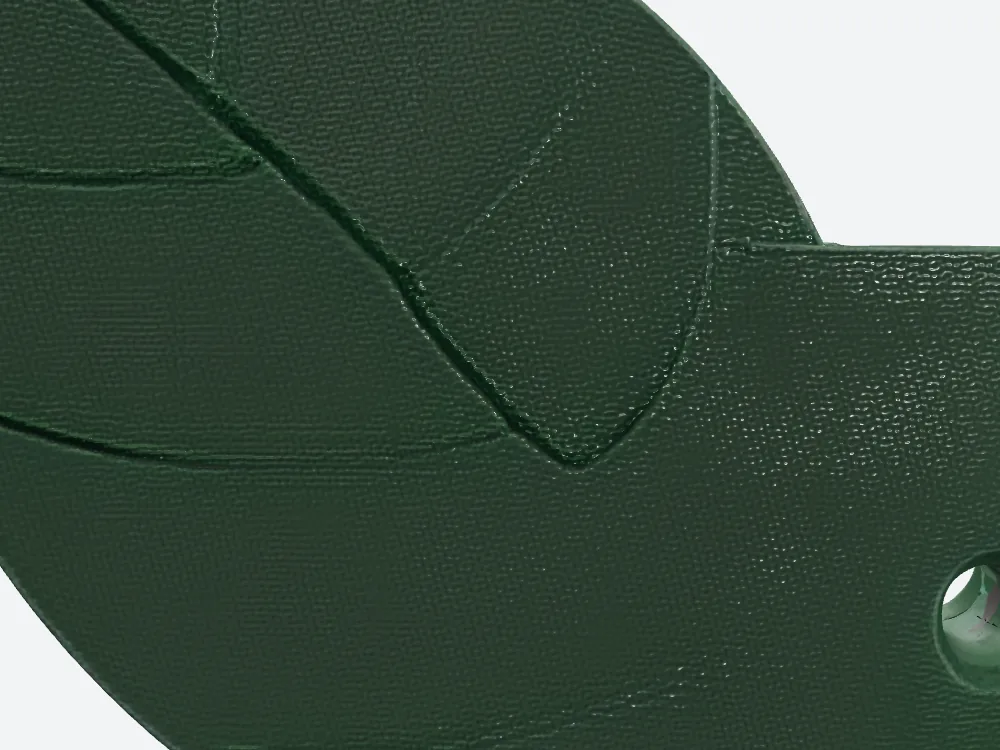
The closer Hyper3D back view shows strong diagonal branches; the shadows do not by themselves quantify relief height.
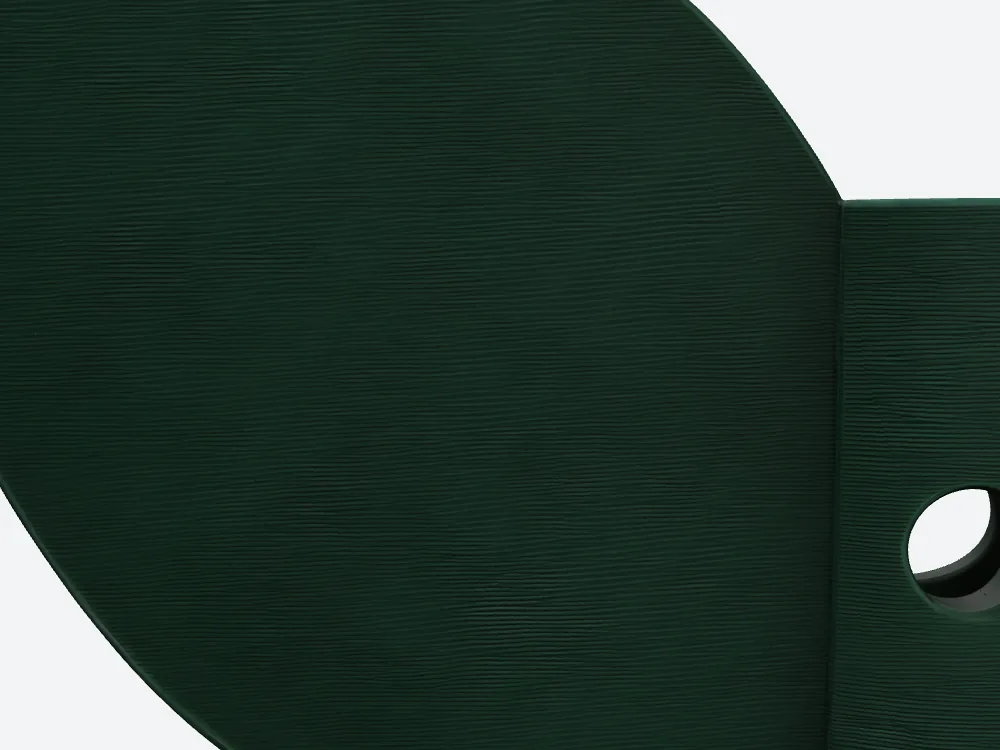
SupaVoxel close-up at the same rear camera: finer background texture rather than matching bold branches.
Matched offline close-ups expose rear ridges that a thumbnail hides. After both models are scaled by longest bounding-box edge, not their vertical height, Hyper3D measures 120 × 104.94 × 30.61 mm and SupaVoxel 120 × 103.33 × 21.37 mm. That 9.24 mm gap is in total depth, not in rear-vein height, arm opening or wall spacing. I would still test both against a real flat datum. The crop identifies what to inspect, not a passed mounting test.
Are the veins actual shape or only green paint?
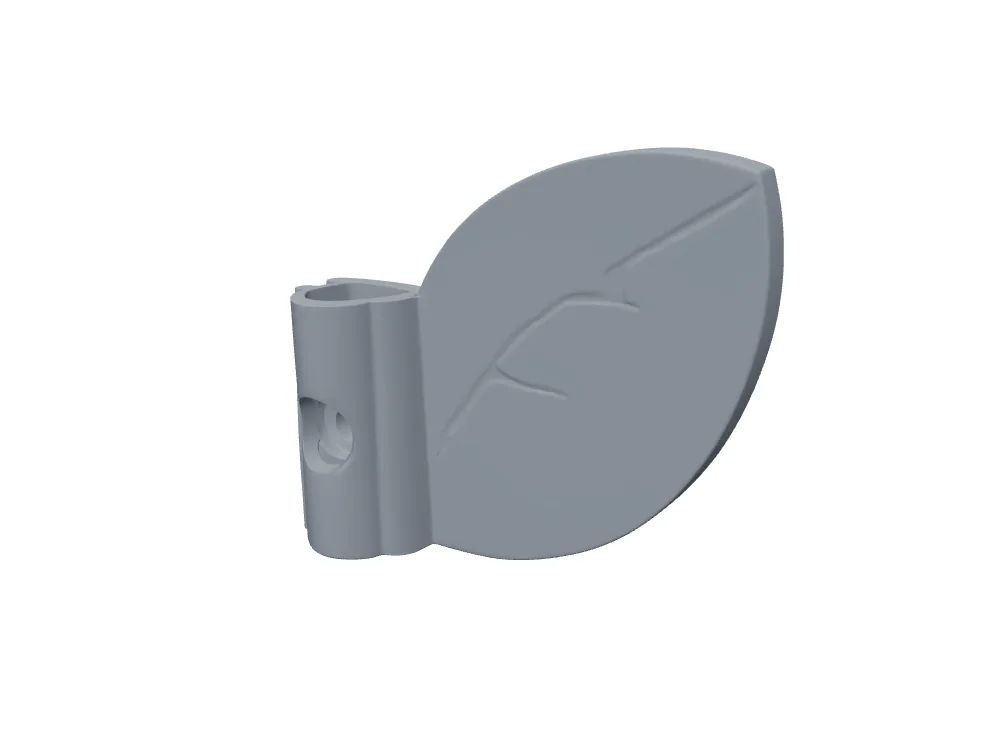
Hyper3D gray mesh keeps its principal branches and the chamfer around the hole.
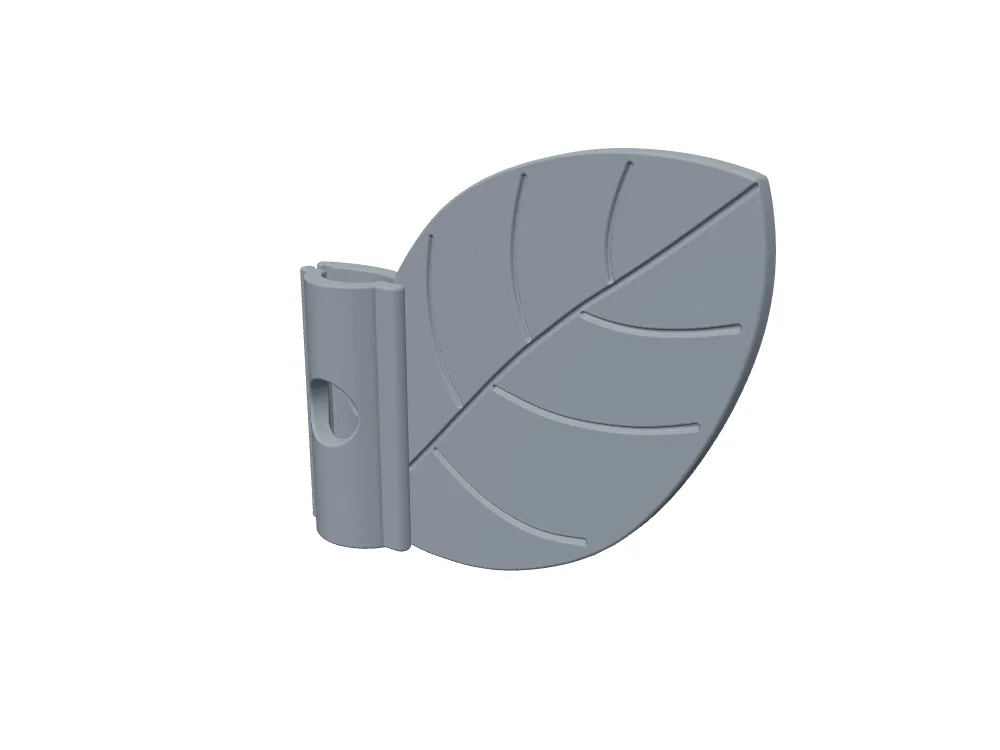
SupaVoxel gray mesh also retains prominent grooves; individual fine stripes were not audited one by one.
Material can fake a groove with light and shadow. The untextured view rules that out for the major branches in both files: those forms survive the loss of color maps. Some finer horizontal lines might be geometry, normal-map shading or base color; a line-by-line section test was not run. This is also where Hyper3D earns an unrelated win: its welded mesh has zero degenerate and 1,368 slender triangles, against SupaVoxel's 157 and 8,887, and Hyper3D has one face-connected shell to SupaVoxel's two. If the next task is heavy boolean editing, I would spend time inspecting the SupaVoxel mesh before trusting a nicer rear view. Visual preference cannot repair topology.
Do three texture maps mean three times as much visual detail?
Both PBR files contain three embedded PNG maps with base-color, normal and metallic/roughness roles. Hyper3D's are 2048 × 2048; SupaVoxel's are 4096 × 4096. Each SupaVoxel map has four times the pixel area, not necessarily four times usable visible detail: UV coverage and comparable albedo fidelity were not measured. Hyper3D's base-color PNG is 4,147,380 bytes, SupaVoxel's 25,832,503. That is 21,685,123 extra measured bytes of base-color image on our selected file, and more source pixels for a close render. There is no honest basis here to say either green is numerically closer to the reference. A tiny preview favors the leaner map; a close product mockup may benefit from the larger source if those pixels land where a customer zooms.
Which images are wasted on a single-color print?
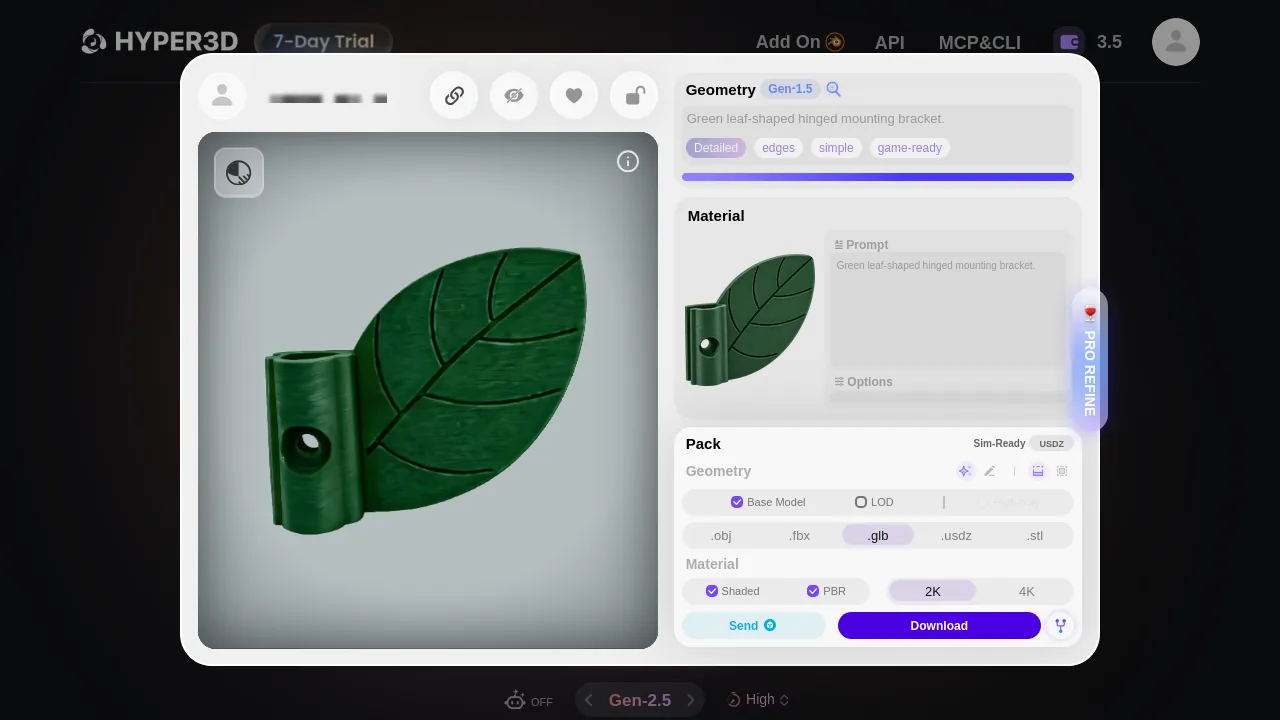
After Material Confirm the Hyper3D account could select 2K PBR; its earlier geometry-only file had no embedded textures.
Hyper3D's normal and metallic/roughness images total 8,308,694 bytes; SupaVoxel's total 23,334,570. For a monochrome physical clip, even the base-color bitmaps won't put green pigment into plain resin. In a shaded, rotatable online product render, those same files can be valuable. It would be silly to label every image “waste” without specifying the use. Hyper3D's initial 4,184,164-byte geometry GLB carried UVs but no embedded images; its green PBR file required an extra Material Generate → Confirm. The case-specific material debit could not be isolated. My comparison of visual files uses the material-confirmed PBR, never that tiny white geometry-only file masquerading as a textured alternative.
Which byte count belongs to Download, and which to a website?
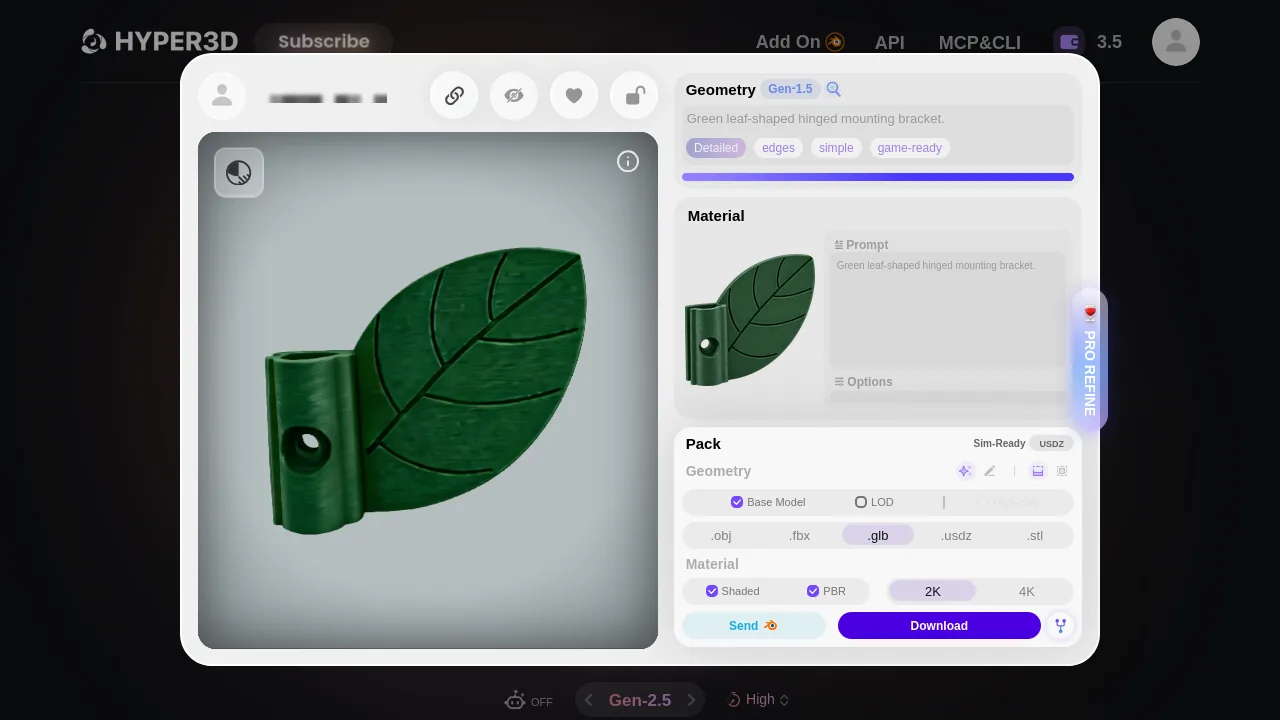
The Hyper3D selection bundled Shaded and PBR into a ZIP. The standalone PBR member is not the original website transfer.
On Hyper3D, pressing Download transferred 25,304,144 bytes of ZIP. Inside were a 16,640,756-byte PBR GLB and an 8,663,136-byte Shaded GLB. SupaVoxel's tested GLB → Original size delivered 94,453,592 bytes as a single GLB. If I extracted and independently hosted only the Hyper3D PBR member, that hosted file would be 16.64 MB, not the 25.30 MB a user took from the site. The SupaVoxel Original size GLB is the same 94.45 MB in both situations. Its visible Compressed option was not downloaded, so its actual byte count remains unknown. Calling Hyper3D's geometry-only 4.18 MB file a full-color competitor here would be a much bigger deception than rounding a megabyte.
Does that make Hyper3D a better mobile catalog file?
For the measured website downloads, at an ideal steady 12 Mbps, the ZIP implies 16.87 seconds of pure transfer and the SupaVoxel GLB 62.97 seconds. At 100 Mbps the bounds are 2.02 versus 7.56 seconds. If separately hosting the extracted PBR GLBs, the 12 Mbps bounds become 11.09 versus 62.97 seconds. At 10,000 uncached full loads and $0.085 per decimal GB, those hosted members imply $14.14 versus $80.29 of hypothetical transfer cost. My answer is yes for the tested, unchanged SupaVoxel Original size: Hyper3D is much leaner. But these are divisions of file bytes, not real browser first-frame times, CDN bills or a test of SupaVoxel's Compressed choice. Optimize and re-evaluate before promising a production figure.
What does the smaller mesh save once loaded?
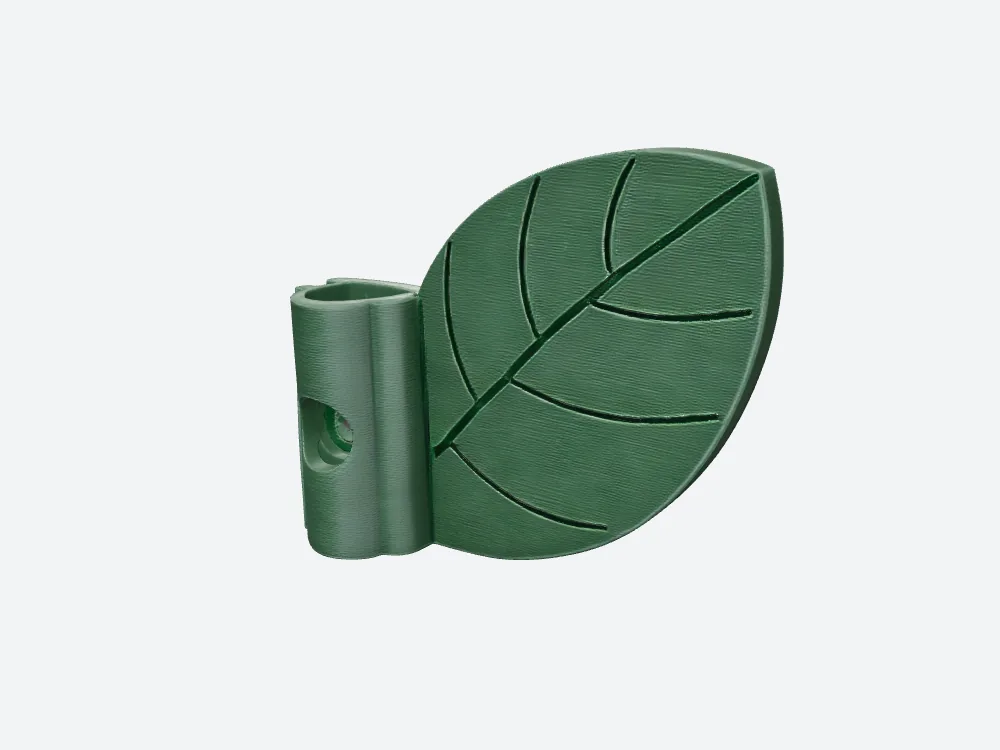
The real downloaded Hyper3D Gen-1.5 PBR leaf, not the blocked million-face Gen-2.5 preview.
Using an illustrative layout of 32 bytes per vertex + 4 bytes per triangle index, geometry memory works out to 4.18 MB Hyper3D versus 45.28 MB SupaVoxel. This excludes both files' textures, mipmaps, decoding peaks and engine overhead: it isn't VRAM measured on a handset. Hyper3D's lower-density GLB is a legitimate exchange for a lighter viewer budget. Its price in this use is not “bad” by itself; it is a coarser, more heavily decorated back and only three 2K source maps where this SupaVoxel run supplied 4K. If the asset will sit small in a list, I could prefer the Hyper3D file. If a buyer will rotate and inspect the wall-facing relief, the SupaVoxel concept is the stronger starting render, provided its file is optimized separately and its mesh audited.
Final verdict: which trade did this leaf make?
Hyper3D deserves full credit for the 25.30 MB downloaded package, the 16.64 MB extracted PBR member, cleaner face counts and much smaller illustrative geometry footprint. SupaVoxel delivers a plainer imagined back and four times the pixels per map, but the measured Original size file is 94.45 MB and its mesh has a second shell and more malformed faces. My wall-facing preference is about this close-up concept, not a universally smaller or physically safer clip. We did not measure actual wall clearance, color ΔE, UV utilization, printer fit or first-frame times. Change the task to mobile background decoration, and Hyper3D's measured byte win should carry more weight.
Use SupaVoxel for the design check, then measure delivery
For my leaf I would review and rotate the SupaVoxel model as a candidate concept, inspect its two welded shells, and separately obtain and measure the offered Compressed export before putting it in a catalog. Hyper3D Gen-1.5 remains the alternative if original-file bytes or FBX are mandatory. Neither colored render tells me whether the physical clip grips a cable; that remains a prototype test, not a slogan about which AI drew better leaves.
How this comparison was measured
I compared the downloaded Hyper3D Gen-1.5 PBR ZIP member with SupaVoxel's actual Original size UI-exported GLB from the same SHA-checked image. Hyper3D Gen-2.5's paywalled preview supplied no file metrics. The offline renderer used matched cameras and lighting; similar camera numbers are not pixel registration or an albedo test. PNG dimensions, byte lengths, triangles and seam-welded mesh checks came from the files. Bandwidth and CDN figures are arithmetic under specified ideal bandwidth, full uncached transfers, decimal units and a stated hypothetical rate. Geometry memory uses a specified vertex/index formula, not a device measurement. Image-to-3D creates guesses for unseen surfaces; neither guess has a rear photograph as truth, and the reference-inspired input itself carries no rights guarantee from this test.
Originally published on Medium: Hyper3D GLB Review 2026: 25.30 MB ZIP, Veins on the Unseen Back.