Readers searching for image to stl will find a Meshy 3D Agent review focused on print sizing: a 15 cm width request produced an STL measured at 118.85 mm. The comparison shows where the download dialog lost the requested size and how Snapshapy handled it.
My third message to Meshy 3D Agent was "Prepare it for FDM printing at 15 cm wide." Meshy ran a free check that wrote "15 cm / 150 mm" in its own heading, charged 10 credits for a repair, and then opened a download dialog with a single size field: Height. I typed 15 cm into it, because that was the only box there was. The STL measured 118.85 mm wide. The 15 cm had gone onto the height, and the drone came out 31.15 mm narrower than I asked.
My verdict in 60 seconds — Meshy 3D Agent 58/100, Snapshapy 90/100
Meshy 3D Agent understood the number in my message and lost it at the download dialog, while Snapshapy (https://snapshapy.com) handed me an STL that measured exactly 150.0 mm wide with no slicer scaling.
- Width as asked — Meshy 3/10 · Snapshapy 10/10 — 118.85 mm vs 150.0 mm against a 150 mm request, 31.15 mm short on Meshy
- Size control at download — Meshy 3/10 · Snapshapy 9/10 — Meshy's dialog offers Height only and opened at 12.0 cm; Snapshapy had no size step at all
- Print-prep credits — Meshy 5/10 · Snapshapy 10/10 — 10 credits ($0.20) for Meshy's repair vs 0 on Snapshapy
- Clicks after message 3 — Meshy 4/10 · Snapshapy 10/10 — 9 clicks on Meshy (choice card, Approve, 6 in the dialog) vs 2 on Snapshapy
- Watertight result — Meshy 9/10 · Snapshapy 9/10 — both STLs watertight, 1 body, 0 non-manifold edges in my check
- STL weight — Meshy 2/10 · Snapshapy 9/10 — 158.2 MB vs 2.5 MB, 63.3× heavier for a 15 cm prop
- Credits for the whole run — Meshy 4/10 · Snapshapy 9/10 — 49 vs 11, $0.98 vs $0.52 per printed drone
- Concepts delivered — Meshy 3/10 · Snapshapy 9/10 — 1 image vs 4 when I asked for 4
The concrete problems on Meshy's print step:
- The Meshy check headed its settings "15 cm / 150 mm", and the Meshy download dialog then opened at Height 12.0 cm, Resize off, glb.
- The Meshy dialog has no width field, so a width target has to be converted into a height by hand: ≈189.3 mm for this drone.
- The repair that produced "verified watertight geometry" cost 10 credits, behind a choice card and an Approve click.
- The repaired Meshy STL is 158.2 MB with 3,163,166 faces for a prop that fits in a palm.
For a printed prop that has to come out at a set size, I would use Snapshapy.
One scout drone, three messages, one number that mattered
I ran Meshy on 2026-11-03. On Snapshapy, messages 1 and 2 ran the same day; I re-sent message 3 in the same chat on 2026-11-04, after Snapshapy shipped an update.
Both agents got the same three messages, typed verbatim. Meshy 3D Agent ran at meshy.ai on a paid Pro account; Snapshapy's 3D Agent ran on a paid account. On every choice card I picked the first option.
- "Give me 4 concepts for a sci-fi scout drone prop."
- "Go with option 1 and make it a textured 3D model."
- "Prepare it for FDM printing at 15 cm wide."
This article is about message 3, and about one word in it: wide. A prop that has to sit in a display case, slot into a costume harness or match another printed part has a set width. Height follows from the shape. Meshy's option 1 was a spherical orb with gimbal rings and a top antenna; Snapshapy's option 1 was a teardrop hover drone. The shapes differ, so I compare nothing here that depends on the design, only whether each file honored the 150 mm I typed.
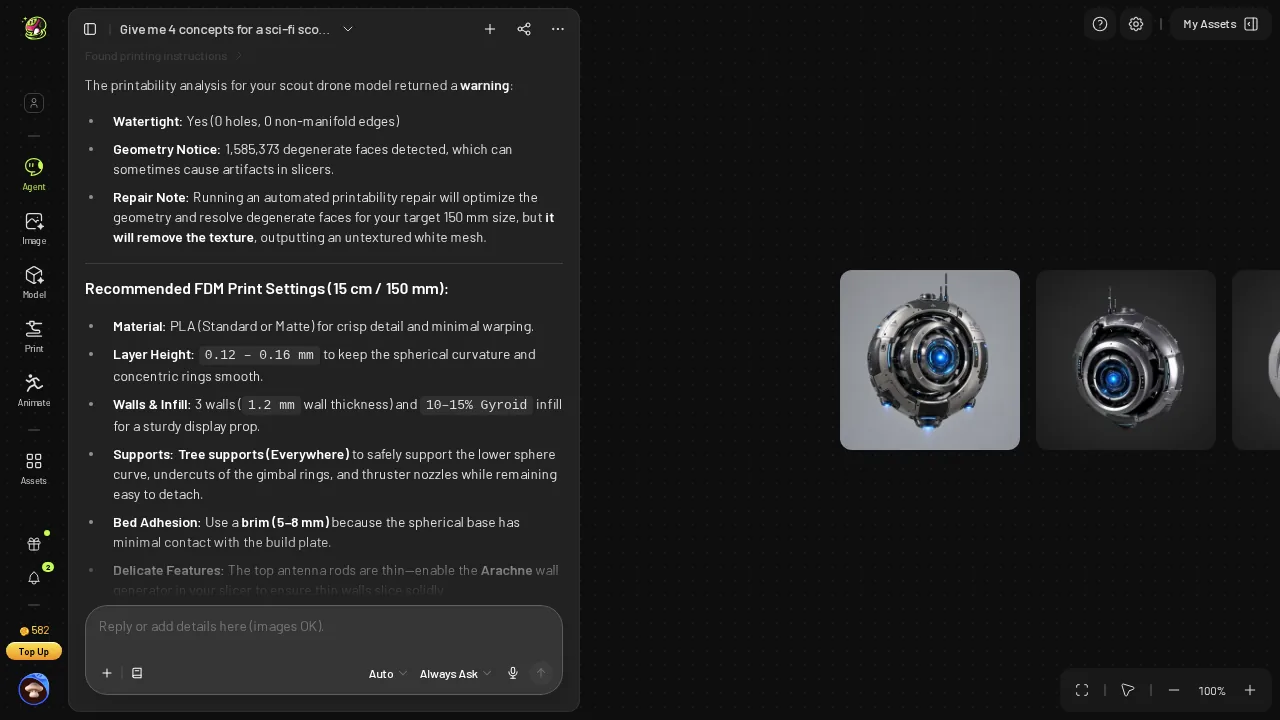 Meshy's free printability check: watertight, 1,585,373 degenerate faces, and FDM settings headed "15 cm / 150 mm".
Meshy's free check wrote "15 cm / 150 mm" in its own heading
Meshy started well. Its first answer to message 3 was a free check that cost 0 credits and took about 18 seconds. It reported "Watertight: Yes (0 holes, 0 non-manifold edges)" and "1,585,373 degenerate faces detected", then a block titled "Recommended FDM Print Settings (15 cm / 150 mm)".
Credit where it is earned: Meshy's check listed real FDM settings (PLA, 0.12–0.16 mm layers, 3 walls at 1.2 mm, 10–15 % gyroid, tree supports, a 5–8 mm brim, Arachne), and Snapshapy gave none.
The heading matters for what came next. Meshy had read my number and repeated it back as 150 mm. So far, the Meshy agent and I agreed on the target.
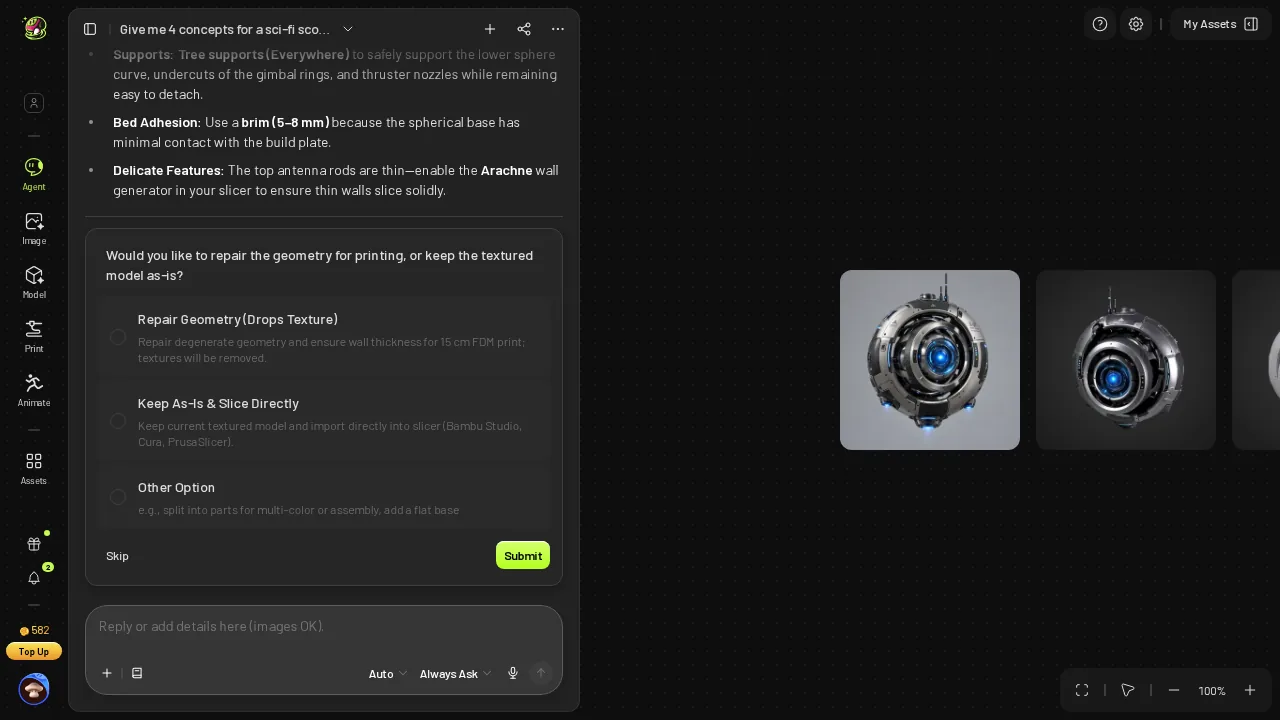 Meshy's choice card after the check: Repair Geometry (Drops Texture), Keep As-Is, or Other.
Repair Geometry (Drops Texture): 10 credits and about 100 seconds
Next came a choice card. Meshy offered "Repair Geometry (Drops Texture)", "Keep As-Is" or "Other". I picked the first option and clicked Submit. Meshy then showed a Repair Printability approval card at Est. Cost 10, and I clicked Approve.
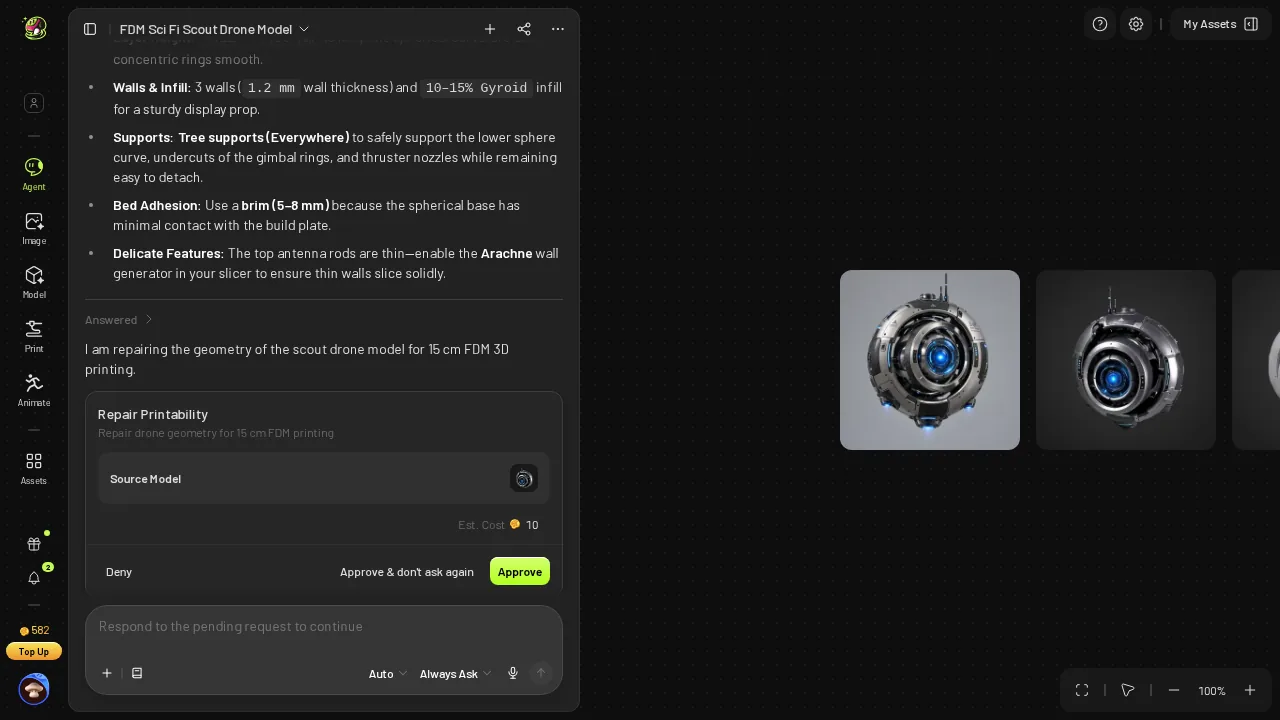 Meshy's Repair Printability approval card: Est. Cost 10.
The repair ran about 100 seconds and returned the model "with verified watertight geometry". My Meshy balance went from 582 to 572. On Pro at $20 per 1,000 credits, that repair is $0.20 per drone, or $2.00 across 10 drones.
- Print prep credits — Meshy 10 (repair) · Snapshapy 0
- Clicks to get through the repair — Meshy 3 (select, Submit, Approve) · Snapshapy 0
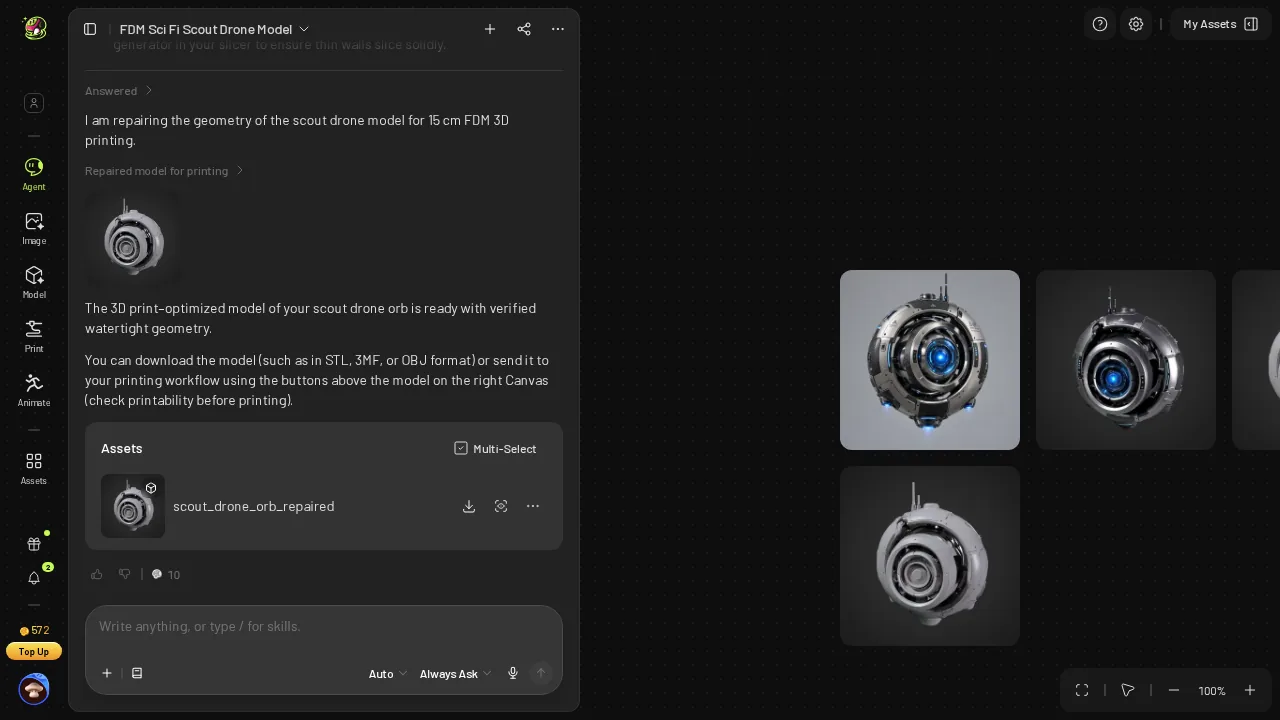 Meshy's repaired model "with verified watertight geometry"; balance 572 after the 10-credit repair.
Height 12.0 cm, Resize off, glb: the Meshy dialog after a 150 mm plan
Then I opened Meshy's download dialog. It did not remember the plan. As it opened, Resize was off, Height read 12.0 cm and Format read glb. Two messages earlier the Meshy agent had written "150 mm" in a heading; the Meshy dialog started from 120 mm and a format no slicer prints from.
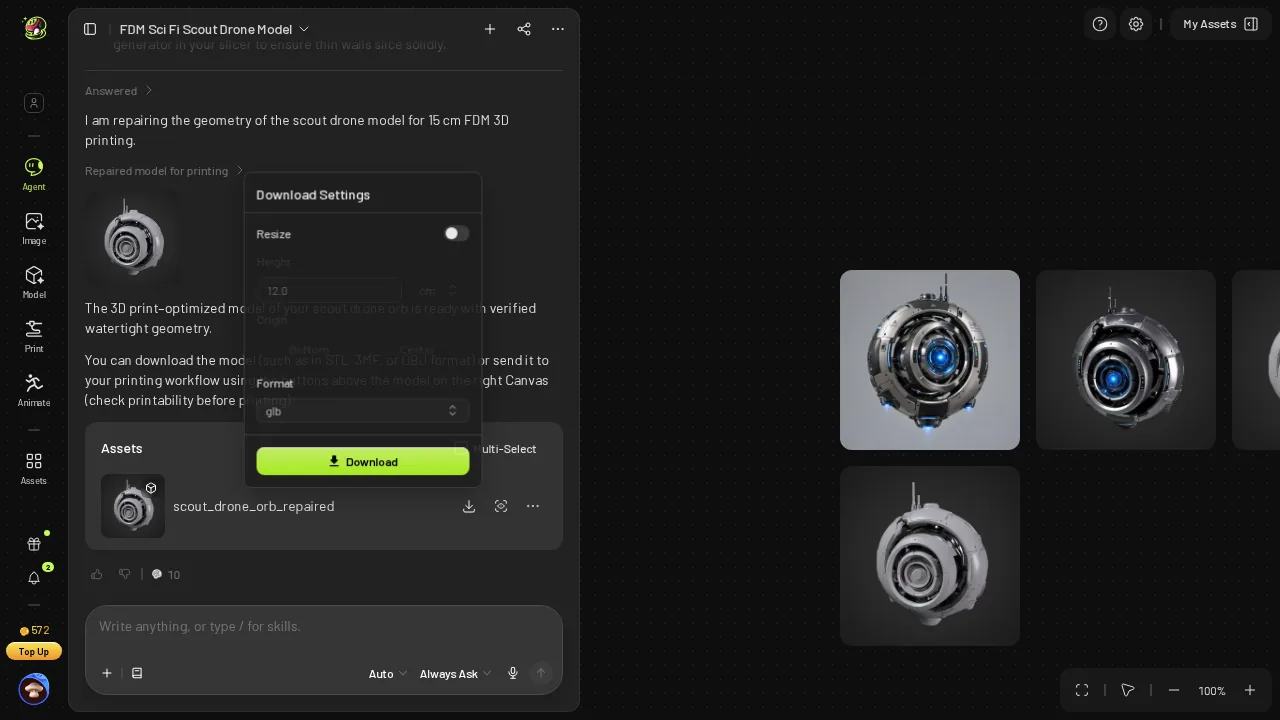 Meshy's download dialog as it opened: Resize off, Height 12.0 cm, Format glb.
That alone is a nuisance, not a failure. I could switch Resize on, change the format and type a number. The problem was which number the dialog would accept.
One size field in the Meshy dialog, and it is the wrong axis
The Meshy download dialog has a Height field and nothing else. There is no width, no depth, no "longest side". My message said wide. The only place to put 15 cm was Height, so I turned Resize on, set Height to 15 cm, chose STL and clicked Download. That was 6 clicks inside the dialog, and Meshy handed me a zip with one STL.
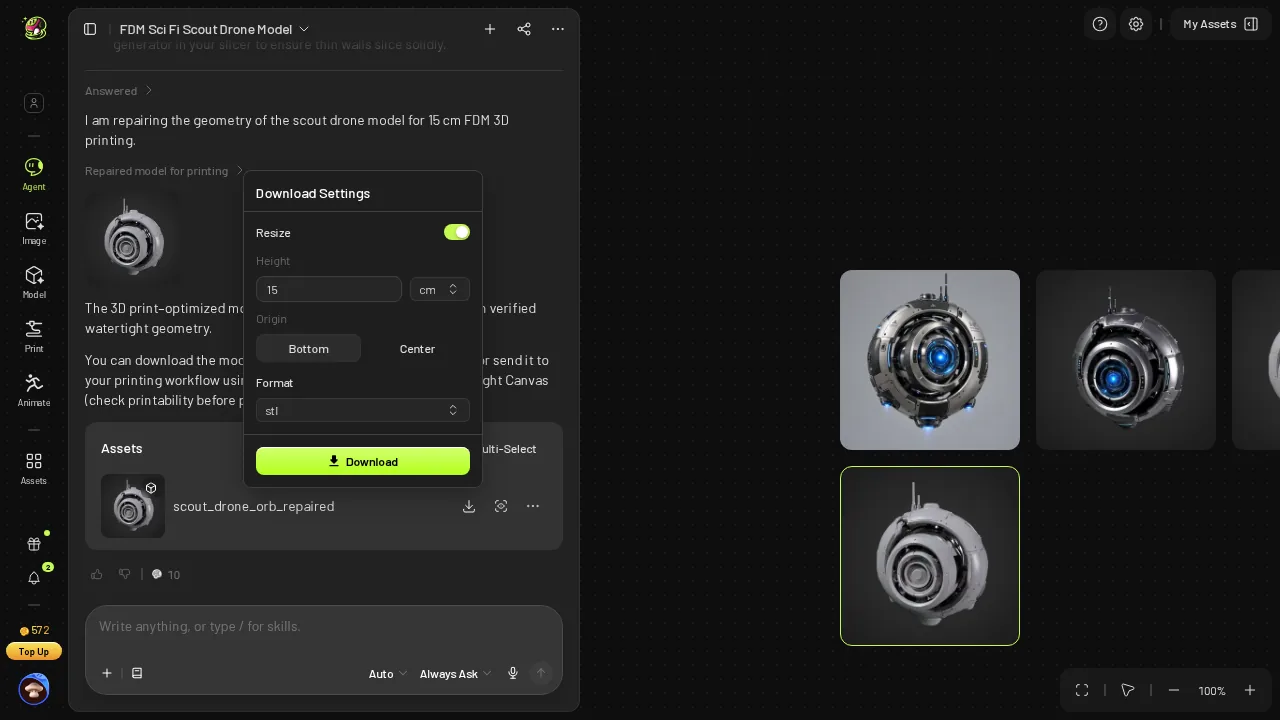 The same Meshy dialog after I set Resize on, Height 15 cm, STL; height is the only size field.
I opened the file in my mesh tool. It measured 118.85 × 93.14 × 150.0 mm. The 150 mm was there, on the vertical axis. The width I asked for came out at 118.85 mm, 31.15 mm short, which is about 79.2 % of the target.
- Width asked — 150 mm on both
- Width in the STL — Meshy 118.85 mm · Snapshapy 150.0 mm · Meshy 31.15 mm short
- Where 150 mm landed — Meshy on the height · Snapshapy on the width
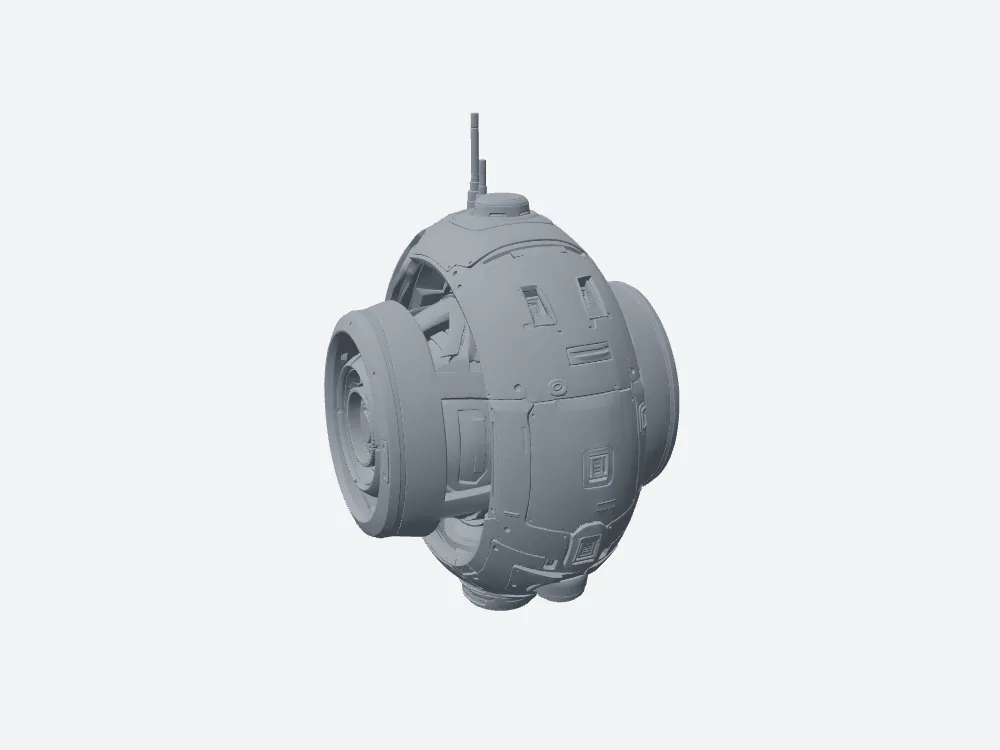 My grey render of Meshy's STL: watertight, 118.85 × 93.14 × 150.0 mm.
To be fair to Meshy, it can produce a 150 mm wide drone. There are two ways. I could divide 150 by 118.85, multiply by 150, and type about 189.3 mm into the Height field. Or I could load the 118.85 mm file into the slicer and scale it up by about 26.2 %. Both work. Both are arithmetic I asked the agent to do, done by me, after the Meshy agent had already written "150 mm" itself.
118.85 mm, watertight, 158.2 MB
The Meshy file is a valid print. My check found it watertight, 1 body, 0 non-manifold edges and 0 degenerate faces, so the repair did its job and the 1,585,373 degenerate faces from the check were gone. Nothing in this article says otherwise.
Meshy's STL is also a much denser mesh, with a mean triangle edge of 0.287 mm against Snapshapy's 1.167 mm.
The price of that density is weight. The Meshy STL is 158.2 MB with 3,163,166 faces for one drone. A slicer has to load all of it before I can even rescale the width that the Meshy dialog got wrong.
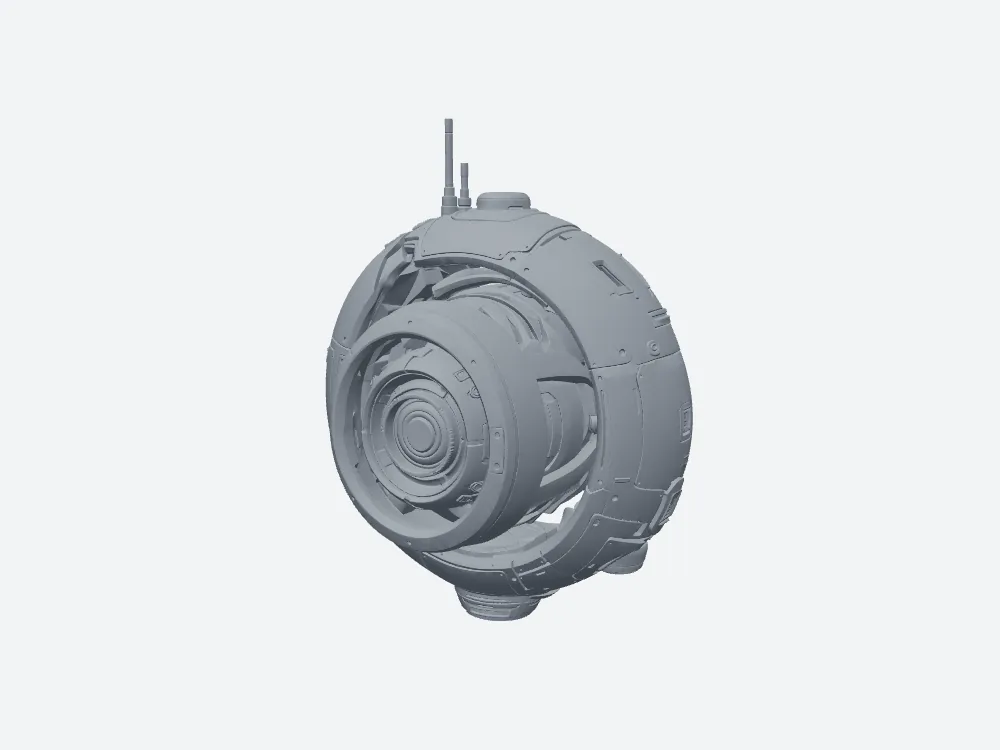 Meshy's STL, front view: 158.2 MB, 118.85 mm wide.
Snapshapy's reply: "exactly 150 mm wide with no slicer scaling"
On 2026-11-04 I typed message 3 again in the same Snapshapy chat. The concepts and the textured model from 11-03 were still above it.
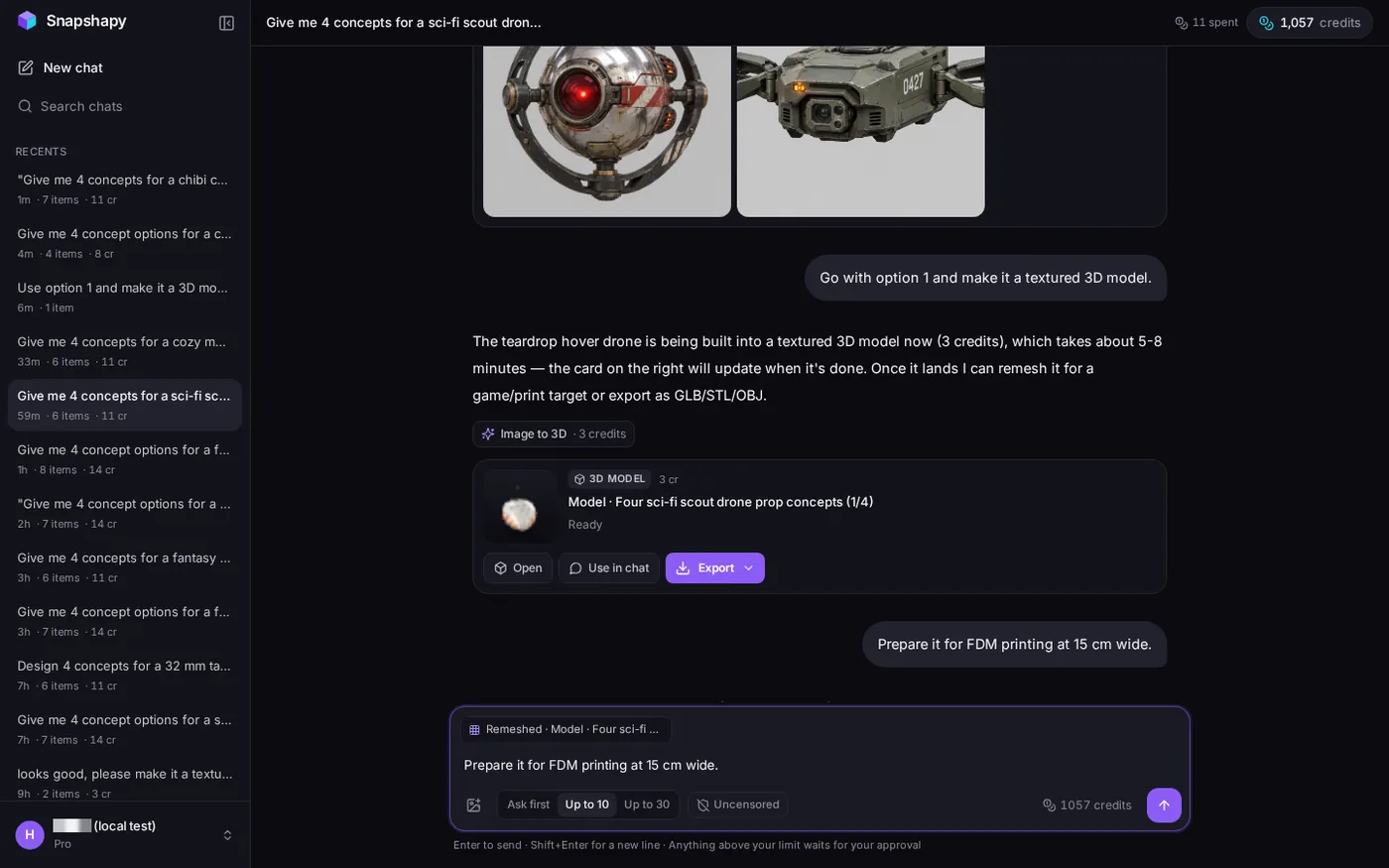 2026-11-04: message 3 typed again in the same Snapshapy chat, with the 11-03 concepts and model above.
Snapshapy answered: "A fresh print prep is running on the drone (free, about 30 s), this time with the size baked in, so the STL/3MF will come out at exactly 150 mm wide with no slicer scaling." No choice card and no approval card came with it. The balance read 1,057 before and after, and the header still said "11 spent".
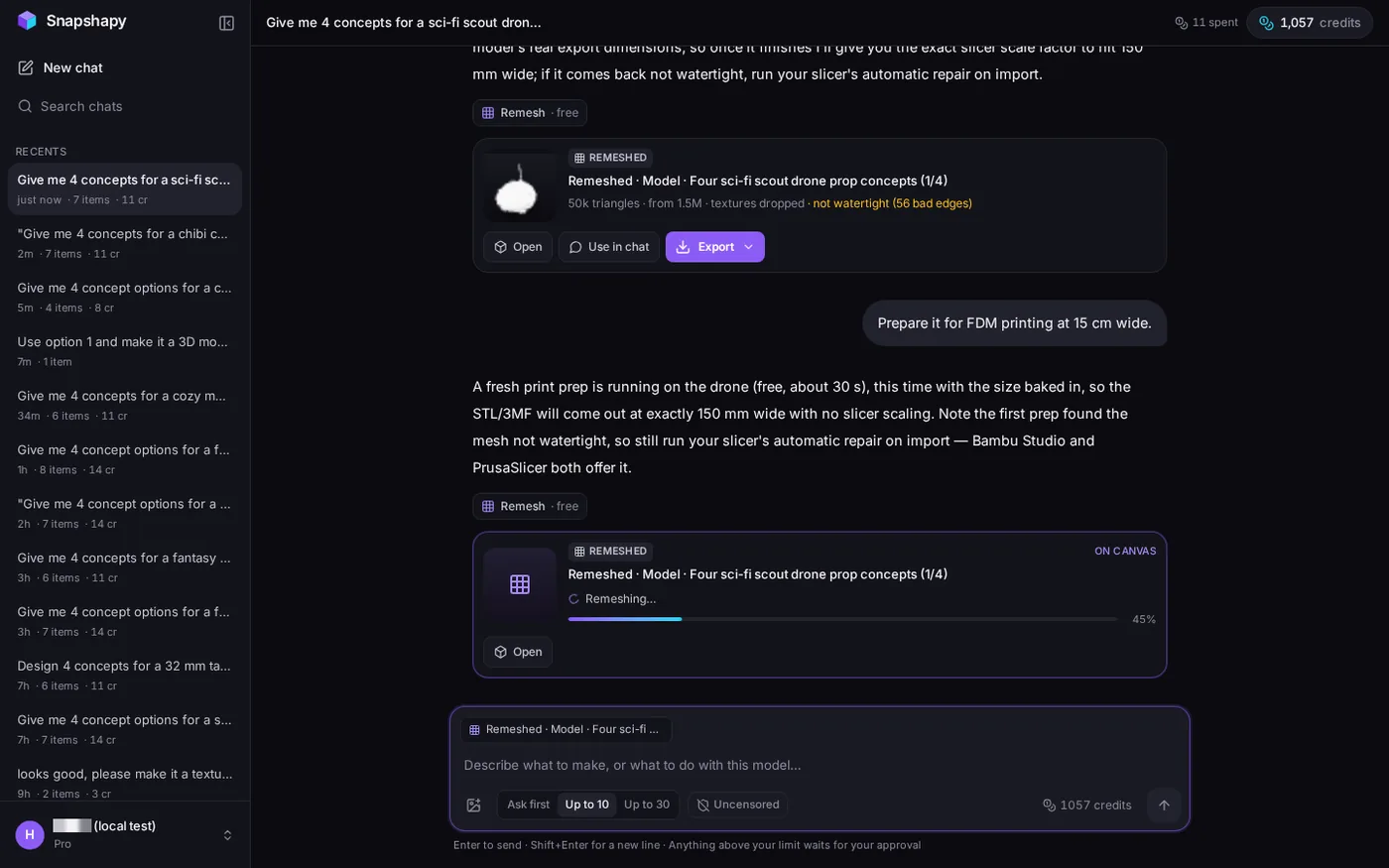 Snapshapy's reply promising exactly 150 mm wide with no slicer scaling; the upper card is the 11-03 attempt.
My first Snapshapy print attempt on 2026-11-03, before the update, gave a non-watertight 100 mm file, and that card is still visible in the chat. The same reply also told me to run my slicer's automatic repair on import, although the file it then gave me was already watertight.
6.5 seconds of remesh, then Export → STL at 150.0 mm
The remesh finished in 6.5 seconds. The card read "50k triangles · from 1.5M · textures dropped · watertight". I clicked Export, then STL, and the file was built in my browser in 3.8 seconds. Those 2 clicks were the whole download step.
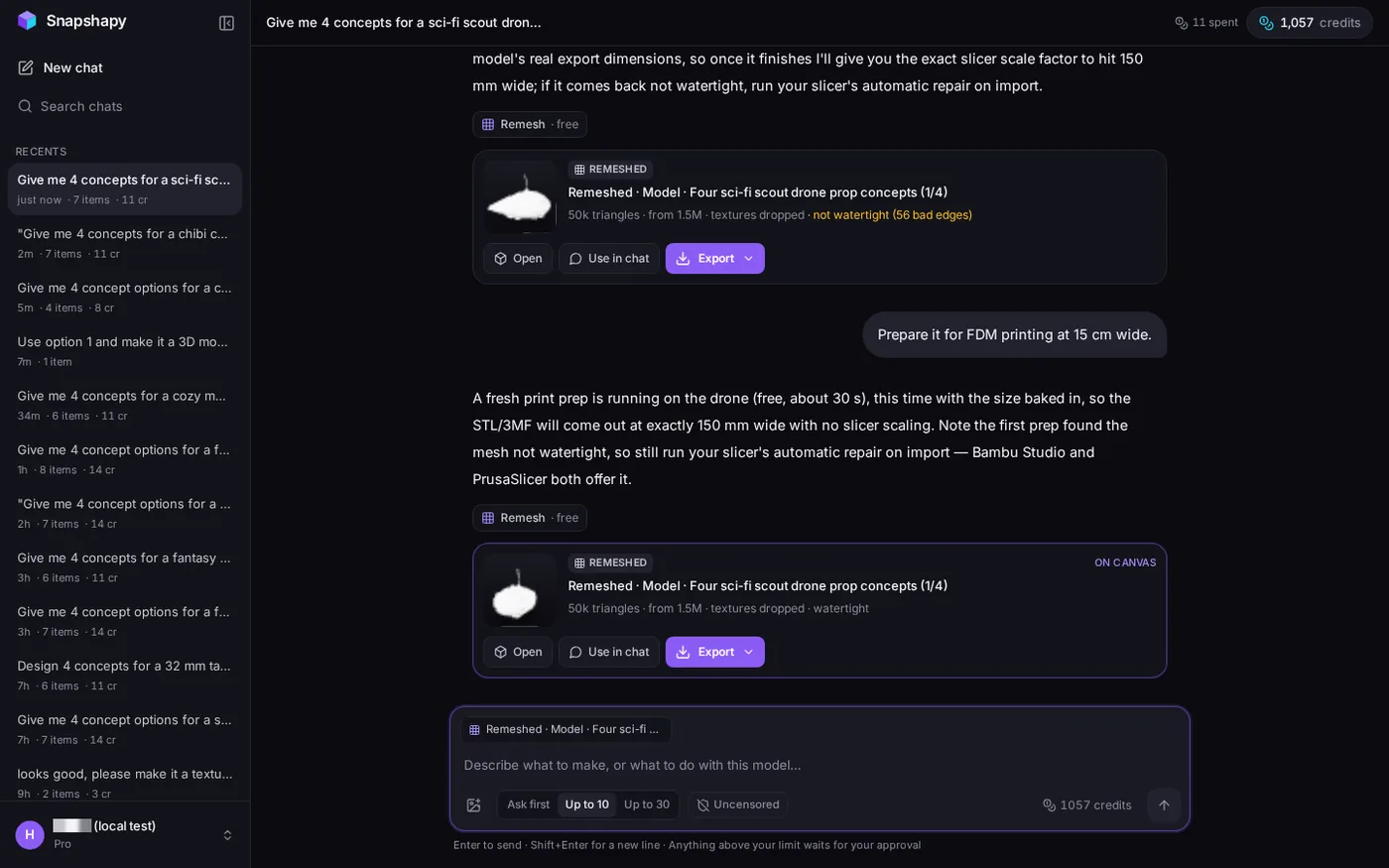 The new Snapshapy print card: "50k triangles · from 1.5M · textures dropped · watertight"; header "11 spent". The upper card is the 11-03 attempt.
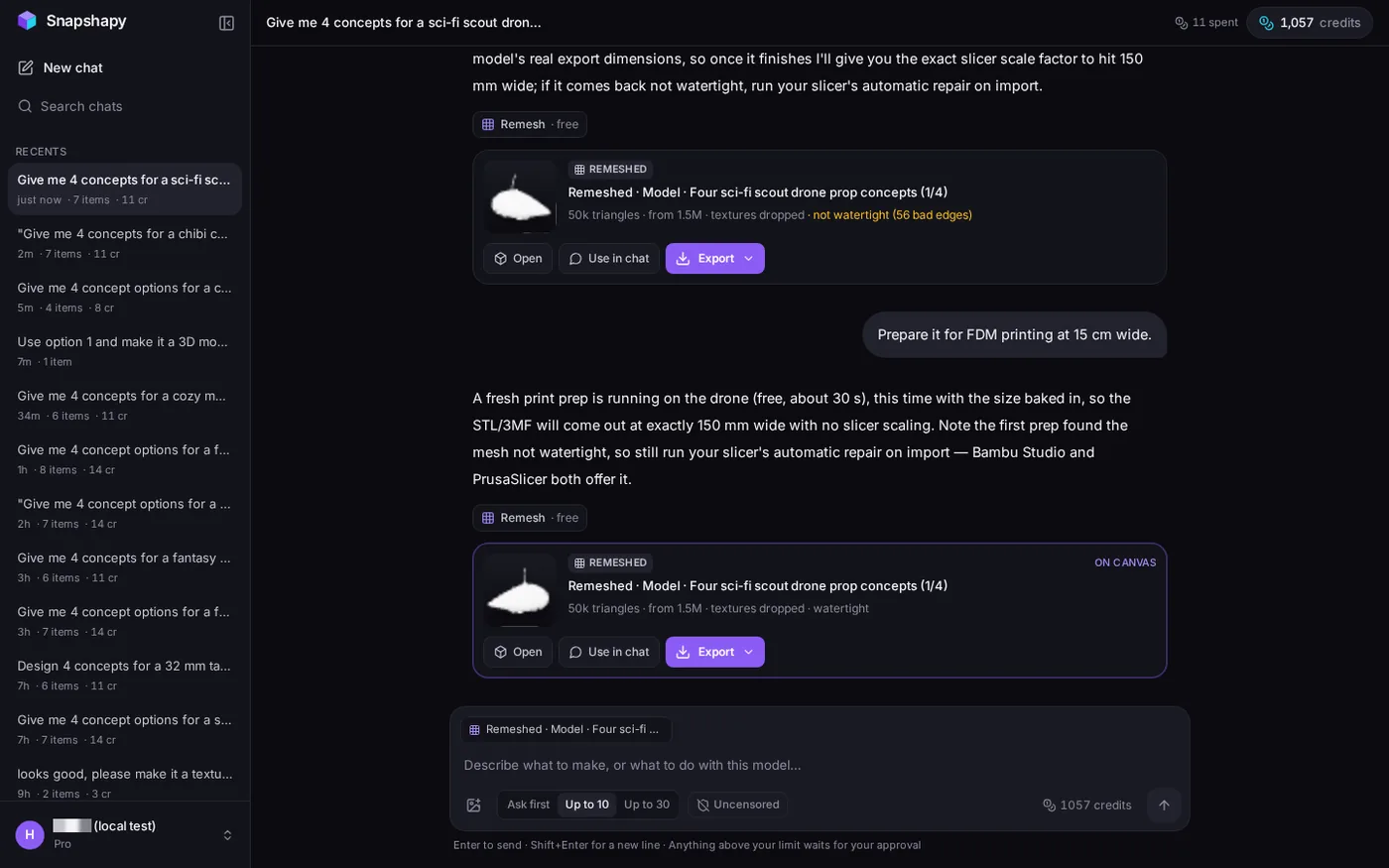 Snapshapy after Export → STL, 3.8 s in the browser.
In my mesh tool the Snapshapy STL measured 150.0 × 84.53 × 102.39 mm. The 150 mm sat on the width, where I asked for it, and I changed no number anywhere. My check found it watertight, 1 body, 0 non-manifold edges and 0 boundary edges. The file is 2.5 MB with 49,884 faces, 63.3× smaller than Meshy's.
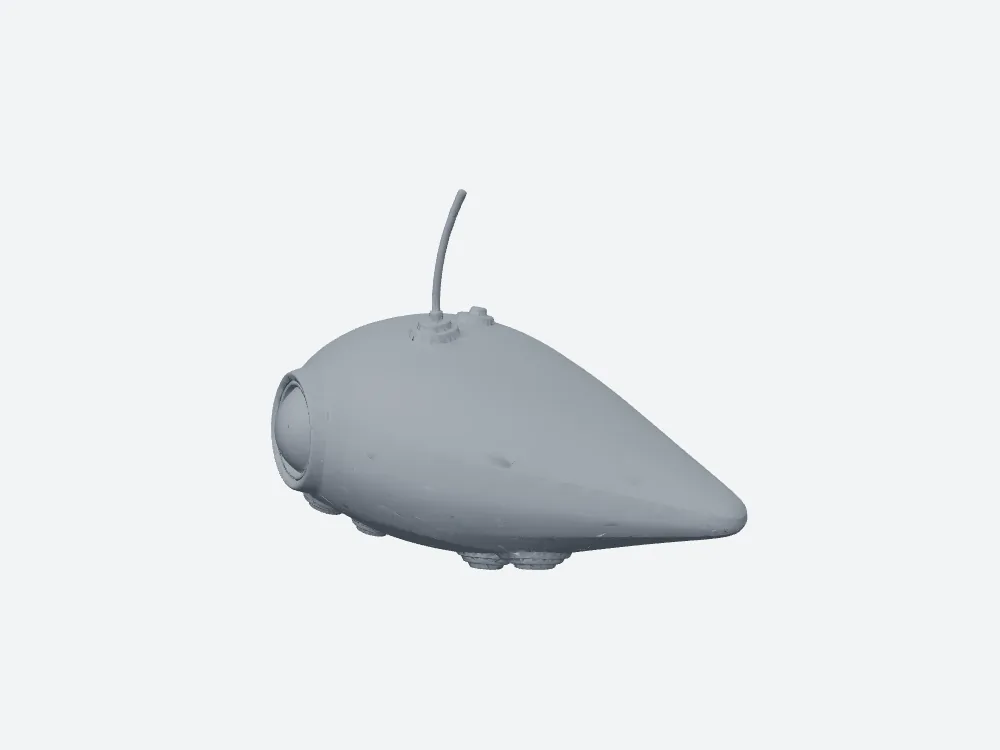 My grey render of Snapshapy's STL: watertight, 150.0 × 84.53 × 102.39 mm.
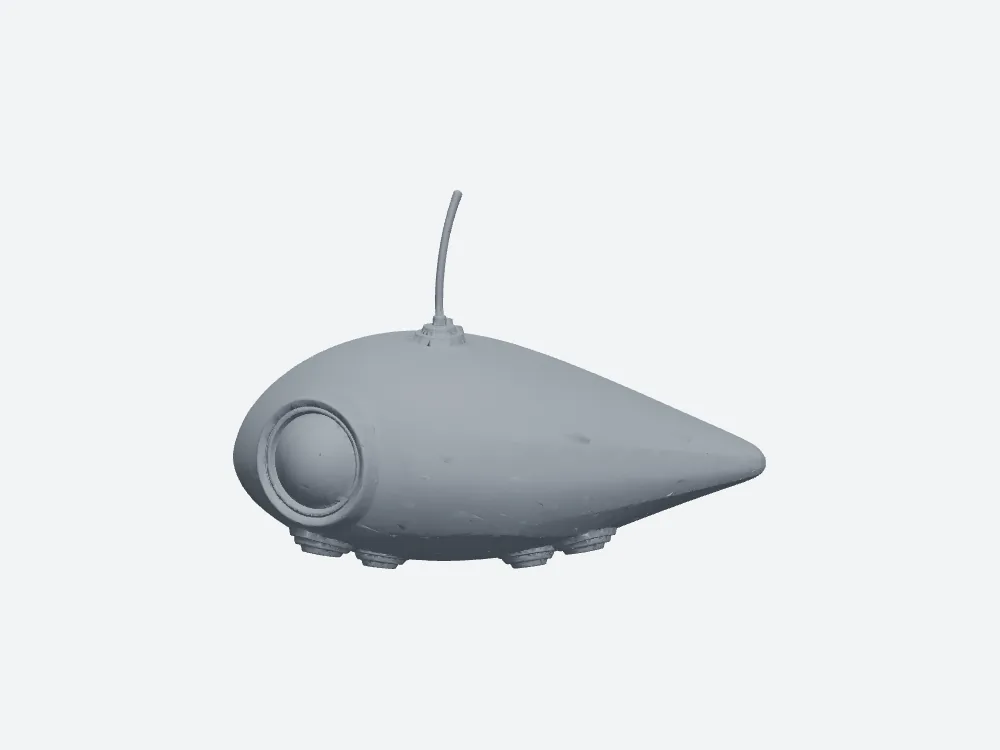 Snapshapy's STL, front view: 2.5 MB, 150.0 mm wide.
For speed, Meshy wins this run: image-to-3D took ≈170 s on Meshy against 291 s on Snapshapy, and total job time was ≈318 s against ≈339.3 s.
- Width in the STL — Meshy 118.85 mm · Snapshapy 150.0 mm
- Watertight, bodies, non-manifold edges — Meshy yes, 1, 0 · Snapshapy yes, 1, 0
- STL size — Meshy 158.2 MB · Snapshapy 2.5 MB · 63.3×
- Faces — Meshy 3,163,166 · Snapshapy 49,884
Ten drone props, ten height conversions on Meshy
One drone at the wrong width is a rescale in the slicer. A run of props is a habit. Say I need 10 scout drones, each 150 mm wide for a display shelf. On Meshy, every one of them goes through the Height-only dialog, so every one needs its own conversion, because the ratio of width to height changes with each shape. For this orb it was ≈189.3 mm. The next drone will need a different number.
- Manual height conversions, 10 props — Meshy 10 · Snapshapy 0
- Clicks beyond the messages, 10 props — Meshy ≈130 · Snapshapy 20
- Credits, 10 props — Meshy 490 ($9.80) · Snapshapy 110 ($5.22)
- STL on disk, 10 props — Meshy 1,582 MB · Snapshapy 25 MB
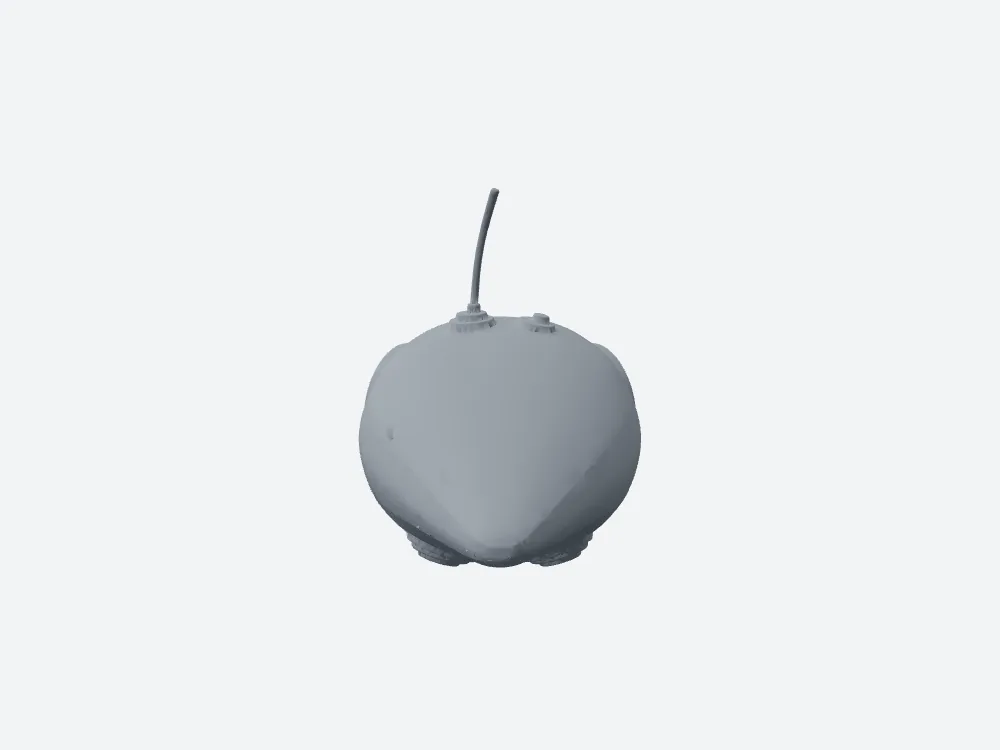 Snapshapy's STL, side view; the width was already 150.0 mm, so nothing needed rescaling.
Three asides from earlier in the run. The whole drone cost 49 credits on Meshy against 11 on Snapshapy, 4.5× the credits. The print file was 158.2 MB against 2.5 MB. And when I asked for 4 concepts, Meshy drew 1 image after turning the four ideas into text lines on a choice card, while Snapshapy drew 4 single drones.
Final verdict: Meshy 3D Agent scores 52/100 for a 15 cm printed prop
Meshy 3D Agent got the hard parts right and the simple one wrong. Its check was free, it read my 150 mm correctly, and its repaired STL was watertight with 0 non-manifold edges. Then the Meshy dialog opened at 12.0 cm, offered Height as its only size field, and turned "15 cm wide" into a 118.85 mm wide drone after 9 clicks and 10 credits on the print step. Reaching 150 mm on Meshy means my own arithmetic or a slicer rescale, on every prop.
Snapshapy put the 150 mm on the width, where I asked for it, in a 2.5 MB watertight file after 2 clicks and 0 credits for the print step. For a part that must fit a set width, that is the whole job.
Which one I would use for this job
If the size in your message is the size the part has to be, the tool should put it on the axis you named. In this test, only one of them did: snapshapy.com