For anyone searching image to stl for a printable mushroom house, this comparison of Meshy 3D Agent and Snapshapy covers STL validity, file weight, mesh detail, download scale, and print time so the print-ready trade-offs are clear.
Meshy 3D Agent and Snapshapy's 3D Agent both handed me a mushroom house STL that passed every check I ran: watertight, 0 non-manifold edges, exactly 120.0 mm tall. On print validity the two files tie. The difference is weight. Meshy's STL is 396.4 MB with 7,928,240 faces. Snapshapy's is 4.99 MB with 99,882 faces. That is 79 times the bytes for the same printable result on the same 12 cm shelf.
My verdict in 60 seconds — Meshy 3D Agent 63/100, Snapshapy 88/100
Meshy 3D Agent prints a correct mushroom house, but it ships the full render mesh into the STL, while Snapshapy (https://snapshapy.com) ships a light file that is just as valid at 120 mm.
- Print validity — Meshy 9/10 · Snapshapy 9/10 — both STLs watertight, 0 non-manifold edges, 120.0 mm tall
- STL file weight — Meshy 2/10 · Snapshapy 9/10 — 396.4 MB vs 4.99 MB, 79× the bytes
- Textured model weight — Meshy 4/10 · Snapshapy 8/10 — GLB 269.0 MB vs 93.2 MB, 2.9× heavier
- Mesh detail — Meshy 9/10 · Snapshapy 6/10 — mean triangle edge 0.216 mm vs 1.127 mm
- Scale and format at download — Meshy 5/10 · Snapshapy 9/10 — Meshy's dialog opened at Resize off and glb; Snapshapy's STL was already 120 mm
- Print-step time — Meshy 4/10 · Snapshapy 10/10 — ≈327 s vs 16.5 s, about 19.8× longer
- Credits for the whole run — Meshy 4/10 · Snapshapy 9/10 — 76 vs 11, $1.52 vs $0.52 per diorama
- Print guidance — Meshy 8/10 · Snapshapy 4/10 — Meshy named infill, walls and supports; Snapshapy named none
The concrete problems with Meshy's print file:
- The Meshy STL carries 7,928,240 faces for a 12 cm object, and at 396.4 MB it is 1.47× heavier than Meshy's own textured GLB.
- Right after the Meshy agent prepared a 120 mm print, the Meshy download dialog opened at Resize off and glb.
- The Meshy STL holds 2 bodies, so a small detached piece has to be deleted in the slicer.
- The Meshy print step took ≈327 s and 10 credits before the file reached my disk.
For a 12 cm printed diorama, I would use Snapshapy.
Two dates, one chat: how the mushroom house test ran
I ran Meshy on November 3. Snapshapy's print step failed on November 3 (a 100 mm, non-watertight file), so I re-sent the same message in the same chat on November 4 after an update; the print numbers below are from that later build.
Both agents got the same three messages, typed verbatim: "Give me 4 concepts for a cozy mushroom house diorama.", then "Go with option 1 and make it a textured 3D model.", then "Prepare it for printing at about 12 cm tall." On every choice card I picked the first option. I used Meshy 3D Agent at meshy.ai on a Meshy Pro plan ($20/month, 1,000 credits) and Snapshapy on its Pro plan.
 Meshy's four concepts; I took option 1, the Classic Fairy Cottage.
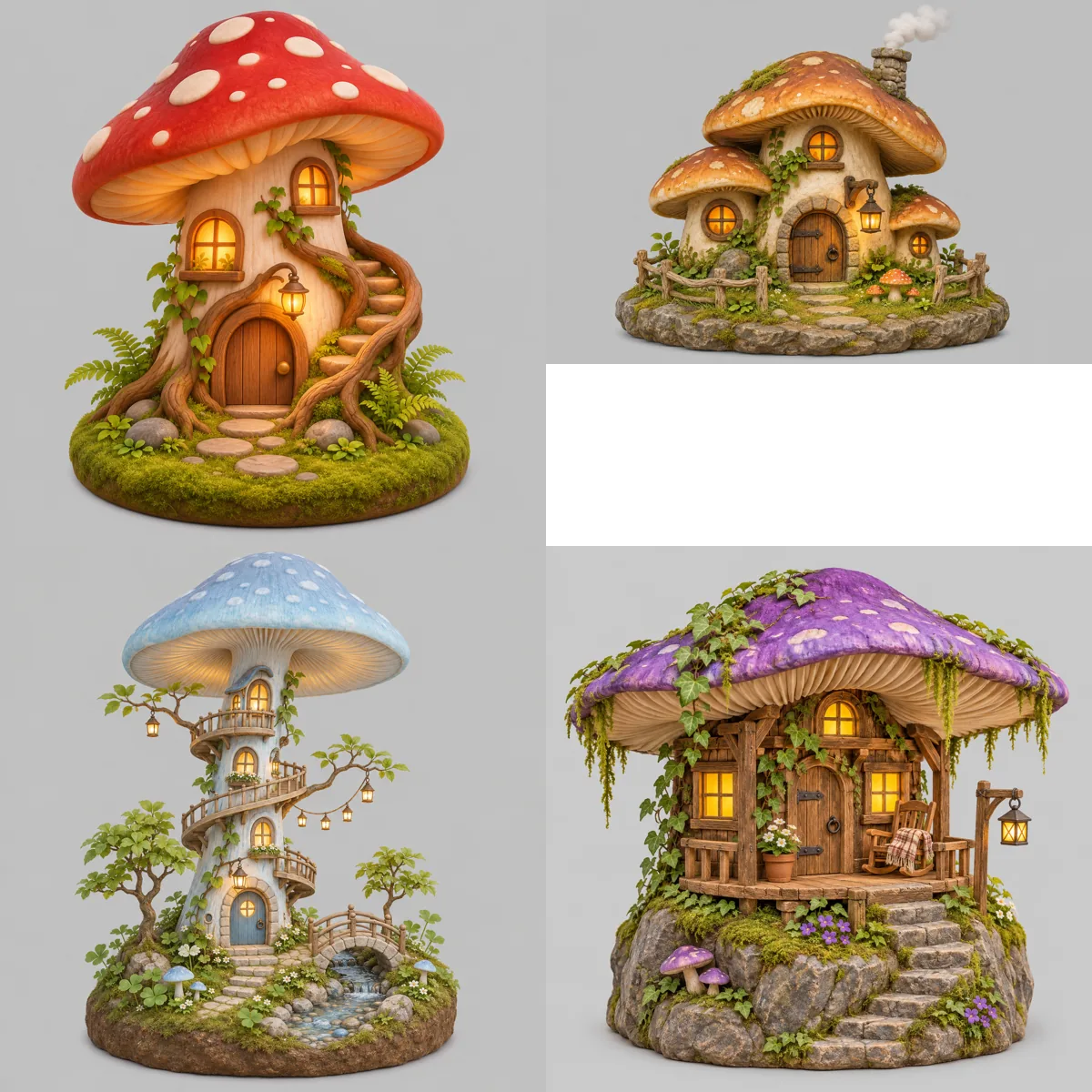 Snapshapy's four concepts; option 1 is the red spotted cap with a spiral stair.
Option 1 was a different design on each side, so I compare nothing here that depends on the shape. File weight does not: a binary STL costs about 50 bytes per face on both sides, whatever the house looks like.
Both mushroom houses passed the mesh check
I opened both STLs in a mesh tool before looking at any file size. The results are identical where it matters for a printer.
- Watertight — Meshy yes · Snapshapy yes
- Non-manifold edges — Meshy 0 · Snapshapy 0
- Height — Meshy 120.0 mm · Snapshapy 120.0 mm
- Failures in the run — Meshy 0 · Snapshapy 0 on the updated build
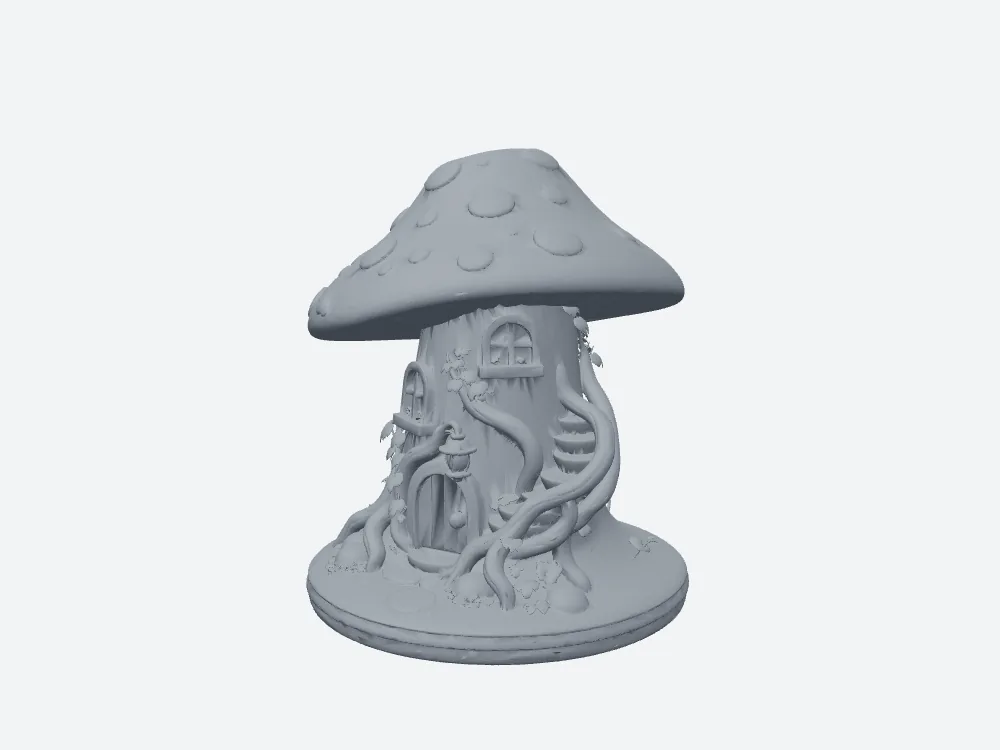
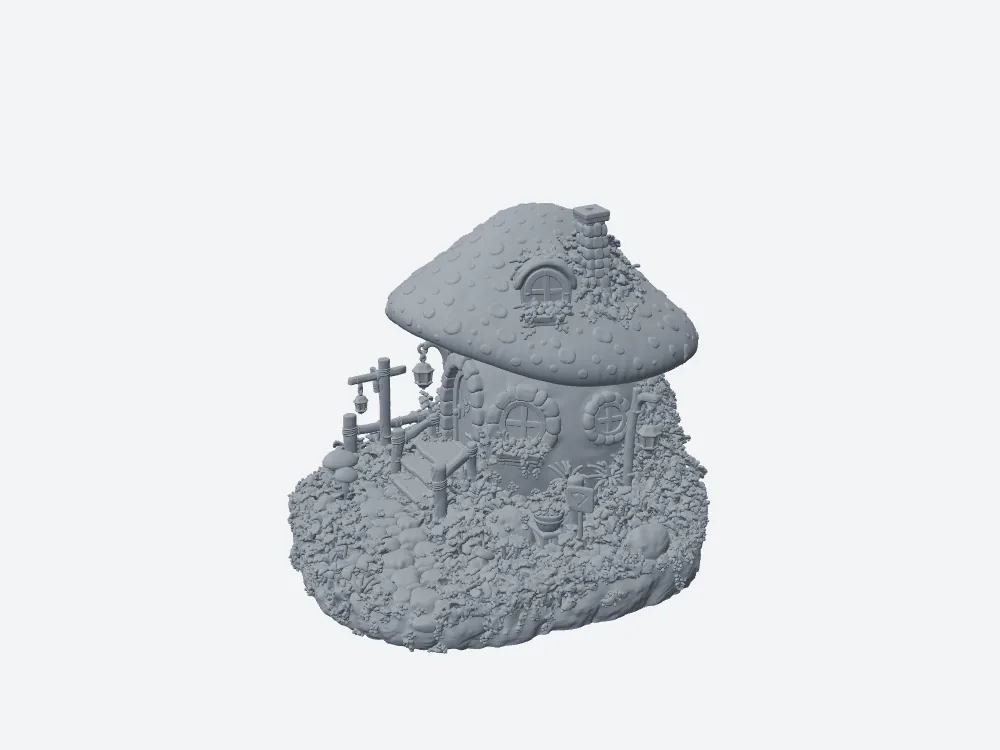 My grey render of Meshy's STL: watertight, 120.0 mm tall, 396.4 MB.
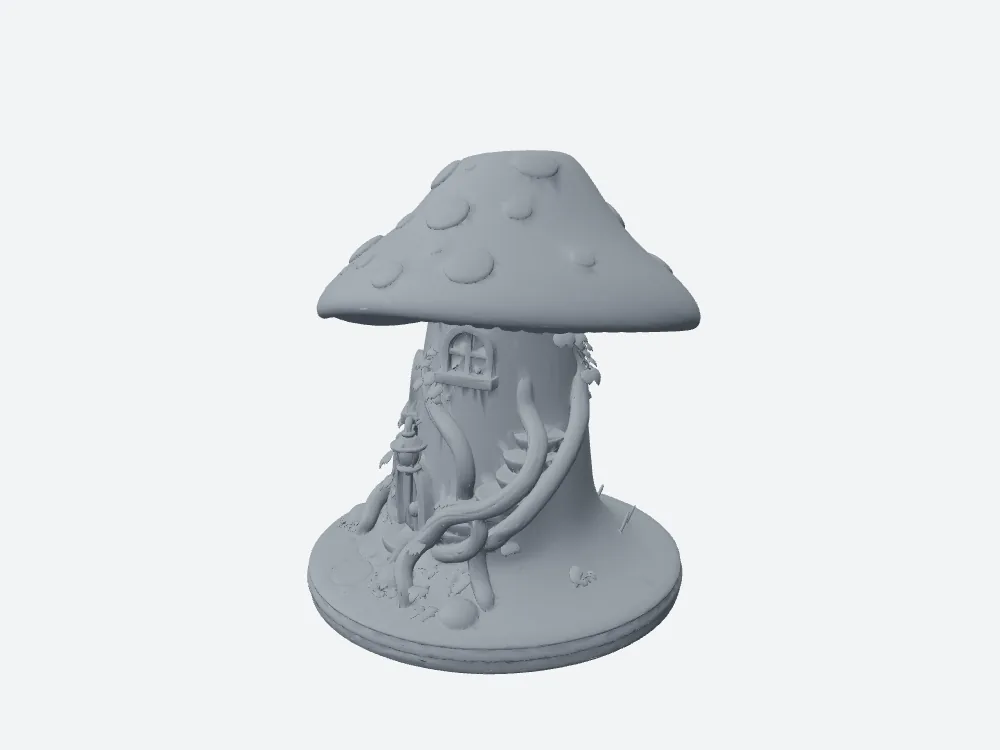 My grey render of Snapshapy's STL from the updated build: watertight, 120.0 mm tall, 4.99 MB.
So a slicer will accept either file. Nothing below says the Meshy file prints worse. It says the Meshy file costs more bytes, seconds and credits to get to the same accepted state.
7,928,240 faces at 50 bytes each
STL stores every triangle on its own, so the file size is almost pure face count. 7,928,240 faces × 50 bytes is the 396.4 MB Meshy gave me. 99,882 faces × 50 bytes is Snapshapy's 4.99 MB. The 79× gap in megabytes is the same 79× gap in faces.
- STL file for the same 120 mm diorama — Meshy 396.4 MB · Snapshapy 4.99 MB · 79×
- STL faces — Meshy 7,928,240 · Snapshapy 99,882 · 79×
 Meshy's STL wireframe close-up: 7,928,240 faces, so dense the wire reads as solid.
Spread over a 120 mm tall object, Meshy's face count works out to 66,069 faces per millimeter of height. Snapshapy spends 832 per millimeter.
A 269.0 MB GLB that grew on the way to print
The textured Meshy model was already heavy: 7,935,794 triangles in a 269.0 MB GLB. Snapshapy's textured model was 1,491,328 triangles in 93.2 MB, so Meshy started 2.9× heavier in bytes and 5.3× in triangles.
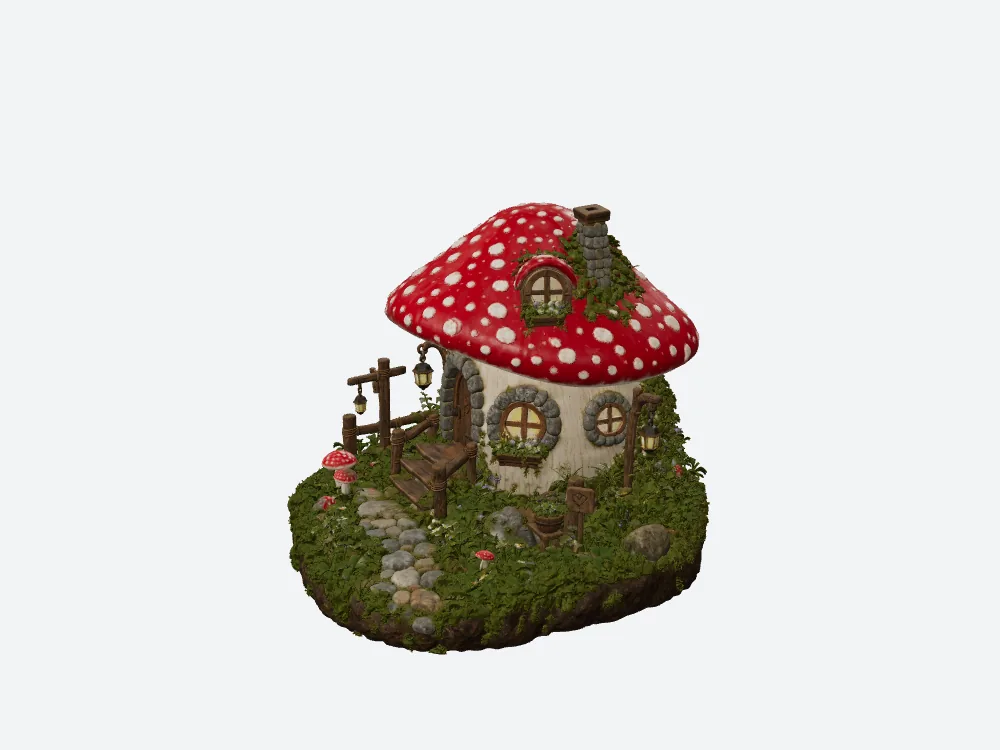 My render of Meshy's textured mushroom house: 7,935,794 triangles, 269.0 MB GLB.
Then the two print steps went in opposite directions. Meshy's repair kept almost every triangle: 7,935,794 in the GLB, 7,928,240 in the STL, only 7,554 fewer, about 0.1 %. With the textures gone and the geometry kept, the Meshy STL ended up 1.47× the size of the Meshy GLB. Snapshapy's print step cut 1,491,328 triangles to 99,882, 14.9× fewer, and its STL is 18.7× smaller than its GLB.
- Textured GLB — Meshy 269.0 MB · Snapshapy 93.2 MB · 2.9×
- GLB to STL — Meshy 269.0 → 396.4 MB · Snapshapy 93.2 → 4.99 MB
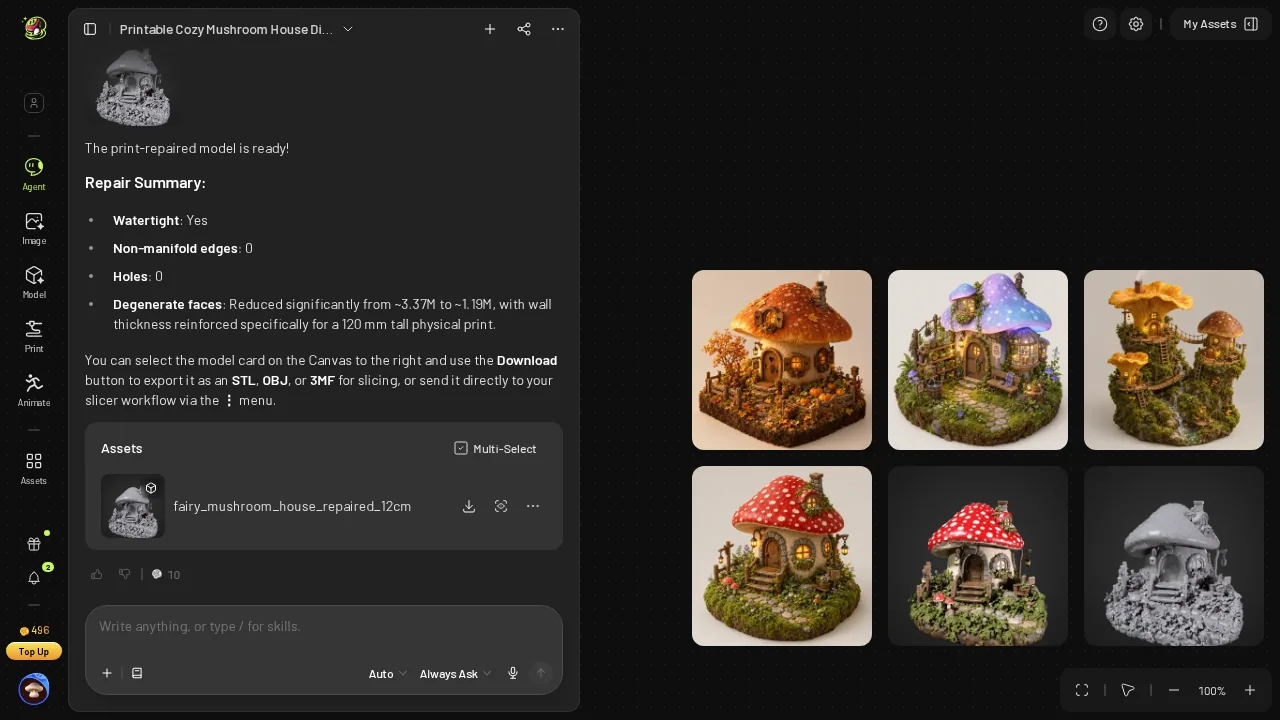 Meshy's repair summary after 10 credits: watertight, 0 non-manifold edges, balance 496.
The Meshy repair summary reported "Degenerate faces: Reduced significantly from ~3.37M to ~1.19M". The repair did clean the mesh. It did not lighten it.
Snapshapy's remesh card: 1.5M down to 100k in 9.4 s
On the updated build, Snapshapy answered message 3 with a free remesh. The card finished in 9.4 s and read "100k triangles · from 1.5M · textures dropped · watertight". Export → STL then took 7.1 s in the browser, so the whole print step was 16.5 s.
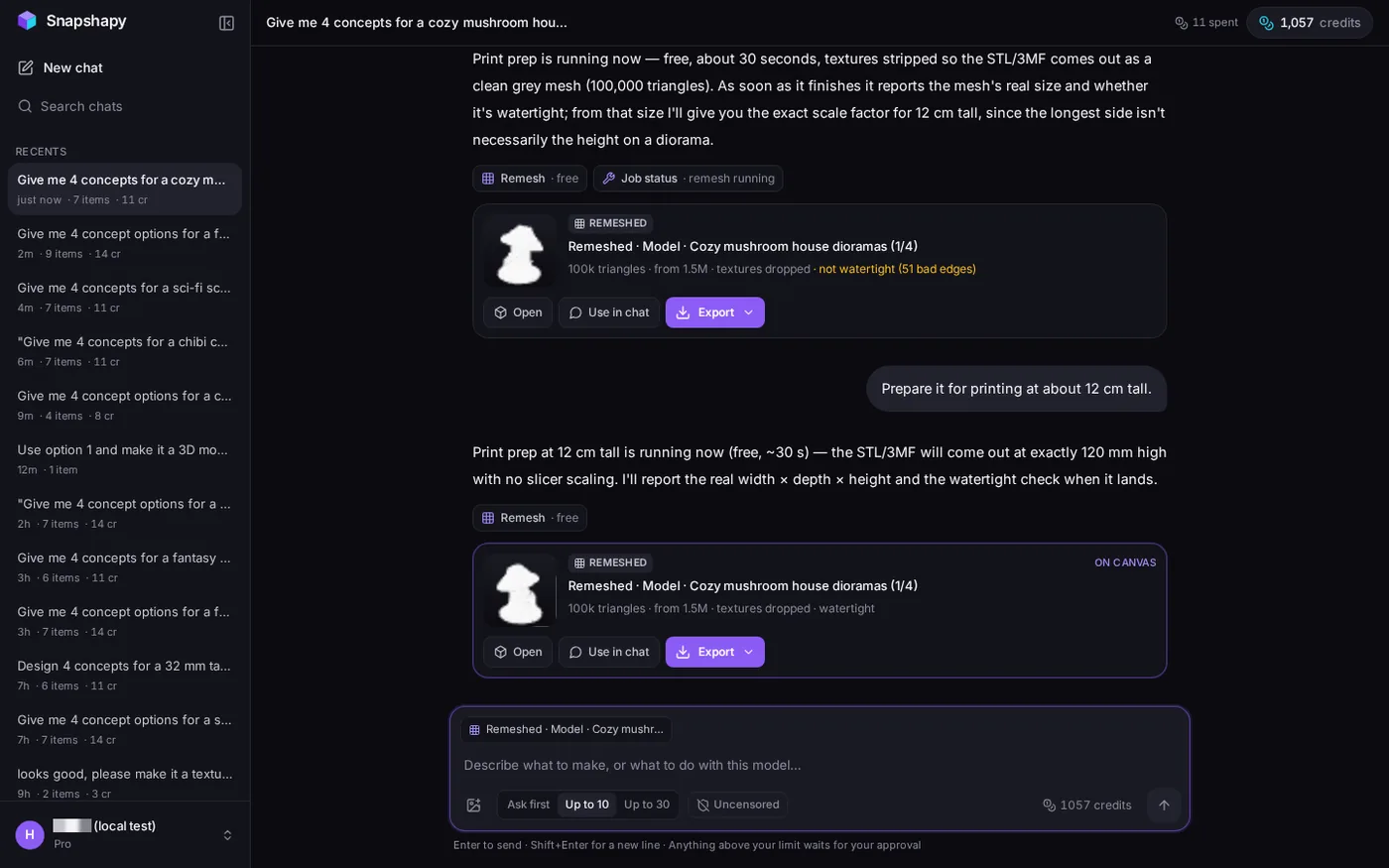 Updated build: the lower card reads "100k triangles · from 1.5M · textures dropped · watertight", header "11 spent", 1,057 credits. The upper "not watertight" card is the earlier build's attempt.
That card states the face budget before the download starts. Meshy's repair summary told me about degenerate faces and watertightness but never gave a face count for the file I was about to save.
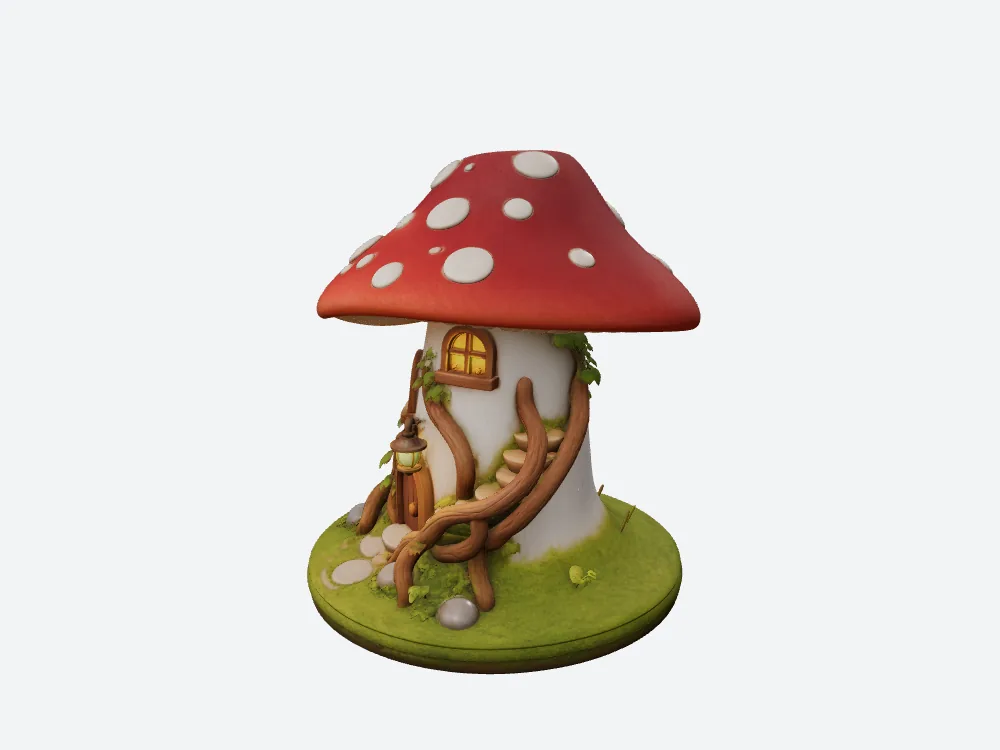 My render of Snapshapy's textured model before the remesh: 1,491,328 triangles.
The balance read 1,057 before and after the print step, so the remesh cost 0 credits. Meshy's print check was also free; the repair was 10 credits, $0.20 on Pro.
"Exactly 120 mm high" and a file that measured 120.0 mm
Snapshapy's reply on the updated build said: "the STL/3MF will come out at exactly 120 mm high with no slicer scaling." My mesh tool measured the STL at 120.0 mm tall, 1 body, 0 open edges.
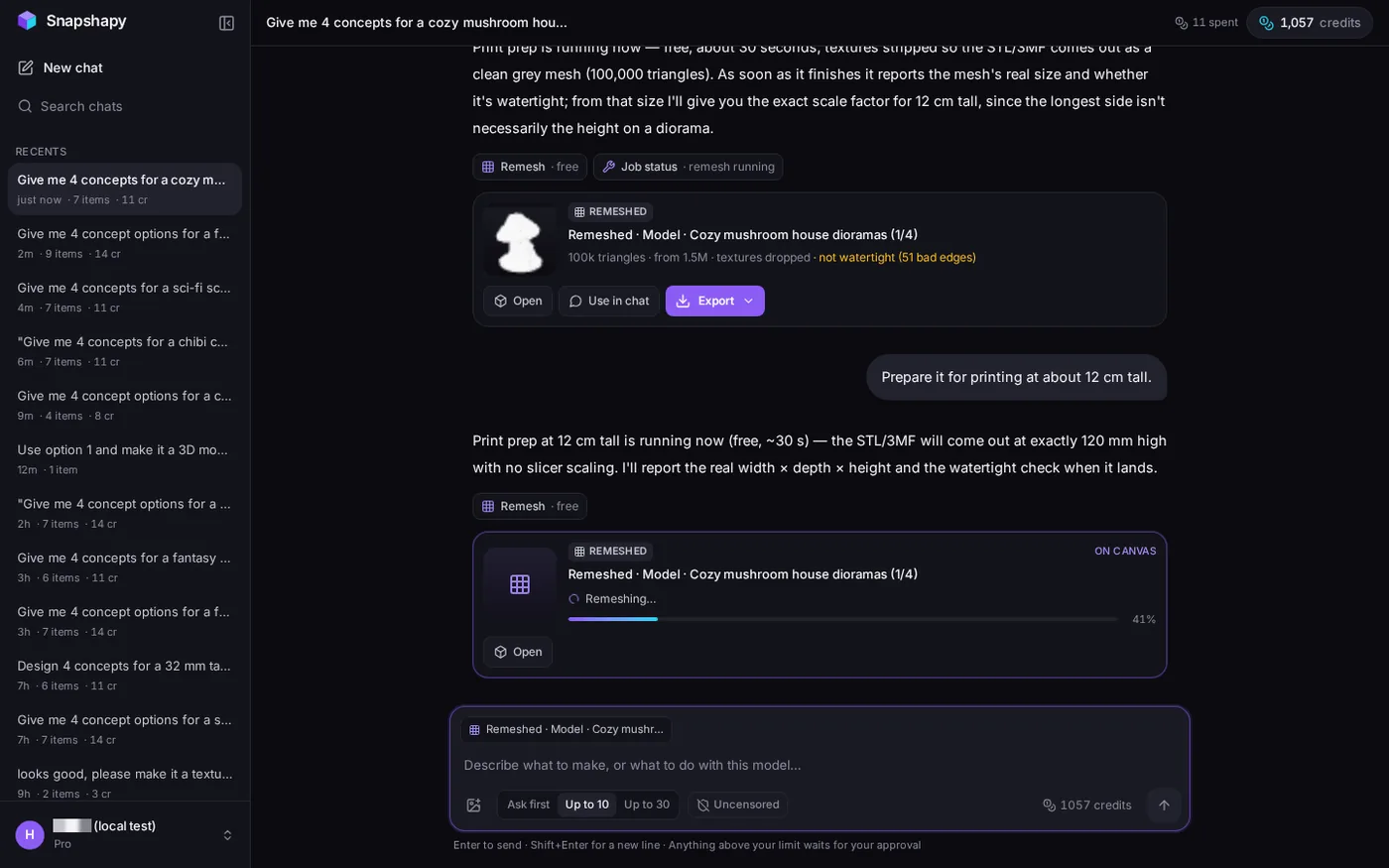 Updated build: "exactly 120 mm high with no slicer scaling", free remesh running. The upper card is the earlier build's attempt.
The same reply promised to report the real width × depth × height and the watertight check when the job landed, and that follow-up message never arrived; the card's "watertight" label was the only report.
 Snapshapy's STL from the front, as exported at 120.0 mm.
The Meshy download dialog opened at glb
The Meshy agent had just checked and repaired the house for a 120 mm print. The Meshy download dialog then opened with Resize off, Height 12.0 cm and Format glb. I switched Resize on and picked STL by hand.
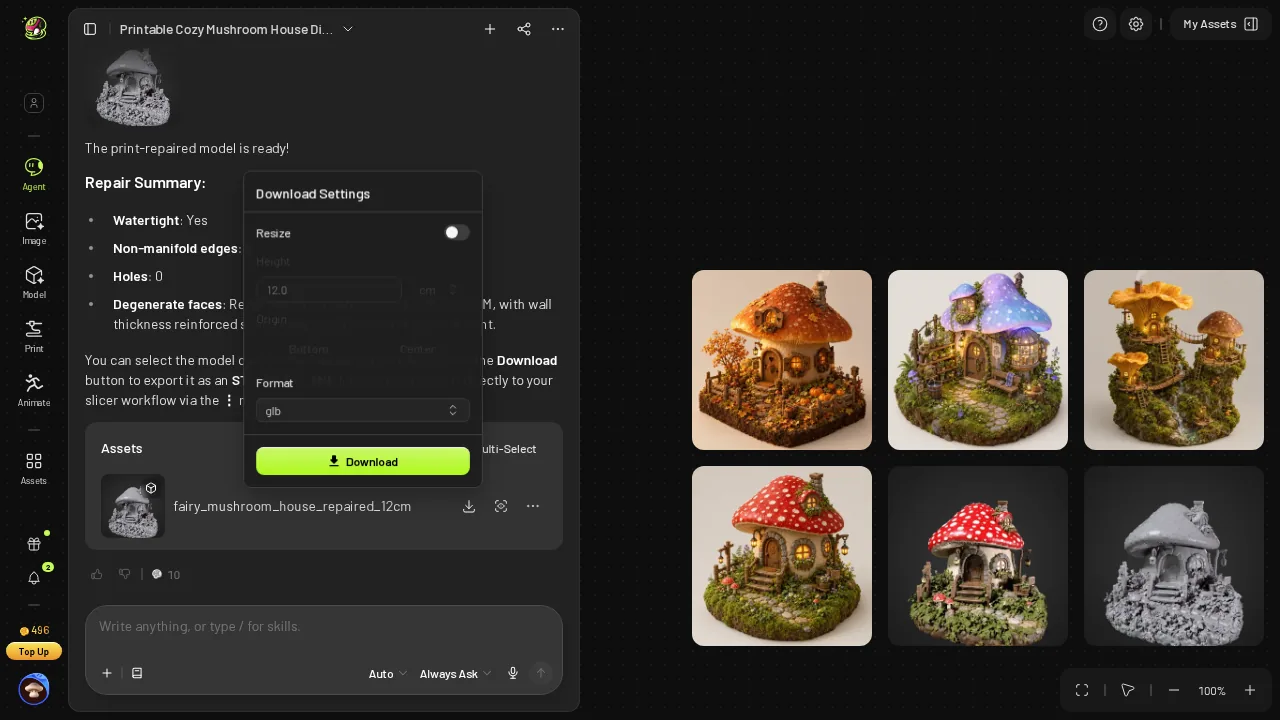 Meshy's download dialog as it opened: Resize off, 12.0 cm, glb.
That dialog accounts for 6 of the ≈11 clicks Meshy needed beyond my three messages; the rest were 3 Approve buttons plus a choice card select and Submit. Snapshapy needed 2: Export, then STL. Across ten dioramas that is ≈110 extra clicks against 20.
The second body in the Meshy zip
The Meshy zip held one file, a 396.4 MB STL. My mesh tool found 2 bodies in it: the main diorama and a small detached piece beside it. The file still passed the watertight check, so this is a cleanup note for the slicer, not a print failure.
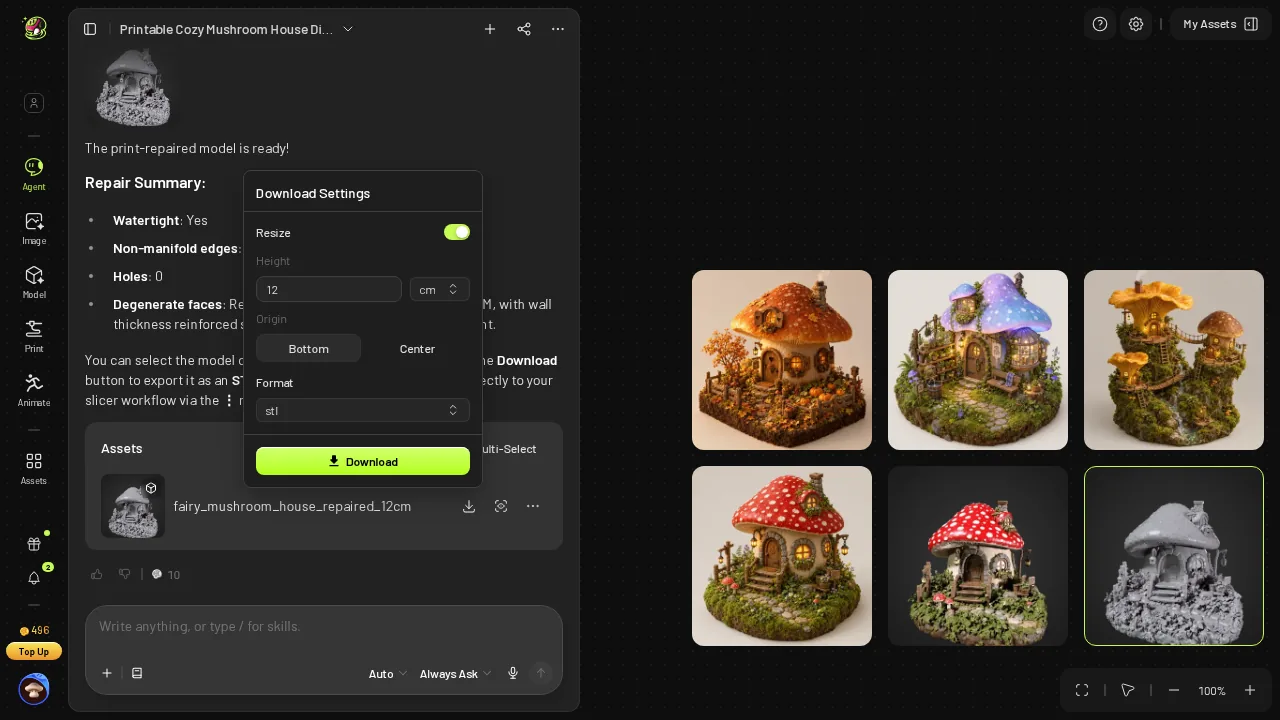 The Meshy dialog after I switched Resize on and picked STL; the zip held one 396.4 MB file.
Snapshapy's STL is 1 body. One fewer object to select and delete per print, and one fewer surprise in a print queue of ten.
Ten dioramas on one shelf: 3,964 MB vs 49.9 MB
A shelf of ten mushroom houses at this weight is 3,964 MB of Meshy STL, roughly 3.96 GB. The same ten from Snapshapy are 49.9 MB.
Assume a 50 Mbps download connection. One Meshy STL takes about 63.4 s to arrive; one Snapshapy STL takes about 0.8 s. Ten Meshy files take about 634 s, or 10.6 minutes; ten Snapshapy files take about 8.0 s. Sending files to a print shop over a 10 Mbps upload, one Meshy STL needs about 317 s and one Snapshapy STL about 4.0 s.
- Ten STLs — Meshy 3,964 MB · Snapshapy 49.9 MB · 79×
- Ten downloads at 50 Mbps — Meshy ≈634 s · Snapshapy ≈8.0 s
- Ten print steps — Meshy ≈3,270 s · Snapshapy 165 s
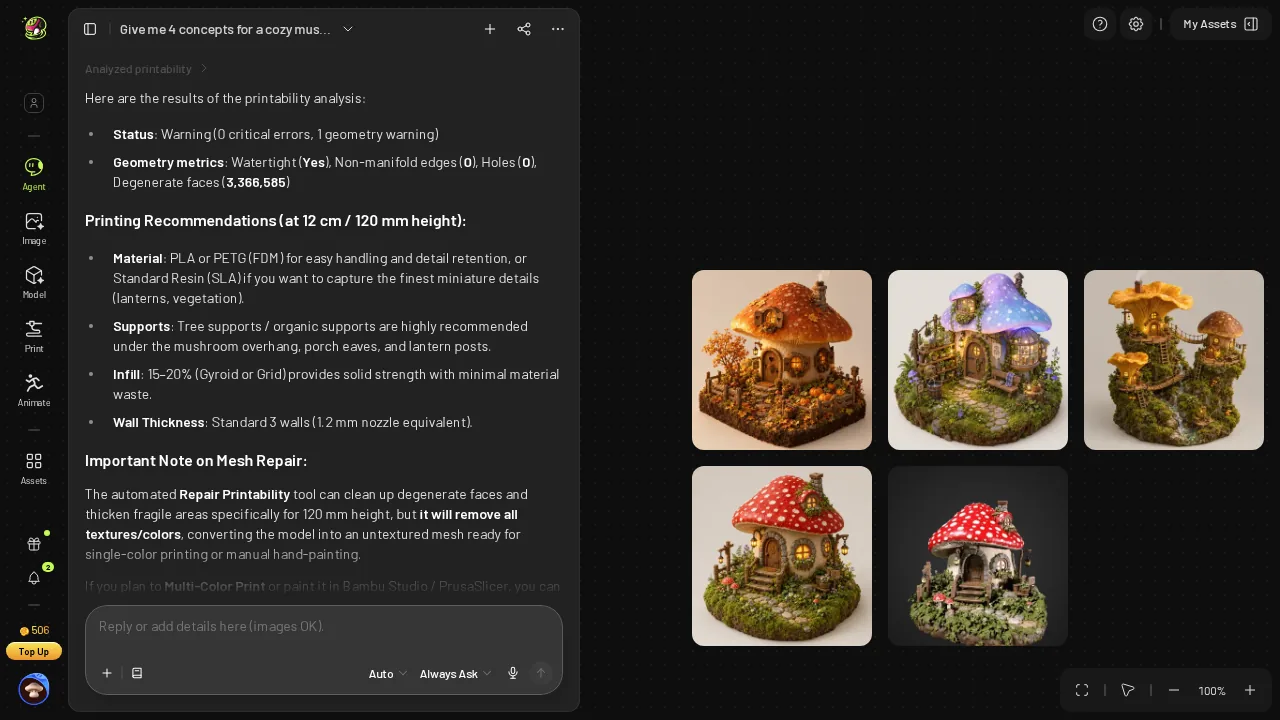 Meshy's free printability check: watertight, 3,366,585 degenerate faces, advice for a 120 mm print.
The credits follow the same shape, as an aside: 760 vs 110 for ten, $15.20 vs $5.20.
What the extra Meshy megabytes bought
Meshy's mesh is finer, with a mean triangle edge of 0.216 mm against Snapshapy's 1.127 mm, so thin vines and leaves keep sharper edges. Meshy's free print check also gave concrete advice for 120 mm (PLA/PETG or resin, tree supports under the cap, 15–20 % infill, 3 walls) and warned that repair "will remove all textures/colors", while Snapshapy gave no material or support advice.
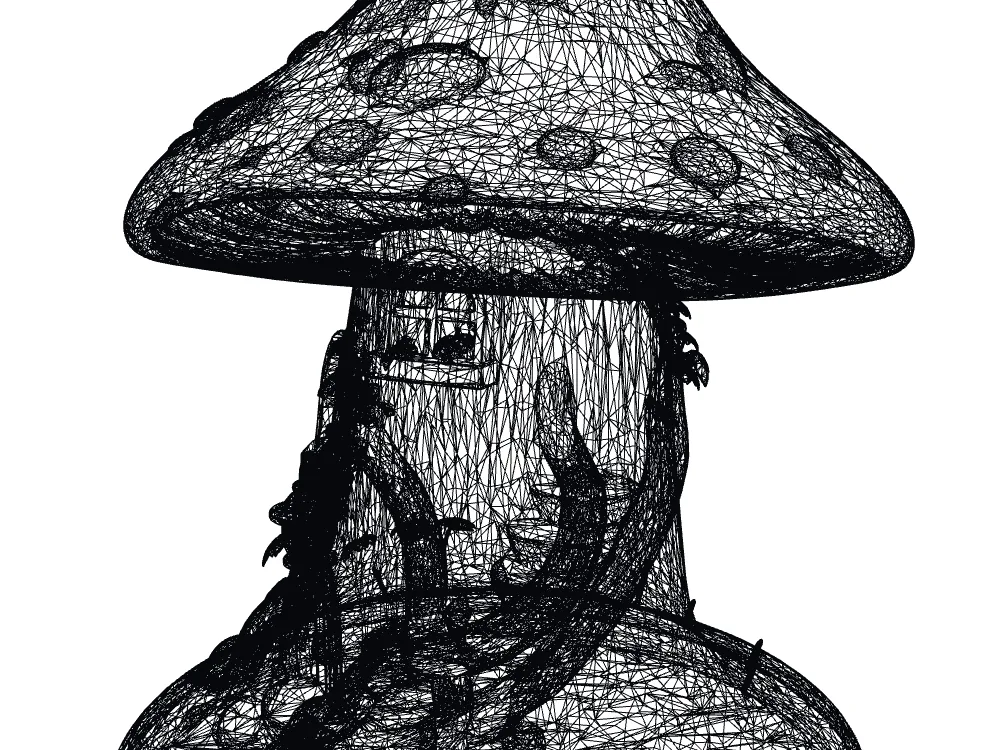 Snapshapy's STL wireframe close-up: 99,882 faces, mean edge 1.127 mm, coarser than Meshy.
Edges 5.2× shorter cost 79× the file size. For a 12 cm house on a hobby printer, I would take the 4.99 MB file and spend the saved minutes on supports.
Final verdict: Meshy 3D Agent scores 58/100 for a 12 cm printed diorama
Meshy 3D Agent gets the print right and everything around it heavy. The STL is valid, 120.0 mm tall and watertight, and it is also 396.4 MB, 7,928,240 faces, 2 bodies, ≈327 s of print prep and 10 credits of repair. The Meshy dialog then made me set STL by hand. For one house that is an annoyance; for ten it is 3,964 MB, ≈110 clicks and 760 credits.
Which one I would use for this job
For a 12 cm mushroom house that has to reach a slicer quickly, Snapshapy's updated build gave me the same valid print in a 4.99 MB file, 120.0 mm tall out of the box, for 11 credits: snapshapy.com